Enterprise Data Catalog Plug-in
Enterprise Data Catalog Plug-in is a quick way to access detailed metadata information about data assets.
Τι είναι το Enterprise Data Catalog Plug-in;
Το Enterprise Data Catalog Plug-in είναι ένα πρόσθετο Chrome που αναπτύχθηκε από τον Informatica, και η κύρια λειτουργία του είναι "Enterprise Data Catalog Plug-in is a quick way to access detailed metadata information about data assets.".
Στιγμιότυπα Επέκτασης
Λήψη αρχείου CRX της επέκτασης Enterprise Data Catalog Plug-in
Λήψη αρχείων επέκτασης Enterprise Data Catalog Plug-in σε μορφή crx, εγκατάσταση των επεκτάσεων Chrome μη αυτόματα στον περιηγητή ή κοινοποίηση των αρχείων crx με φίλους για εύκολη εγκατάσταση των επεκτάσεων Chrome.
Οδηγίες Χρήσης της Επέκτασης
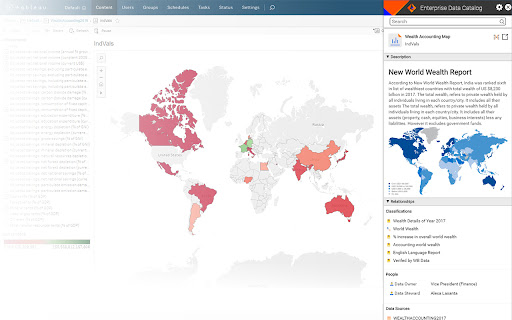
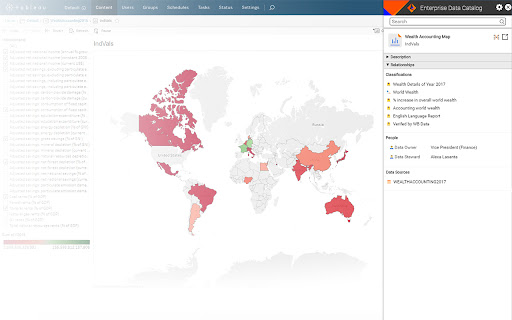
                        Enterprise Data Catalog Plug-in is a browser extension that is designed keeping data consumers and analysts in mind. With this plug-in, data consumers and analysts get business context and technical details about enterprise data assets, such as dashboards, reports, tables, and databases.

Use this extension within the Chrome browser to search and view any metadata, such as data asset description, relationships, associated business terms, data asset owners and contributors, and data sources. Launch the full version of Enterprise Data Catalog from the browser to view any metadata needed for data analysis and reporting.

Informatica Enterprise Data Catalog is a AI-powered data catalog that provides a machine-learning-based discovery engine to scan and catalog data assets across the enterprise across cloud, on-premises, and big data. Learn more about Enterprise Data Catalog on www.informatica.com/eic
Βασικές Πληροφορίες Επέκτασης
| Όνομα |  Enterprise Data Catalog Plug-in Enterprise Data Catalog Plug-in |
| ID | ehmlceddjeepgfiimoofdnkblnkhojbh |
| Επίσημο URL | https://chromewebstore.google.com/detail/enterprise-data-catalog-p/ehmlceddjeepgfiimoofdnkblnkhojbh |
| Περιγραφή | Enterprise Data Catalog Plug-in is a quick way to access detailed metadata information about data assets. |
| Μέγεθος Αρχείου | 1.65 MB |
| Αριθμός Εγκαταστάσεων | 364 |
| Τρέχουσα Έκδοση | 1.2.2.33 |
| Τελευταία Ενημέρωση | 2021-07-03 |
| Ημερομηνία Δημοσίευσης | 2019-06-25 |
| Αξιολόγηση | 5.00/5 Συνολικά 4 Αξιολογήσεις |
| Προγραμματιστής | Informatica |
| Ηλεκτρονικό ταχυδρομείο | [email protected] |
| Τύπος Πληρωμής | free |
| Ιστότοπος Επέκτασης | https://www.informatica.com/eic |
| URL της Σελίδας Πολιτικής Απορρήτου | https://www.informatica.com/privacy-policy.html |
| Υποστηριζόμενες Γλώσσες | en |
| manifest.json | |
{
    "update_url": "https:\/\/clients2.google.com\/service\/update2\/crx",
    "manifest_version": 2,
    "name": "Enterprise Data Catalog Plug-in",
    "description": "Enterprise Data Catalog Plug-in is a quick way to access detailed metadata information about data assets.",
    "version": "1.2.2.33",
    "incognito": "split",
    "browser_action": {
        "default_icon": "ldmLogo.png",
        "default_title": "Enterprise Data Catalog Plug-in"
    },
    "icons": {
        "128": "ldmLogo.png"
    },
    "content_scripts": [
        {
            "run_at": "document_end",
            "matches": [
                "http:\/\/*\/*",
                "https:\/\/*\/*"
            ],
            "css": [
                "res\/css\/content_script.css",
                "res\/css\/login.css"
            ],
            "js": [
                "res\/js\/jquery\/jquery-3.2.1.min.js",
                "res\/js\/jquery\/jquery-ui.min.js",
                "res\/js\/jquery\/jquery.lang.string.js",
                "res\/js\/jquery\/jquery.class.js",
                "res\/js\/jquery\/jquery.cookie.js",
                "res\/js\/jquery\/jquery.reflection.js",
                "res\/js\/jquery\/jquery-tmpl.js",
                "res\/js\/eicConfiguration.js",
                "res\/js\/util.js",
                "res\/js\/ajaxUtils.js",
                "res\/js\/util.js",
                "res\/js\/EICsession.js",
                "res\/js\/extensionView.js",
                "res\/js\/ReportBookmarklet.js",
                "res\/js\/content_script.js"
            ],
            "all_frames": false
        }
    ],
    "options_page": "options.html",
    "background": {
        "scripts": [
            "res\/js\/jquery\/jquery-3.2.1.min.js",
            "background.js"
        ],
        "persistent": true
    },
    "permissions": [
        "tabs",
        "storage",
        "http:\/\/*\/",
        "https:\/\/*\/",
        "webRequest",
        "webRequestBlocking"
    ],
    "web_accessible_resources": [
        "res\/*",
        "images\/*",
        "index.html"
    ],
    "content_security_policy": "script-src 'self' 'unsafe-eval'; object-src 'self'"
} | |