Export Leads from Google Maps with LeadsMap
Export Leads from Google Maps with LeadsMap. Automatically gets your emails and socials of places and exports them to CSV file.
Τι είναι το Export Leads from Google Maps with LeadsMap;
Το Export Leads from Google Maps with LeadsMap είναι ένα πρόσθετο Chrome που αναπτύχθηκε από τον http://leadsmap.io, και η κύρια λειτουργία του είναι "Export Leads from Google Maps with LeadsMap. Automatically gets your emails and socials of places and exports them to CSV file.".
Στιγμιότυπα Επέκτασης
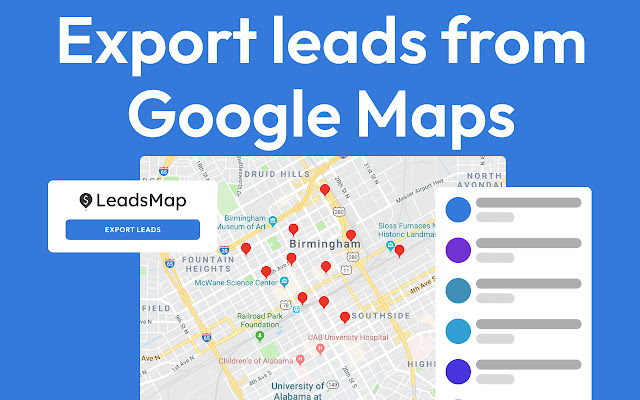


Λήψη αρχείου CRX της επέκτασης Export Leads from Google Maps with LeadsMap
Λήψη αρχείων επέκτασης Export Leads from Google Maps with LeadsMap σε μορφή crx, εγκατάσταση των επεκτάσεων Chrome μη αυτόματα στον περιηγητή ή κοινοποίηση των αρχείων crx με φίλους για εύκολη εγκατάσταση των επεκτάσεων Chrome.
Οδηγίες Χρήσης της Επέκτασης
                        Export Leads, Places & Business you find on Google Maps™ in 2 click with LeadsMap.

Automatically get:
- Emails
- Social Medias
- FB + Google Pixel
- Analytics
- Claimed on Google
- Reviews and Ratings

This extension allows you to find all businesses in an area and export them all into CSV. Unlimited exports to CSV to export to your own CRMs.

HOW TO USE:

1) Open google.com/maps
2) Search for a term like "Restaurants"
3) Scroll to get more Leads (Optional)
4) Select the ones you want
5) Export

Make your own lead database in seconds without having to waste time.
Βασικές Πληροφορίες Επέκτασης
| Όνομα |  Export Leads from Google Maps with LeadsMap Export Leads from Google Maps with LeadsMap |
| ID | ggpddnpgejmonfciopdndlldkfbfkedh |
| Επίσημο URL | https://chrome.google.com/webstore/detail/export-leads-from-google/ggpddnpgejmonfciopdndlldkfbfkedh |
| Περιγραφή | Export Leads from Google Maps with LeadsMap. Automatically gets your emails and socials of places and exports them to CSV file. |
| Μέγεθος Αρχείου | 83.93 KB |
| Αριθμός Εγκαταστάσεων | 356 |
| Τρέχουσα Έκδοση | 0.2.3 |
| Τελευταία Ενημέρωση | 2023-01-03 |
| Ημερομηνία Δημοσίευσης | 2022-12-20 |
| Αξιολόγηση | 5.00/5 Συνολικά 1 Αξιολογήσεις |
| Προγραμματιστής | http://leadsmap.io |
| Ηλεκτρονικό ταχυδρομείο | [email protected] |
| Τύπος Πληρωμής | in_app |
| Ιστότοπος Επέκτασης | https://leadsmap.io/ |
| URL της Σελίδας Πολιτικής Απορρήτου | https://leadsmap.io/privacy-policy |
| Υποστηριζόμενες Γλώσσες | en |
| manifest.json | |
{
    "update_url": "https:\/\/clients2.google.com\/service\/update2\/crx",
    "manifest_version": 3,
    "name": "Export Leads from Google Maps with LeadsMap",
    "version": "0.2.3",
    "short_name": "LeadsMap",
    "author": "LeadsMap.io",
    "description": "Export Leads from Google Maps with LeadsMap. Automatically gets your emails and socials of places and exports them to CSV file.",
    "background": {
        "service_worker": "src\/pages\/background\/index.js",
        "type": "module"
    },
    "homepage_url": "https:\/\/app.leadsmap.io",
    "action": {
        "default_popup": "src\/pages\/popup\/index.html",
        "default_title": "LeadsMap",
        "default_icon": "icon-32.png"
    },
    "permissions": [
        "storage",
        "webRequest"
    ],
    "icons": {
        "16": "icon-16.png",
        "24": "icon-24.png",
        "32": "icon-32.png",
        "128": "icon-128.png"
    },
    "host_permissions": [
        "https:\/\/*.google.com\/*",
        "https:\/\/*.google.com\/maps\/*",
        "https:\/\/app.leadsmap.io\/*"
    ],
    "content_scripts": [
        {
            "matches": [
                "https:\/\/www.google.com\/maps\/search\/*",
                "https:\/\/www.google.com\/*"
            ],
            "js": [
                "src\/pages\/content\/index.js",
                "src\/pages\/background\/index.js"
            ],
            "css": [
                "assets\/css\/contentStyle.chunk.css"
            ]
        }
    ],
    "web_accessible_resources": [
        {
            "resources": [
                "assets\/js\/*",
                "assets\/css\/*.css",
                "icon-128.png",
                "icon-32.png",
                "src\/pages\/*"
            ],
            "matches": [
                "https:\/\/*\/*"
            ]
        }
    ]
} | |