PDF Combine Extension
Merge or Combine two or more pdf in your newtab anytime.
Τι είναι το PDF Combine Extension;
Το PDF Combine Extension είναι ένα πρόσθετο Chrome που αναπτύχθηκε από τον ISHTWO, και η κύρια λειτουργία του είναι "Merge or Combine two or more pdf in your newtab anytime.".
Στιγμιότυπα Επέκτασης

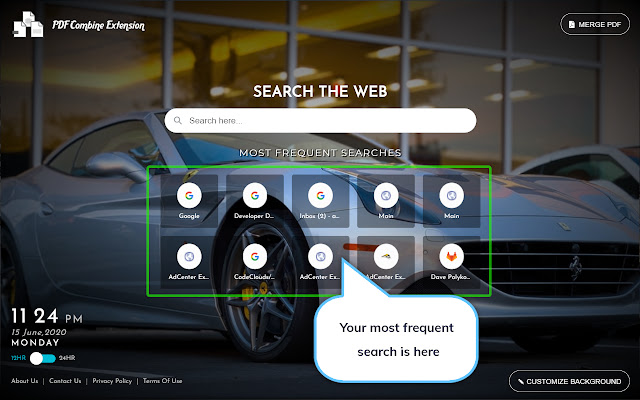

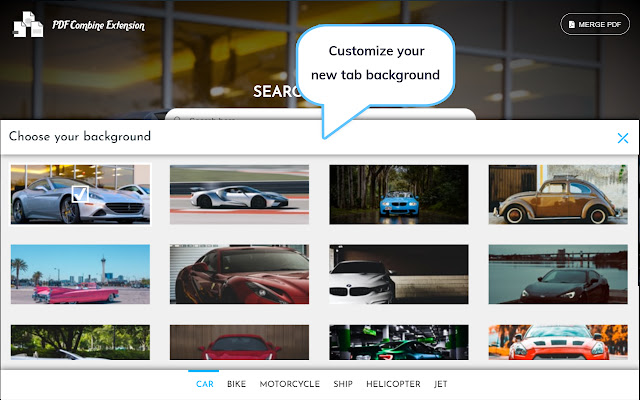
Λήψη αρχείου CRX της επέκτασης PDF Combine Extension
Λήψη αρχείων επέκτασης PDF Combine Extension σε μορφή crx, εγκατάσταση των επεκτάσεων Chrome μη αυτόματα στον περιηγητή ή κοινοποίηση των αρχείων crx με φίλους για εύκολη εγκατάσταση των επεκτάσεων Chrome.
Οδηγίες Χρήσης της Επέκτασης
                        Merge PDFs easily and quickly.
The PDF Combine Extension gives you an easy way to change your Chrome Browser new tab default to look attractive and pleasing to the eye..

This is a free add-on for Chrome Browser where the primary target is merging the PDFs & provides an easy way to set a background from our selective PDF image gallery powered by Unsplash in your Chrome Browser default new tab. We are actually changing your Chrome browser default new tab page.

Also as added features,
1) Reset your PDF
2) Search your desired information, images, video, and more through Bing search.
3) Digital Clock in new tabs where you can check your current location time in 12 hour/ 24-hour format according to your preference.


The Extension requires the following permission:

Storage: The extension requires this permission to store background images, time format, etc. in chrome.storage.local to personalize the experience and deliver the right content.

By clicking "Add to Chrome", I accept and agree to install "PDF Combine Extension"  and setting Chrome™ New Tab to that provided by the service and the Privacy (www.ishtwo.com/privacy-policy) and Terms of Use (www.ishtwo.com/terms-and-conditions).
Βασικές Πληροφορίες Επέκτασης
| Όνομα |  PDF Combine Extension PDF Combine Extension |
| ID | hkbikecpoljlejngiaifpneoflncfiab |
| Επίσημο URL | https://chrome.google.com/webstore/detail/pdf-combine-extension/hkbikecpoljlejngiaifpneoflncfiab |
| Περιγραφή | Merge or Combine two or more pdf in your newtab anytime. |
| Μέγεθος Αρχείου | 59.74 KB |
| Αριθμός Εγκαταστάσεων | 1,395 |
| Τρέχουσα Έκδοση | 2.6 |
| Τελευταία Ενημέρωση | 2020-10-08 |
| Ημερομηνία Δημοσίευσης | 2020-06-17 |
| Προγραμματιστής | ISHTWO |
| Ηλεκτρονικό ταχυδρομείο | [email protected] |
| Τύπος Πληρωμής | free |
| URL της Σελίδας Πολιτικής Απορρήτου | https://www.ishtwo.com/privacy-policy |
| Υποστηριζόμενες Γλώσσες | en-US |
| manifest.json | |
{
    "update_url": "https:\/\/clients2.google.com\/service\/update2\/crx",
    "manifest_version": 2,
    "name": "PDF Combine Extension",
    "description": "Merge or Combine two or more pdf in your newtab anytime.",
    "homepage_url": "https:\/\/www.pdfcombineextension.com\/",
    "background": {
        "scripts": [
            "background.js"
        ],
        "persistent": false
    },
    "permissions": [
        "storage",
        "https:\/\/www.ishtwo.com\/merge_your_pdf\/*"
    ],
    "version": "2.6",
    "browser_action": {
        "default_icon": {
            "16": "images\/bd-16.png",
            "32": "images\/bd-32.png",
            "48": "images\/bd-48.png",
            "128": "images\/bd-128.png"
        }
    },
    "icons": {
        "16": "images\/bd-16.png",
        "32": "images\/bd-32.png",
        "48": "images\/bd-48.png",
        "128": "images\/bd-128.png"
    },
    "chrome_url_overrides": {
        "newtab": "landing.html"
    },
    "externally_connectable": {
        "matches": [
            "https:\/\/www.pdfcombineextension.com\/*"
        ]
    },
    "web_accessible_resources": [
        "images\/*.*"
    ],
    "content_security_policy": "script-src 'self' https:\/\/www.ishtwo.com\/merge_your_pdf\/custom.js https:\/\/www.ishtwo.com\/merge_your_pdf\/background.js https:\/\/ssl.google-analytics.com; object-src 'self';style-src 'self' 'unsafe-inline' *;media-src *;"
} | |