UCLA Automated Login
Tired of entering your UCLA logon ID and username every single time? Install the UCLA Automated Login! By clicking the icon after…
Τι είναι το UCLA Automated Login;
Το UCLA Automated Login είναι ένα πρόσθετο Chrome που αναπτύχθηκε από τον Stanley Hsu, και η κύρια λειτουργία του είναι "Tired of entering your UCLA logon ID and username every single time? Install the UCLA Automated Login! By clicking the icon after…".
Στιγμιότυπα Επέκτασης
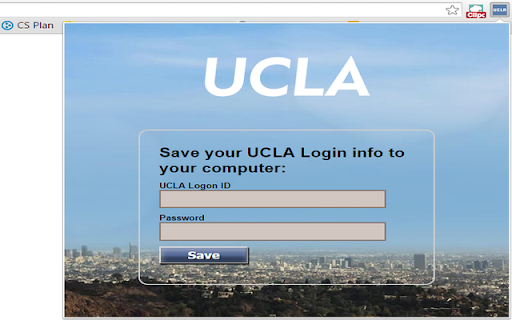
Λήψη αρχείου CRX της επέκτασης UCLA Automated Login
Λήψη αρχείων επέκτασης UCLA Automated Login σε μορφή crx, εγκατάσταση των επεκτάσεων Chrome μη αυτόματα στον περιηγητή ή κοινοποίηση των αρχείων crx με φίλους για εύκολη εγκατάσταση των επεκτάσεων Chrome.
Οδηγίες Χρήσης της Επέκτασης
                        Tired of entering your UCLA logon ID and username every single time?
Install the UCLA Automated Login!

By clicking the icon after installing and entering the logon info, you will never have to manually enter them again.

This extension allows you to automatically log in to all the newly updated UCLA authentication pages.
Βασικές Πληροφορίες Επέκτασης
| Όνομα |  UCLA Automated Login UCLA Automated Login |
| ID | inelalkinoinjgbfjfmkfiagmfefpeic |
| Επίσημο URL | https://chromewebstore.google.com/detail/ucla-automated-login/inelalkinoinjgbfjfmkfiagmfefpeic |
| Περιγραφή | Tired of entering your UCLA logon ID and username every single time? Install the UCLA Automated Login! By clicking the icon after… |
| Μέγεθος Αρχείου | 150 KB |
| Αριθμός Εγκαταστάσεων | 13 |
| Τρέχουσα Έκδοση | 2.0.1 |
| Τελευταία Ενημέρωση | 2015-11-10 |
| Ημερομηνία Δημοσίευσης | 2015-11-10 |
| Αξιολόγηση | 5.00/5 Συνολικά 3 Αξιολογήσεις |
| Προγραμματιστής | Stanley Hsu |
| Τύπος Πληρωμής | free |
| Υποστηριζόμενες Γλώσσες | en |
| manifest.json | |
{
    "update_url": "http:\/\/clients2.google.com\/service\/update2\/crx",
    "name": "UCLA Automated Login",
    "version": "2.0.1",
    "manifest_version": 2,
    "icons": {
        "16": "images\/icon16.png",
        "48": "images\/icon48.png",
        "128": "images\/ucla128.png"
    },
    "background": {
        "page": "background.html"
    },
    "permissions": [
        "tabs",
        "https:\/\/*\/*"
    ],
    "options_page": "optionPage.html",
    "browser_action": {
        "default_icon": "images\/icon16.png",
        "default_title": "UCLA Automated Login",
        "default_popup": "options.html"
    }
} | |