NTUWLogin Bot
This extension helps you login to the NTUWL wireless network automatically.
Τι είναι το NTUWLogin Bot;
Το NTUWLogin Bot είναι ένα πρόσθετο Chrome που αναπτύχθηκε από τον Jianfeng, και η κύρια λειτουργία του είναι "This extension helps you login to the NTUWL wireless network automatically.".
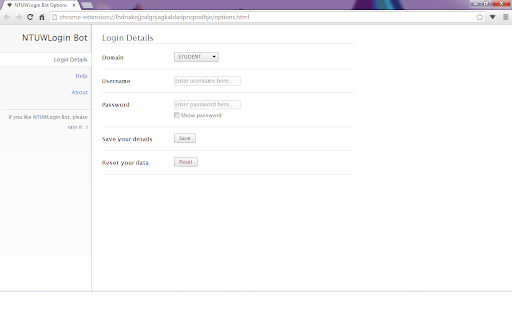
Στιγμιότυπα Επέκτασης


Λήψη αρχείου CRX της επέκτασης NTUWLogin Bot
Λήψη αρχείων επέκτασης NTUWLogin Bot σε μορφή crx, εγκατάσταση των επεκτάσεων Chrome μη αυτόματα στον περιηγητή ή κοινοποίηση των αρχείων crx με φίλους για εύκολη εγκατάσταση των επεκτάσεων Chrome.
Οδηγίες Χρήσης της Επέκτασης
                        This tiny extension helps you use the NTUWL wireless network in a very convenient way.

Update in 1.2.1. Suggestions for feedback is added to About page.

Update in 1.2.0. Log in address modified to be able to work for more situations.  For example, It will work with wifi near Chinese Library, too.

Every time you are redirected to the login page of NTUWL, NTUWLogin Bot will automatically fill in the form, login for you, and redirect you back.

Just fill in your login details in the options and let NTUWLogin Bot help you.

Btw, NTUWLogin Bot will definitely NOT store your personal information. All your data will be store locally on your computer.
Βασικές Πληροφορίες Επέκτασης
| Όνομα |  NTUWLogin Bot NTUWLogin Bot |
| ID | lhdnakojjcalgnjagkaldadpncpodhje |
| Επίσημο URL | https://chromewebstore.google.com/detail/ntuwlogin-bot/lhdnakojjcalgnjagkaldadpncpodhje |
| Περιγραφή | This extension helps you login to the NTUWL wireless network automatically. |
| Μέγεθος Αρχείου | 54.62 KB |
| Αριθμός Εγκαταστάσεων | 111 |
| Τρέχουσα Έκδοση | 1.2.1 |
| Τελευταία Ενημέρωση | 2014-06-07 |
| Ημερομηνία Δημοσίευσης | 2014-06-06 |
| Αξιολόγηση | 4.57/5 Συνολικά 7 Αξιολογήσεις |
| Προγραμματιστής | Jianfeng |
| Τύπος Πληρωμής | free |
| Υποστηριζόμενες Γλώσσες | en |
| manifest.json | |
{
    "update_url": "https:\/\/clients2.google.com\/service\/update2\/crx",
    "manifest_version": 2,
    "name": "NTUWLogin Bot",
    "description": "This extension helps you login to the NTUWL wireless network automatically.",
    "version": "1.2.1",
    "background": {
        "scripts": [
            "js\/background.js"
        ],
        "persistent": false
    },
    "permissions": [
        "http:\/\/*\/*",
        "https:\/\/*\/*",
        "webNavigation",
        "tabs"
    ],
    "options_page": "options.html",
    "icons": {
        "48": "images\/icon-48.png",
        "128": "images\/icon-128.png"
    },
    "browser_action": {
        "default_icon": {
            "19": "images\/icon-19.png",
            "38": "images\/icon-38.png"
        },
        "default_popup": "popup.html"
    }
} | |