Lightshot (screenshot tool)
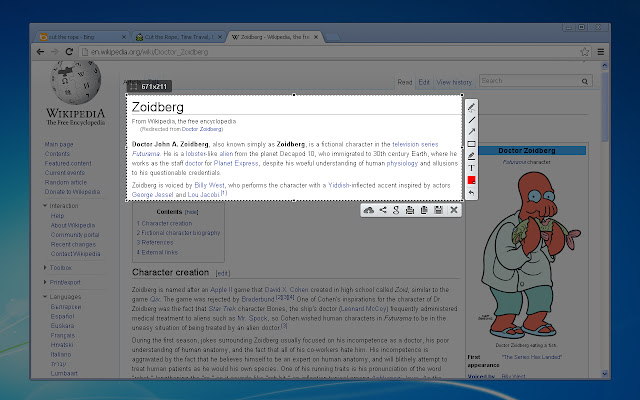
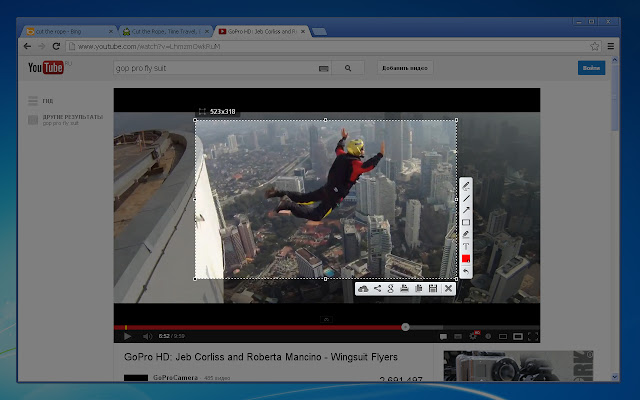
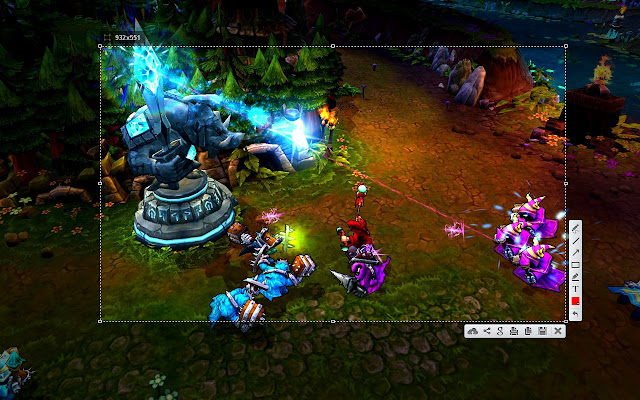
Simple and convenient screenshot tool. Select an area, edit your screenshot and upload it to the server.
Τι είναι το Lightshot (screenshot tool);
Το Lightshot (screenshot tool) είναι ένα πρόσθετο Chrome που αναπτύχθηκε από τον https://app.prntscr.com, και η κύρια λειτουργία του είναι "Simple and convenient screenshot tool. Select an area, edit your screenshot and upload it to the server.".
Στιγμιότυπα Επέκτασης
Λήψη αρχείου CRX της επέκτασης Lightshot (screenshot tool)
Λήψη αρχείων επέκτασης Lightshot (screenshot tool) σε μορφή crx, εγκατάσταση των επεκτάσεων Chrome μη αυτόματα στον περιηγητή ή κοινοποίηση των αρχείων crx με φίλους για εύκολη εγκατάσταση των επεκτάσεων Chrome.
Οδηγίες Χρήσης της Επέκτασης
                        Lightshot is the fastest way to take a customizable screenshot. Simple interface, nothing useless and light weight.

Features:
* take screenshot and share it in few clicks
* select any part of the page
* edit screenshot in place
* save on a disk or upload to the cloud
* search for similar screenshots
* copy screenshot in clipboard

More information here: http://app.prntscr.com/
Privacy policy: https://app.prntscr.com/en/privacy.html?privacy

Clarification of the extension permissions:
* Read your browsing history - Chrome adds this line when we request tabs manipulation permission. Lightshot opens screenshot in a new tab, that is why we need it.
* Display notifications - Lightshot displays notification every time you upload screenshot
* Modify data you copy and paste - Lightshot allows you to copy screenshot into your Clipboard
* Manage your downloads - Lightshot allows you to save screenshot as a new file (works using download functions)

Contact e-mail: [email protected] Send your requests and bug reports here. We appreciate your contribution!
Βασικές Πληροφορίες Επέκτασης
| Όνομα |  Lightshot (screenshot tool) Lightshot (screenshot tool) |
| ID | mbniclmhobmnbdlbpiphghaielnnpgdp |
| Επίσημο URL | https://chrome.google.com/webstore/detail/mbniclmhobmnbdlbpiphghaielnnpgdp |
| Περιγραφή | Simple and convenient screenshot tool. Select an area, edit your screenshot and upload it to the server. |
| Μέγεθος Αρχείου | 669 KB |
| Αριθμός Εγκαταστάσεων | 3,248,647 |
| Τρέχουσα Έκδοση | 6.3.0 |
| Τελευταία Ενημέρωση | 2020-01-27 |
| Ημερομηνία Δημοσίευσης | 2020-01-22 |
| Αξιολόγηση | 4.41/5 Συνολικά 6794 Αξιολογήσεις |
| Προγραμματιστής | https://app.prntscr.com |
| Ηλεκτρονικό ταχυδρομείο | [email protected] |
| Τύπος Πληρωμής | free |
| Ιστότοπος Επέκτασης | https://app.prntscr.com/ |
| Διεύθυνση URL της Σελίδας Βοήθειας | https://app.prntscr.com/help.html |
| URL της Σελίδας Πολιτικής Απορρήτου | https://app.prntscr.com/en/privacy.html?privacy |
| Υποστηριζόμενες Γλώσσες | id,de,en,fr,nl,no,vi,tr,ca,da,et,es,hr,it,lv,lt,hu,pl,pt-BR,pt-PT,ro,sk,sl,fi,sv,cs,el,sr,bg,ru,uk,bn,th,zh-CN,zh-TW,ja,ko |
| manifest.json | |
{
"update_url": "https:\/\/clients2.google.com\/service\/update2\/crx",
"name": "__MSG_screenshotplugin_name__",
"default_locale": "en",
"icons": {
"24": "img\/icon24.png",
"38": "img\/icon38.png",
"19": "img\/icon19.png",
"32": "img\/icon32.png",
"128": "img\/icon128.png",
"256": "img\/icon256.png"
},
"author": "http:\/\/app.prntscr.com\/",
"background": {
"persistent": false,
"scripts": [
"libs\/jquery-3.2.1.min.js",
"event.js"
]
},
"version": "6.3.0",
"manifest_version": 2,
"permissions": [
" | |