Torrentdrive
Add url magnet and url .torrent to Torrentdrive
Τι είναι το Torrentdrive;
Το Torrentdrive είναι ένα πρόσθετο Chrome που αναπτύχθηκε από τον https://torrentdrive.io, και η κύρια λειτουργία του είναι "Add url magnet and url .torrent to Torrentdrive".
Στιγμιότυπα Επέκτασης
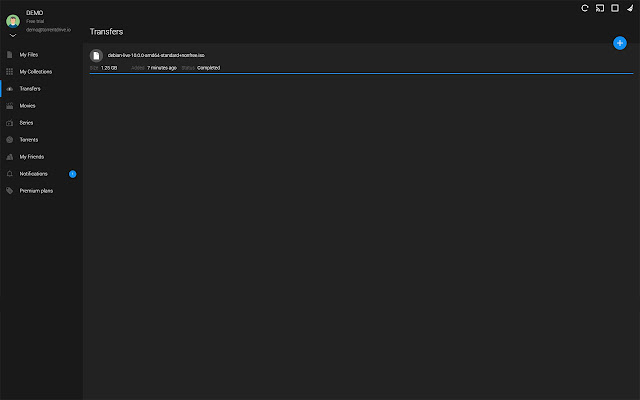
Λήψη αρχείου CRX της επέκτασης Torrentdrive
Λήψη αρχείων επέκτασης Torrentdrive σε μορφή crx, εγκατάσταση των επεκτάσεων Chrome μη αυτόματα στον περιηγητή ή κοινοποίηση των αρχείων crx με φίλους για εύκολη εγκατάσταση των επεκτάσεων Chrome.
Οδηγίες Χρήσης της Επέκτασης
                        This extension allows you to add magnet links or .torrent links directly to the transfer page.
And Torrentdrive also allows you:
- Download your torrents from our cloud server.
- Automatic virus scanning.
- Automatic encoding and streaming on all your devices.
- Organize and share your torrent in collections with your friends.
- Informations of movies and tv shows integrated.
- Integrated torrents search engine.

Registration is free.
Βασικές Πληροφορίες Επέκτασης
| Όνομα |  Torrentdrive Torrentdrive |
| ID | openfjjdaedlpleplkhlkdhajpicokbb |
| Επίσημο URL | https://chrome.google.com/webstore/detail/torrentdrive/openfjjdaedlpleplkhlkdhajpicokbb |
| Περιγραφή | Add url magnet and url .torrent to Torrentdrive |
| Μέγεθος Αρχείου | 6.51 KB |
| Αριθμός Εγκαταστάσεων | 377 |
| Τρέχουσα Έκδοση | 1.3 |
| Τελευταία Ενημέρωση | 2019-09-02 |
| Ημερομηνία Δημοσίευσης | 2019-09-02 |
| Αξιολόγηση | 2.00/5 Συνολικά 4 Αξιολογήσεις |
| Προγραμματιστής | https://torrentdrive.io |
| Ηλεκτρονικό ταχυδρομείο | [email protected] |
| Τύπος Πληρωμής | free |
| URL της Σελίδας Πολιτικής Απορρήτου | https://torrentdrive.io/page/privacy-policy |
| Υποστηριζόμενες Γλώσσες | en |
| manifest.json | |
{
    "update_url": "https:\/\/clients2.google.com\/service\/update2\/crx",
    "name": "Torrentdrive",
    "description": "Add url magnet and url .torrent to Torrentdrive",
    "version": "1.3",
    "permissions": [
        "contextMenus",
        "downloads"
    ],
    "icons": {
        "16": "icon-bitty.png",
        "48": "icon-small.png",
        "128": "icon-large.png"
    },
    "background": {
        "scripts": [
            "background.js"
        ]
    },
    "browser_action": {
        "default_icon": "icon-bitty.png"
    },
    "manifest_version": 2
} | |