PageXray
This tool will show you the technologies used on any page.
¿Qué es PageXray?
PageXray es una extensión de Chrome desarrollada por http://pagexray.com, y su función principal es "This tool will show you the technologies used on any page.".
Capturas de Pantalla de la Extensión



Descargar Archivo CRX de la Extensión PageXray
Descarga archivos de extensión PageXray en formato crx, instala manualmente las extensiones de Chrome en el navegador o comparte los archivos crx con amigos para instalar fácilmente las extensiones de Chrome.
Instrucciones de Uso de la Extensión
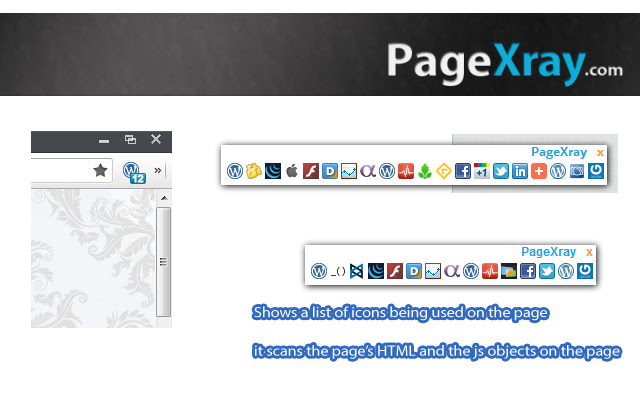
                        This extension will give you a one-click access to find-out the technologies used on the current page that you are visiting.

It can also create a list of icons on the footer, you need to activate this on the options page.

Note:
This app does NOT access your data.
The warning sign that Chrome shows is only because the app executes some javascript codes on websites you visits.

This app can scan upto 300+ with this extension.
Scan online via http://pagexray.com to use 500+ patterns

Changelog
v1.29
Shows WordPress theme template information (style.css)
Based on user request: Print feature (Beta)

v1.20
Show WordPress plugins and WordPress themes

F.A.Q.
Unlike other extensions, this app doesn't slow your page browsing.
Some users reports that Wappalyzer, Chrome Sniffer, BuiltWith, and other similar technology scanners uses a lot of CPU.
We use "asynchronous" scanning and an algorithm to quickly scan the page.


###############
Stay tuned on the new upcoming features that will be launched soon :)
###############
Información Básica de la Extensión
| Nombre |  PageXray PageXray |
| ID | aedmpdookgbneegaeajpoldpnpfbpmlb |
| URL Oficial | https://chrome.google.com/webstore/detail/pagexray/aedmpdookgbneegaeajpoldpnpfbpmlb |
| Descripción | This tool will show you the technologies used on any page. |
| Tamaño del Archivo | 433 KB |
| Cantidad de Instalaciones | 9,440 |
| Versión Actual | 1.31 |
| Última Actualización | 2014-05-22 |
| Fecha de Publicación | 2014-05-22 |
| Calificación | 3.25/5 Total de 69 Calificaciones |
| Desarrollador | http://pagexray.com |
| Correo electrónico | [email protected] |
| Tipo de Pago | free |
| Sitio Web de la Extensión | http://pagexray.com/extension/ |
| URL de la Página de Ayuda | http://pagexray.com/about/ |
| Idiomas Soportados | en |
| manifest.json | |
{
    "update_url": "https:\/\/clients2.google.com\/service\/update2\/crx",
    "name": "PageXray",
    "version": "1.31",
    "description": "This tool will show you the technologies used on any page.",
    "icons": {
        "128": "icon_128.png",
        "48": "icon_48.png",
        "16": "icon_16.png"
    },
    "homepage_url": "http:\/\/pagexray.com\/?utm_source=chrome_ext_homepage_url",
    "content_scripts": [
        {
            "matches": [
                "http:\/\/*\/*"
            ],
            "js": [
                "js\/lib\/px-jquery-1.7.1.min.js",
                "js\/page_check.min.js"
            ]
        }
    ],
    "content_security_policy": "script-src 'self' https:\/\/ssl.google-analytics.com; object-src 'self'",
    "options_page": "options.html",
    "manifest_version": 2,
    "background": {
        "page": "background.html"
    },
    "browser_action": {
        "default_icon": "icon_16.png",
        "default_title": "Scan with PageXray"
    },
    "permissions": [
        "tabs",
        "contextMenus",
        "http:\/\/*\/*"
    ],
    "web_accessible_resources": [
        "css\/page.css",
        "css\/print.css",
        "i\/*.png",
        "img\/folder16.png",
        "img\/options.png",
        "img\/print.png",
        "img\/close.png",
        "img\/px-top-logo.png",
        "img\/px_scanning.gif",
        "js\/page.min.js",
        "js\/page_check.min.js",
        "js\/techs.min.js",
        "js\/lib\/px-jquery-1.7.1.min.js"
    ]
} | |