Dragonball Fighter Z Game HD New Tab Theme
Each time you open a new tab, you will get a different HD wallpaper from Dragonball Fighter Z.Includes clock and more.
¿Qué es Dragonball Fighter Z Game HD New Tab Theme?
Dragonball Fighter Z Game HD New Tab Theme es una extensión de Chrome desarrollada por http://mytab.me, y su función principal es "Each time you open a new tab, you will get a different HD wallpaper from Dragonball Fighter Z.Includes clock and more.".
Capturas de Pantalla de la Extensión


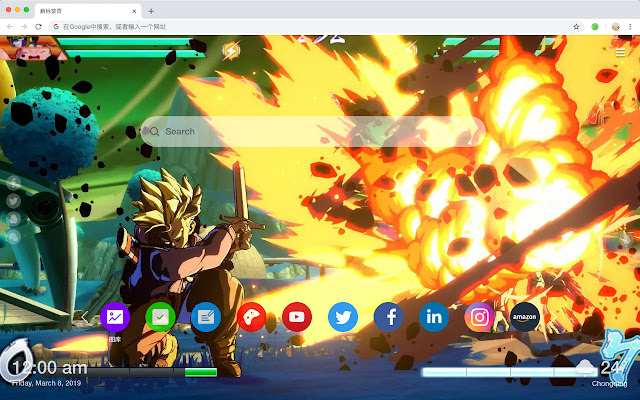
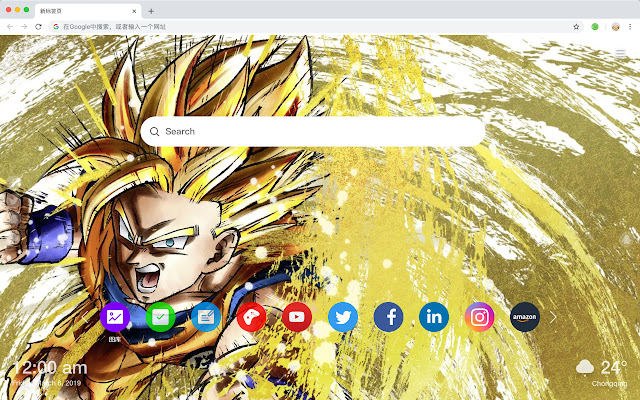
Descargar Archivo CRX de la Extensión Dragonball Fighter Z Game HD New Tab Theme
Descarga archivos de extensión Dragonball Fighter Z Game HD New Tab Theme en formato crx, instala manualmente las extensiones de Chrome en el navegador o comparte los archivos crx con amigos para instalar fácilmente las extensiones de Chrome.
Instrucciones de Uso de la Extensión
                        Here's a list of other features you'll get:
 - To-do list
 - Set your favorite wallpapers
 - Discover new hot spots
 - Bookmarks
 - Social network notifications
 - High quality wallpaper for each new label
 - Clock showing date and time
 - Weather widget
 - Open to search
Información Básica de la Extensión
| Nombre |  Dragonball Fighter Z Game HD New Tab Theme Dragonball Fighter Z Game HD New Tab Theme |
| ID | alfmhjodgkaaophgogajpmigjdociefd |
| URL Oficial | https://chrome.google.com/webstore/detail/dragonball-fighter-z-game/alfmhjodgkaaophgogajpmigjdociefd |
| Descripción | Each time you open a new tab, you will get a different HD wallpaper from Dragonball Fighter Z.Includes clock and more. |
| Tamaño del Archivo | 47.18 KB |
| Cantidad de Instalaciones | 41 |
| Versión Actual | 1.1.1.0 |
| Última Actualización | 2019-06-20 |
| Fecha de Publicación | 2019-06-20 |
| Desarrollador | http://mytab.me |
| Tipo de Pago | free |
| Idiomas Soportados | en,zh-CN,zh-TW |
| manifest.json | |
{
    "name": "__MSG_ext_name__",
    "manifest_version": 2,
    "description": "__MSG_ext_desc__",
    "browser_action": {
        "default_icon": {
            "48": "icons\/48.png"
        },
        "default_title": "__MSG_ext_name__"
    },
    "chrome_url_overrides": {
        "newtab": "pages\/newtab\/index.html"
    },
    "background": {
        "scripts": [
            "app.js",
            "pages\/background\/index.js"
        ],
        "persistent": false
    },
    "default_locale": "en",
    "icons": {
        "48": "icons\/48.png",
        "128": "icons\/128.png"
    },
    "minimum_chrome_version": "57",
    "offline_enabled": true,
    "update_url": "https:\/\/clients2.google.com\/service\/update2\/crx",
    "version": "1.1.1.0"
} | |