cashX: Cash Back & Coupon Automation
2-in-1 service offers cash back and coupons while you shop.
¿Qué es cashX: Cash Back & Coupon Automation?
cashX: Cash Back & Coupon Automation es una extensión de Chrome desarrollada por cashX, y su función principal es "2-in-1 service offers cash back and coupons while you shop.".
Capturas de Pantalla de la Extensión





Descargar Archivo CRX de la Extensión cashX: Cash Back & Coupon Automation
Descarga archivos de extensión cashX: Cash Back & Coupon Automation en formato crx, instala manualmente las extensiones de Chrome en el navegador o comparte los archivos crx con amigos para instalar fácilmente las extensiones de Chrome.
Instrucciones de Uso de la Extensión
                        Some apps save you money, some earn you cash back. We do both. All you have to do is install our Chrome extension.

An easy, free tool to help you save money and earn cash back.

How does it work?
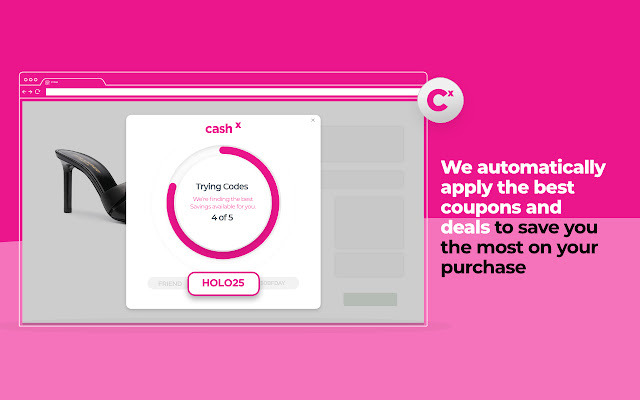
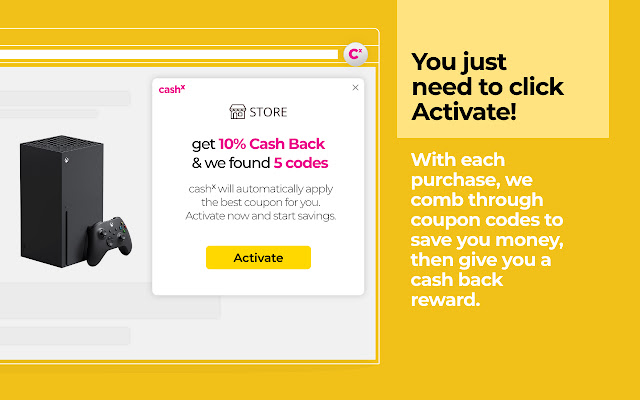
With each purchase, we comb through coupon codes to save you money, then give you a cash back reward. We automatically apply the best coupons and deals to save you the most on your purchase. Then we apply cash back earnings, whether you used a coupon or not.

No points system, no gimmicks, just cash back every month.

Shop. Save. Earn. We’ll do the rest.

By installing, you agree to our terms of service:
https://getcashx.com/terms-of-service
Información Básica de la Extensión
| Nombre |  cashX: Cash Back & Coupon Automation cashX: Cash Back & Coupon Automation |
| ID | fmpnhboalalnbinpmgjhohpicghimgke |
| URL Oficial | https://chrome.google.com/webstore/detail/cashx-cash-back-coupon-au/fmpnhboalalnbinpmgjhohpicghimgke |
| Descripción | 2-in-1 service offers cash back and coupons while you shop. |
| Tamaño del Archivo | 9.43 MB |
| Cantidad de Instalaciones | 825 |
| Versión Actual | 3.88 |
| Última Actualización | 2022-03-03 |
| Fecha de Publicación | 2021-01-29 |
| Calificación | 5.00/5 Total de 7 Calificaciones |
| Desarrollador | cashX |
| Correo electrónico | [email protected] |
| Tipo de Pago | free |
| Sitio Web de la Extensión | https://getcashx.com |
| URL de la Página de Ayuda | https://getcashx.com/faq |
| URL de la Página de Política de Privacidad | https://getcashx.com/terms-of-service |
| Idiomas Soportados | en-US |
| manifest.json | |
{
    "update_url": "https:\/\/clients2.google.com\/service\/update2\/crx",
    "name": "__MSG_appTitle__",
    "version": "3.88",
    "description": "__MSG_appDesc__",
    "permissions": [
        "notifications",
        "activeTab",
        "tabs",
        "storage",
        "http:\/\/*\/*",
        "https:\/\/*\/*",
        "cookies",
        "*:\/\/*.google.com",
        "unlimitedStorage"
    ],
    "background": {
        "scripts": [
            "js\/env.js",
            "static\/js\/background.js",
            "js\/main.js"
        ],
        "persistent": false
    },
    "content_scripts": [
        {
            "matches": [
                "https:\/\/*\/*",
                "http:\/\/*\/*"
            ],
            "css": [
                "\/static\/css\/content.css"
            ],
            "js": [
                "\/static\/js\/content.js"
            ],
            "run_at": "document_end"
        }
    ],
    "default_locale": "en_US",
    "browser_action": {
        "default_title": "__MSG_appTitle__",
        "default_description": "__MSG_appDesc__",
        "default_popup": "popup.html?popup=true",
        "icon": {
            "16": "images\/icon.png",
            "32": "images\/icon.png",
            "48": "images\/icon.png",
            "128": "images\/icon.png"
        }
    },
    "icons": {
        "16": "images\/[email protected]",
        "32": "images\/[email protected]",
        "48": "images\/[email protected]",
        "128": "images\/[email protected]"
    },
    "content_security_policy": "script-src 'self' 'unsafe-eval'; object-src 'self'",
    "manifest_version": 2,
    "web_accessible_resources": [
        "fonts\/*.*",
        "static\/media\/*.*",
        "popup.html",
        "loader-google.html",
        "loader-facebook.html",
        "loader-paypal.html",
        "no-access.html"
    ],
    "commands": {
        "_execute_browser_action": {
            "suggested_key": {
                "windows": "Ctrl+Shift+Y",
                "mac": "Command+Shift+Y",
                "chromeos": "Ctrl+Shift+U",
                "linux": "Ctrl+Shift+H"
            }
        }
    }
} | |