VISO for Chrome
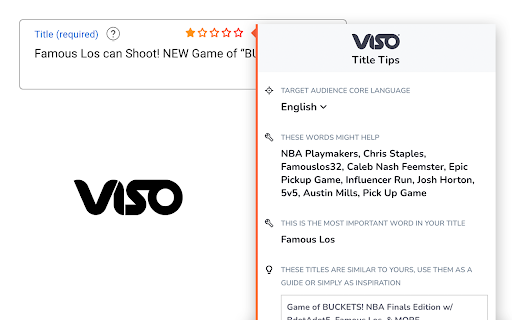
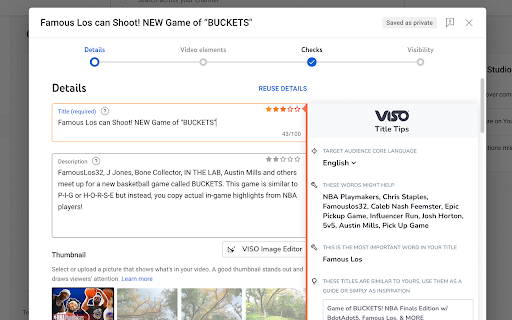
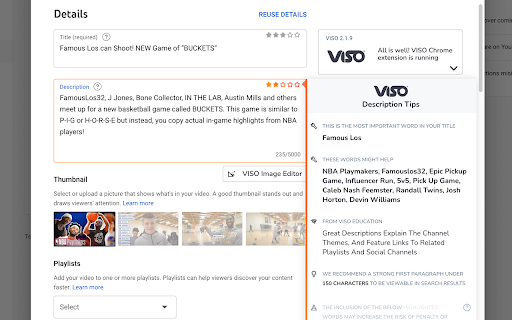
VISO for Chrome gives you automated and intelligent optimization tips while you edit & upload on YouTube
¿Qué es VISO for Chrome?
VISO for Chrome es una extensión de Chrome desarrollada por https://viso.tv, y su función principal es "VISO for Chrome gives you automated and intelligent optimization tips while you edit & upload on YouTube".
Capturas de Pantalla de la Extensión

Descargar Archivo CRX de la Extensión VISO for Chrome
Descarga archivos de extensión VISO for Chrome en formato crx, instala manualmente las extensiones de Chrome en el navegador o comparte los archivos crx con amigos para instalar fácilmente las extensiones de Chrome.
Instrucciones de Uso de la Extensión
                        Improve your YouTube video titles, descriptions, and tags on the fly with VISO as your co-pilot.

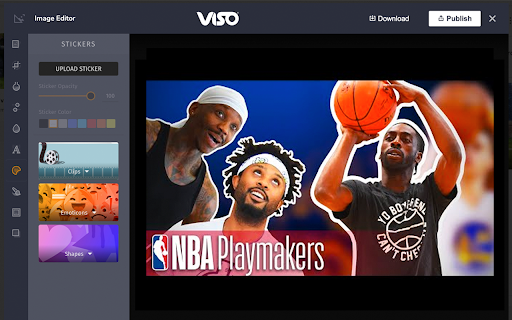
Accompanying this is a state of the art Image Editor; choose backgrounds, add text and position graphics to customize to your heart's content.

VISO gives you everything you need to grow your audience!

Note: You must be partnered with BBTV or an associated network to use this extension.
Información Básica de la Extensión
| Nombre |  VISO for Chrome VISO for Chrome |
| ID | gigejlhmkgfmlahodjfejfnhegfllhoh |
| URL Oficial | https://chromewebstore.google.com/detail/viso-for-chrome/gigejlhmkgfmlahodjfejfnhegfllhoh |
| Descripción | VISO for Chrome gives you automated and intelligent optimization tips while you edit & upload on YouTube |
| Tamaño del Archivo | 40.9 MB |
| Cantidad de Instalaciones | 7,827 |
| Versión Actual | 2.3.3 |
| Última Actualización | 2023-12-19 |
| Fecha de Publicación | 2020-06-19 |
| Calificación | 3.95/5 Total de 230 Calificaciones |
| Desarrollador | https://viso.tv |
| Correo electrónico | [email protected] |
| Tipo de Pago | free |
| Sitio Web de la Extensión | https://viso.tv |
| URL de la Página de Ayuda | https://support.bbtv.com |
| URL de la Página de Política de Privacidad | https://bbtv.com/privacy-policy |
| Idiomas Soportados | de,en,fr,vi,es,pt-BR,ru,zh-CN,zh-TW,ja,ko |
| manifest.json | |
{
    "update_url": "https:\/\/clients2.google.com\/service\/update2\/crx",
    "description": "__MSG_appDescription__",
    "default_locale": "en",
    "version": "2.3.3",
    "manifest_version": 3,
    "options_page": "options.html",
    "background": {
        "service_worker": "service-worker.bundle.js"
    },
    "action": {
        "default_popup": "popup.html"
    },
    "content_scripts": [
        {
            "matches": [
                "https:\/\/studio.youtube.com\/*"
            ],
            "js": [
                "contentscript.youtube.bundle.js"
            ]
        }
    ],
    "icons": {
        "16": "icon16.png",
        "24": "icon24.png",
        "32": "icon32.png",
        "128": "icon128.png"
    },
    "permissions": [
        "tabs",
        "cookies",
        "storage",
        "alarms"
    ],
    "host_permissions": [
        "https:\/\/studio.youtube.com\/*",
        "*:\/\/app.viso.tv\/"
    ],
    "externally_connectable": {
        "matches": [
            "https:\/\/studio.youtube.com\/*",
            "https:\/\/app.viso.tv\/*"
        ]
    },
    "web_accessible_resources": [
        {
            "resources": [
                "assets\/*",
                "images\/*",
                "twoarms.png",
                "google-icon-color.svg",
                "pablo-v4c.png",
                "pablo-skydiver-small.png",
                "pablo-type-small.png",
                "pablo-avatar-sad.png",
                "pablo-missing.png",
                "powered-by.png",
                "monitor.png",
                "clouds.png",
                "image-editor-initial-image.jpg",
                "image-editor-bg.jpg",
                "image-editor-error-bg.png"
            ],
            "matches": [
                "https:\/\/studio.youtube.com\/*"
            ],
            "use_dynamic_url": true
        }
    ],
    "name": "__MSG_appName__"
} | |