Kindle Smart Reader
Kindle Smart Reader.
¿Qué es Kindle Smart Reader?
Kindle Smart Reader es una extensión de Chrome desarrollada por Mystic Voltage, y su función principal es "Kindle Smart Reader.".
Capturas de Pantalla de la Extensión


Descargar Archivo CRX de la Extensión Kindle Smart Reader
Descarga archivos de extensión Kindle Smart Reader en formato crx, instala manualmente las extensiones de Chrome en el navegador o comparte los archivos crx con amigos para instalar fácilmente las extensiones de Chrome.
Instrucciones de Uso de la Extensión
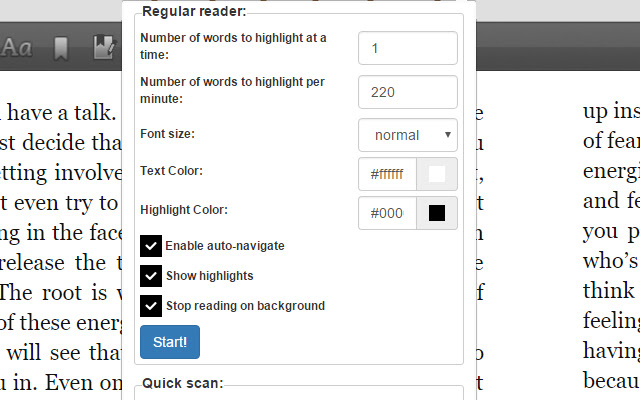
                        The Kindle Smart Reader allows you to read Amazon Kindle books and ebooks much easier by guiding your eye at the desired speed you want while turning the pages for you. It's a much faster way to read Kindle ebooks and helps keep your mind concentrated and focused.

It's also great for speed readers as you can set your reading speed to any desired reading speed. It is customizable in that you can change the text color, text size, and highlighting color. You can also select how many keywords to highlight at a time.

Another feature is the ability to scan through the entire book at your desired speed. This will help you get an overall idea of the book within minutes. It's called our Quick Scan feature and allows you to page through your books like you would a physical book.
Información Básica de la Extensión
| Nombre |  Kindle Smart Reader Kindle Smart Reader |
| ID | glocjilifmhjgdlligfiomacjikhhehj |
| URL Oficial | https://chrome.google.com/webstore/detail/kindle-smart-reader/glocjilifmhjgdlligfiomacjikhhehj |
| Descripción | Kindle Smart Reader. |
| Tamaño del Archivo | 585 KB |
| Cantidad de Instalaciones | 1,000 |
| Versión Actual | 0.0.2 |
| Última Actualización | 2017-02-07 |
| Fecha de Publicación | 2017-02-07 |
| Calificación | 3.00/5 Total de 6 Calificaciones |
| Desarrollador | Mystic Voltage |
| Tipo de Pago | free |
| Idiomas Soportados | en-US |
| manifest.json | |
{
"update_url": "https:\/\/clients2.google.com\/service\/update2\/crx",
"background": {
"scripts": [
"jquery.min.js",
"background.js"
]
},
"browser_action": {
"default_popup": "popup.html",
"default_title": "Kindle Smart Reader Settings"
},
"content_scripts": [
{
"all_frames": true,
"css": [
"style.css"
],
"js": [
"jquery.min.js",
"contentscript.js"
],
"matches": [
"https:\/\/read.amazon.com\/*",
"https:\/\/ws-na.amazon-adsystem.com\/*"
],
"run_at": "document_end"
}
],
"description": "Kindle Smart Reader.",
"manifest_version": 2,
"name": "Kindle Smart Reader",
"permissions": [
"tabs",
" | |