Speed Dial 3™
Speed Dial 3™ offers speed dial, and quick access to your APPS, bookmarks and history.
¿Qué es Speed Dial 3™?
Speed Dial 3™ es una extensión de Chrome desarrollada por SD3™, y su función principal es "Speed Dial 3™ offers speed dial, and quick access to your APPS, bookmarks and history.".
Capturas de Pantalla de la Extensión
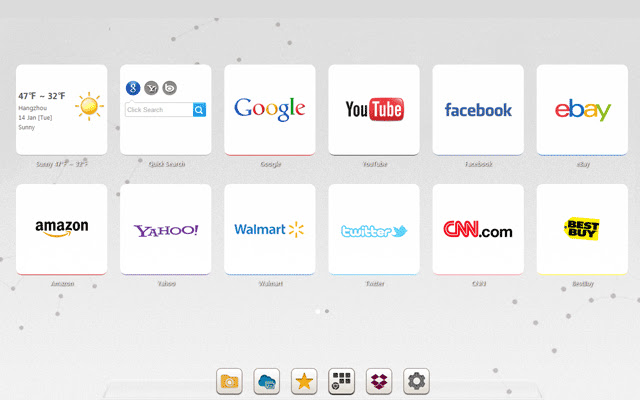

Descargar Archivo CRX de la Extensión Speed Dial 3™
Descarga archivos de extensión Speed Dial 3™ en formato crx, instala manualmente las extensiones de Chrome en el navegador o comparte los archivos crx con amigos para instalar fácilmente las extensiones de Chrome.
Instrucciones de Uso de la Extensión
                        Speed Dial 3™ is an extended application of the Chrome browser which is based on HTML5. It replaces original New tab page. Save your favorite pages in one place with quick access to apps, bookmarks and browsing history.

It provides several features such as custom speed dial(like  count,style,size,opacity,etc), custom themes and background, quick add your common sites and apps, weather, quick search and auto backup data in time.

==============================
Update Log:

Version: 1.7.9 Updated: 2014-12-11
1. Fixed some bugs.

Version: 1.7.8 Updated: 2014-11-20
1. Added Super Discount function (only for chinese language)
2. Fixed some bugs.
Información Básica de la Extensión
| Nombre |  Speed Dial 3™ Speed Dial 3™ |
| ID | hfgjjcbbihjnpdommbepdkpfnkkapnbh |
| URL Oficial | https://chrome.google.com/webstore/detail/speed-dial-3/hfgjjcbbihjnpdommbepdkpfnkkapnbh |
| Descripción | Speed Dial 3™ offers speed dial, and quick access to your APPS, bookmarks and history. |
| Tamaño del Archivo | 294 KB |
| Cantidad de Instalaciones | 40,000 |
| Versión Actual | 1.7.9 |
| Última Actualización | 2014-12-10 |
| Fecha de Publicación | 2014-12-10 |
| Calificación | 3.53/5 Total de 637 Calificaciones |
| Desarrollador | SD3™ |
| Tipo de Pago | free |
| Idiomas Soportados | de,en,fr,es,es-419,pt-BR,pt-PT,ru,zh-CN,zh-TW,ja |
| manifest.json | |
{
    "background": {
        "scripts": [
            "js\/background.js"
        ]
    },
    "name": "__MSG_chrome_extension_name__",
    "short_name": "__MSG_chrome_extension_short_name__",
    "description": "__MSG_chrome_extension_description__",
    "version": "1.7.9",
    "browser_action": {
        "default_icon": "img\/icon_16.png",
        "default_popup": "pop.html"
    },
    "icons": {
        "16": "img\/icon_16.png",
        "128": "img\/icon_128.png"
    },
    "chrome_url_overrides": {
        "newtab": "index.html"
    },
    "update_url": "http:\/\/clients2.google.com\/service\/update2\/crx",
    "default_locale": "en",
    "options_page": "index.html#setting",
    "permissions": [
        "management",
        "history",
        "chrome:\/\/favicon\/",
        "bookmarks",
        "tabs",
        "http:\/\/*\/*",
        "https:\/\/*\/*",
        "contextMenus",
        "notifications",
        "topSites",
        "unlimitedStorage"
    ],
    "web_accessible_resources": [
        "background.html",
        "pop.html",
        "redirect.html",
        "index.html"
    ],
    "content_security_policy": "script-src 'self'; object-src 'self';",
    "manifest_version": 2
} | |


![Speed Dial [FVD] - New Tab Page, 3D, Sync...](https://lh3.googleusercontent.com/w3K2CDl4n-0LZVksR5dwGR4Su5USBhNXQQc1-1isyFxaaGGsja7_8_NntP_Gy5bu6gzLS3Kv0pHRM13ZmohkLTAOn4w)