Sema Login Autocomplete
Configure users credentials for each environment of your development web-projects. It's more than an autocomplete feature :-)
¿Qué es Sema Login Autocomplete?
Sema Login Autocomplete es una extensión de Chrome desarrollada por José Manuel García García, y su función principal es "Configure users credentials for each environment of your development web-projects. It's more than an autocomplete feature :-)".
Capturas de Pantalla de la Extensión
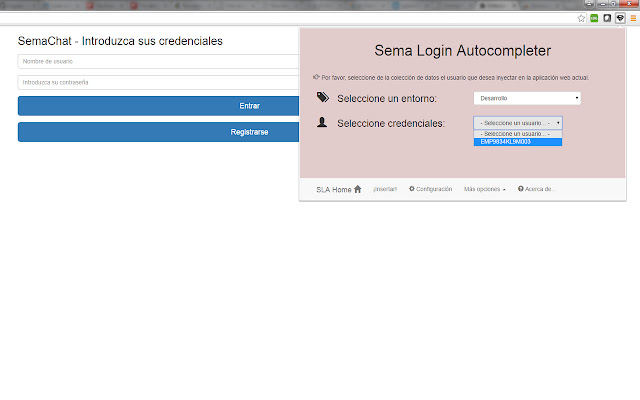
Descargar Archivo CRX de la Extensión Sema Login Autocomplete
Descarga archivos de extensión Sema Login Autocomplete en formato crx, instala manualmente las extensiones de Chrome en el navegador o comparte los archivos crx con amigos para instalar fácilmente las extensiones de Chrome.
Instrucciones de Uso de la Extensión
                        Are you tired of write several time the user credentials of your current web development? Do you have a lot of different users in your web-app? Don't you remember which one is each credentials?

With the help of this extension you'll manage all your users and all your development environments (ouh yeah, production too!!), and don't care about the passwords :-)

Moreover, you could share that configuration (users, environments, credentials...) with your new mates, and you'll save your appreciated and tight time avoiding to resent them manually!

Languages: english, spanish and coming soon... italian! (automatically selected based on the chrome-lang)

Install it right now!
Información Básica de la Extensión
| Nombre |  Sema Login Autocomplete Sema Login Autocomplete |
| ID | icibgoniiblnlggidknaoijhcomafhma |
| URL Oficial | https://chrome.google.com/webstore/detail/sema-login-autocomplete/icibgoniiblnlggidknaoijhcomafhma |
| Descripción | Configure users credentials for each environment of your development web-projects. It's more than an autocomplete feature :-) |
| Tamaño del Archivo | 349 KB |
| Cantidad de Instalaciones | 35 |
| Versión Actual | 1.2 |
| Última Actualización | 2016-04-23 |
| Fecha de Publicación | 2016-04-23 |
| Calificación | 5.00/5 Total de 1 Calificaciones |
| Desarrollador | José Manuel García García |
| Correo electrónico | [email protected] |
| Tipo de Pago | free |
| Idiomas Soportados | en,es |
| manifest.json | |
{
"update_url": "https:\/\/clients2.google.com\/service\/update2\/crx",
"manifest_version": 2,
"name": "__MSG_extName__",
"version": "1.2",
"default_locale": "en",
"description": "__MSG_extDescription__",
"author": "Sema (Jos\u00e9 Manuel Garc\u00eda Garc\u00eda)",
"browser_action": {
"default_icon": "icons\/16\/s2.png",
"default_title": "Sema Login Autocomplete Extension",
"default_popup": "browser\/browser-action.html"
},
"background": {
"scripts": [
"libs\/jquery.js",
"background\/background.js"
],
"persistent": false
},
"commands": {
"_execute_browser_action": {
"suggested_key": {
"windows": "Ctrl+Shift+S",
"mac": "Command+Shift+S",
"chromeos": "Ctrl+Shift+S",
"linux": "Ctrl+Shift+S"
}
}
},
"content_scripts": [
{
"matches": [
" | |