My top 10 most-watched Twitch streamers
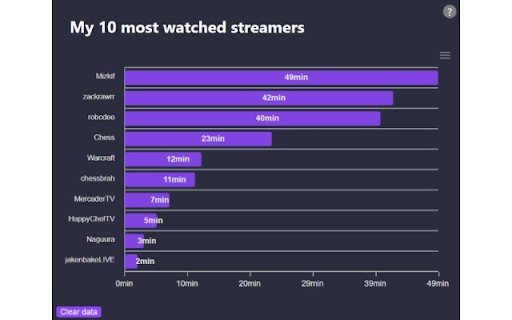
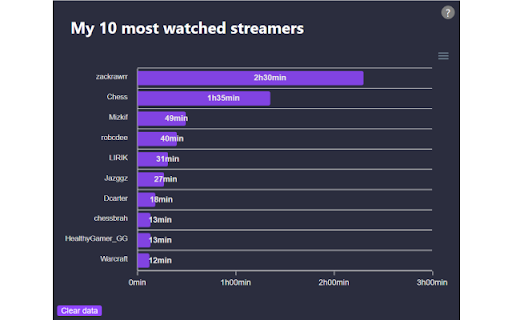
Compiles a top 10 of your most watched Twitch streamers and displays it into a graph.
¿Qué es My top 10 most-watched Twitch streamers?
My top 10 most-watched Twitch streamers es una extensión de Chrome desarrollada por Unknown, y su función principal es "Compiles a top 10 of your most watched Twitch streamers and displays it into a graph.".
Capturas de Pantalla de la Extensión
Descargar Archivo CRX de la Extensión My top 10 most-watched Twitch streamers
Descarga archivos de extensión My top 10 most-watched Twitch streamers en formato crx, instala manualmente las extensiones de Chrome en el navegador o comparte los archivos crx con amigos para instalar fácilmente las extensiones de Chrome.
Instrucciones de Uso de la Extensión
                        Ever wondered which Twitch streamer you watch the most? What about a whole Top 10?!

It's really that simple; install the addon, sit back and enjoy some Twitch while the extension compiles your graph over time.

I don't collect any information regarding your watching habits as everything is stored locally in your browser.

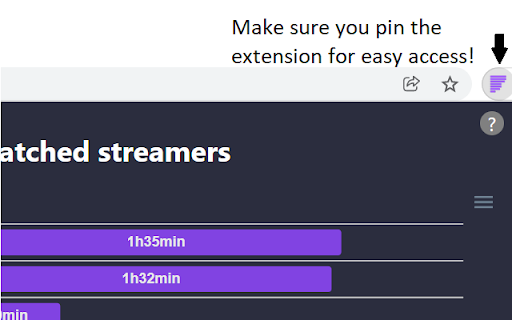
I strongly suggest you pin the extension to be able to glance at your Top 10 at will.
Información Básica de la Extensión
| Nombre |  My top 10 most-watched Twitch streamers My top 10 most-watched Twitch streamers |
| ID | ijjhhldncdhjkpnohencpcdlhdjchjif |
| URL Oficial | https://chromewebstore.google.com/detail/my-top-10-most-watched-tw/ijjhhldncdhjkpnohencpcdlhdjchjif |
| Descripción | Compiles a top 10 of your most watched Twitch streamers and displays it into a graph. |
| Tamaño del Archivo | 221 KB |
| Cantidad de Instalaciones | 183 |
| Versión Actual | 1.2 |
| Última Actualización | 2022-04-03 |
| Fecha de Publicación | 2021-12-15 |
| Calificación | 5.00/5 Total de 2 Calificaciones |
| Desarrollador | Unknown |
| Correo electrónico | [email protected] |
| Tipo de Pago | free |
| Idiomas Soportados | en |
| manifest.json | |
{
    "update_url": "https:\/\/clients2.google.com\/service\/update2\/crx",
    "name": "My top 10 most-watched Twitch streamers",
    "description": "Compiles a top 10 of your most watched Twitch streamers and displays it into a graph.",
    "version": "1.2",
    "manifest_version": 3,
    "permissions": [
        "storage"
    ],
    "icons": {
        "16": "icon16.png",
        "48": "icon48.png",
        "128": "icon128.png"
    },
    "action": {
        "default_popup": "popup.html"
    },
    "content_scripts": [
        {
            "matches": [
                "https:\/\/www.twitch.tv\/*"
            ],
            "js": [
                "content-script.js"
            ]
        }
    ]
} | |