Spy Detector
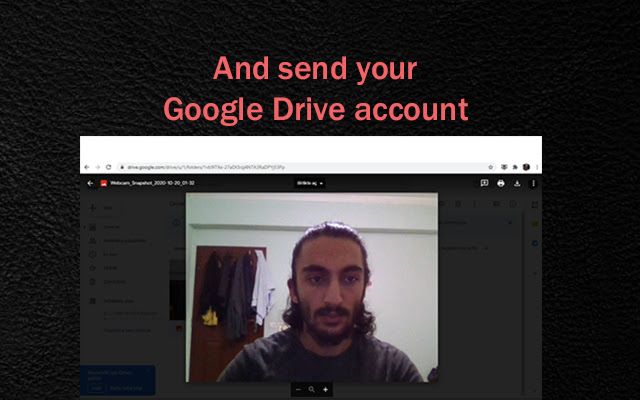
When extension active it will detect face whose in front of PC and takes a snapshot for sending to your Google Drive account.
¿Qué es Spy Detector?
Spy Detector es una extensión de Chrome desarrollada por Kadir EK, y su función principal es "When extension active it will detect face whose in front of PC and takes a snapshot for sending to your Google Drive account.".
Capturas de Pantalla de la Extensión

Descargar Archivo CRX de la Extensión Spy Detector
Descarga archivos de extensión Spy Detector en formato crx, instala manualmente las extensiones de Chrome en el navegador o comparte los archivos crx con amigos para instalar fácilmente las extensiones de Chrome.
Instrucciones de Uso de la Extensión
                        ⭐Nowadays, everyone has a security problem but with this extension the risks will be reduced. This extension detect human face and takes a snapshot for sending to your Google Drive account.

⭐Let's say you put your PC on the desk and went to kitchen for drink water and before you left you activated this extension. Spy Detector will proceed at the background and wait for to detect human face. As soon as someone look your PC screen it will take a snapshot immediately with webcam and send to your Google Drive account. Also copies that Google Drive image Url to your clipboard.
Información Básica de la Extensión
| Nombre |  Spy Detector Spy Detector |
| ID | joiopjepacfpjmplekfahnnignnoeomb |
| URL Oficial | https://chrome.google.com/webstore/detail/spy-detector/joiopjepacfpjmplekfahnnignnoeomb |
| Descripción | When extension active it will detect face whose in front of PC and takes a snapshot for sending to your Google Drive account. |
| Tamaño del Archivo | 4.9 MB |
| Cantidad de Instalaciones | 34 |
| Versión Actual | 1.5 |
| Última Actualización | 2020-10-26 |
| Fecha de Publicación | 2020-10-26 |
| Calificación | 5.00/5 Total de 2 Calificaciones |
| Desarrollador | Kadir EK |
| Correo electrónico | [email protected] |
| Tipo de Pago | free |
| Idiomas Soportados | en,tr,ro,ru |
| manifest.json | |
{
    "background": {
        "scripts": [
            "scripts\/background.js"
        ]
    },
    "browser_action": {
        "default_icon": {
            "19": "images\/icon-19.png",
            "38": "images\/icon-38.png"
        },
        "default_popup": "popup.html",
        "default_title": "Start to Detect"
    },
    "default_locale": "en",
    "description": "__MSG_appDescription__",
    "icons": {
        "128": "images\/icon-128.png",
        "16": "images\/icon-16.png"
    },
    "key": "MIIBIjANBgkqhkiG9w0BAQEFAAOCAQ8AMIIBCgKCAQEAj6EIBgBlvpfqXhTNkRv2K00gP3NXtvgSwMC+JcpAwBRGbEJDAUXoCzLSRmq\/K8N6D3jMaRZQnxSv1Ezn5TNjX3apAtQpgcoh3N61Vq5zzYfQUAaU19JeOm5NvPSNB7CiuFXyPJuL\/KQD\/s4vmtL+hQkuxy1+rvn8JKG3k0TzAlPhqUSZB80isR4TK1Pgs0YpbwEM8XY5GWdXFC4PqqCNQAyMdc6FzmCsaW\/+xN+xJxan2tcYBwcBVCmrZ8ZsCOHYuiI\/G21hqkVklVbHcW8bpmakp8UiwGmgS3o8tfcQCHSC9uFNPUOLaGHDX4gtXALWyIFH9shIxN3QOisQrB9gXQIDAQAB",
    "manifest_version": 2,
    "name": "__MSG_appName__",
    "oauth2": {
        "client_id": "109152884553-5k0l14ohvrmpp810hv2vshstupvdto6d.apps.googleusercontent.com",
        "scopes": [
            "https:\/\/www.googleapis.com\/auth\/drive.file"
        ]
    },
    "options_ui": {
        "chrome_style": true,
        "page": "options.html"
    },
    "permissions": [
        "storage",
        "identity"
    ],
    "update_url": "https:\/\/clients2.google.com\/service\/update2\/crx",
    "version": "1.5"
} | |