Whatsapp Desktop - How to Use Windows and Mac
Are you want to Use Web WhatsApp (Windows 10/8.1/8/7/Vista/XP or Mac)? Visit Offered by website link.
¿Qué es Whatsapp Desktop - How to Use Windows and Mac?
Whatsapp Desktop - How to Use Windows and Mac es una extensión de Chrome desarrollada por https://web-whatsapp.alorbook.com, y su función principal es "Are you want to Use Web WhatsApp (Windows 10/8.1/8/7/Vista/XP or Mac)? Visit Offered by website link.".
Capturas de Pantalla de la Extensión
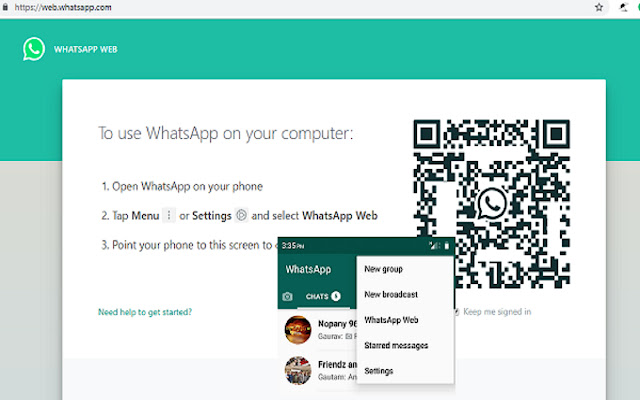


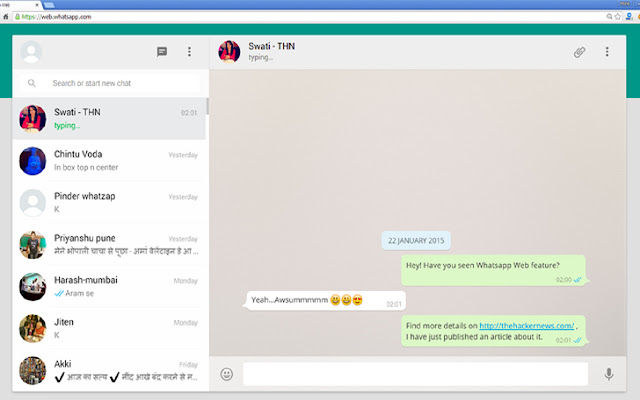
Descargar Archivo CRX de la Extensión Whatsapp Desktop - How to Use Windows and Mac
Descarga archivos de extensión Whatsapp Desktop - How to Use Windows and Mac en formato crx, instala manualmente las extensiones de Chrome en el navegador o comparte los archivos crx con amigos para instalar fácilmente las extensiones de Chrome.
Instrucciones de Uso de la Extensión
                        We seem to be more connected more than ever with the way smartphones and mobile apps has made everything so accessible. From the time when Whats App Incorporated introduced Whats App messenger, we think we found the best form of unlimited call and text within the application. It’s highly practical because were able to enjoy these features with only an Internet connection required. Needless to say, we can talk endlessly over video calls, voice and send messages anywhere. Friends, families, co-workers and almost everyone we know already use the app.

How to Download WhatsApp for your PC:
Step 1: Download the android emulator software Andy and it is available for free. Click here to download: Download

Step 2: Start the installation of Andy by clicking on the installer file you downloaded.

Step 3: When the software is ready to be used, start it and complete the sign up procedure and login with Google Play account.

Step 4: Start Google play store app and use its search tool to search WhatsApp download.

Step 5: Find Whats App and start the installation.

Step 6: Launch the game and you can now play Whats App on pc using a mouse or your keyboard and even your touchscreen, you can use the control button to emulate the pinch function to zoom in and out.

Step 7: You can also install remote control app form here for remotely accessing the game: Andy remote control app

Support: we maintain an online real-time Facebook support group if you have any issues with Andy OS installation process, you can use this link to access the group: support
Información Básica de la Extensión
| Nombre |  Whatsapp Desktop - How to Use Windows and Mac Whatsapp Desktop - How to Use Windows and Mac |
| ID | lphdhngohcganaaejfagdaeepjekhodf |
| URL Oficial | https://chrome.google.com/webstore/detail/whatsapp-desktop-how-to-u/lphdhngohcganaaejfagdaeepjekhodf |
| Descripción | Are you want to Use Web WhatsApp (Windows 10/8.1/8/7/Vista/XP or Mac)? Visit Offered by website link. |
| Tamaño del Archivo | 77.56 KB |
| Cantidad de Instalaciones | 10,933 |
| Versión Actual | 1.0 |
| Última Actualización | 2021-04-09 |
| Fecha de Publicación | 2021-04-09 |
| Calificación | 5.00/5 Total de 1 Calificaciones |
| Desarrollador | https://web-whatsapp.alorbook.com |
| Correo electrónico | [email protected] |
| Tipo de Pago | free |
| Sitio Web de la Extensión | https://www.howmash.com/whatsapp-web-for-pc-download-windows-laptop/ |
| URL de la Página de Política de Privacidad | https://www.alorbook.com/privacy-policy |
| Idiomas Soportados | en-GB |
| manifest.json | |
null | |

















![DraStic DS Emulator Apk PC [Guide]](https://lh3.googleusercontent.com/VWKHq9PT3BcxeLZyzPdDbQKxuBzpwxjPKrlEh8ApsENVaXS1jn75QEZhDNz8vGeh2vgKRLCO8rSDYGl0RQRwYwpDiOA)


![Vidmate Apk Download 2020[Latest Version]](https://lh3.googleusercontent.com/PHJ5siLWbHAS8n8CaC-7eF8LuysxUNXQ4N3ya6PZYUmVtLXPU1qa_u-XR1U0seIc3RmAt28u=w128-h128-e365-rj-sc0x00ffffff)