ChromeGPT for ChatGPT
The easiest way to use ChatGPT.
¿Qué es ChromeGPT for ChatGPT?
ChromeGPT for ChatGPT es una extensión de Chrome desarrollada por chromegpt, y su función principal es "The easiest way to use ChatGPT.".
Capturas de Pantalla de la Extensión


Descargar Archivo CRX de la Extensión ChromeGPT for ChatGPT
Descarga archivos de extensión ChromeGPT for ChatGPT en formato crx, instala manualmente las extensiones de Chrome en el navegador o comparte los archivos crx con amigos para instalar fácilmente las extensiones de Chrome.
Instrucciones de Uso de la Extensión
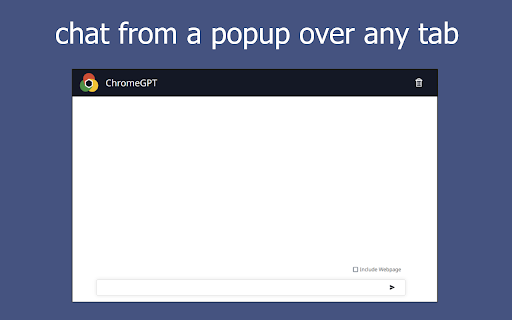
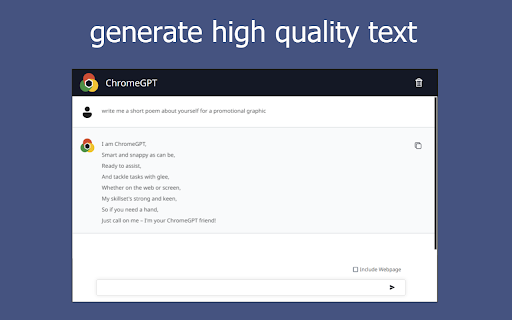
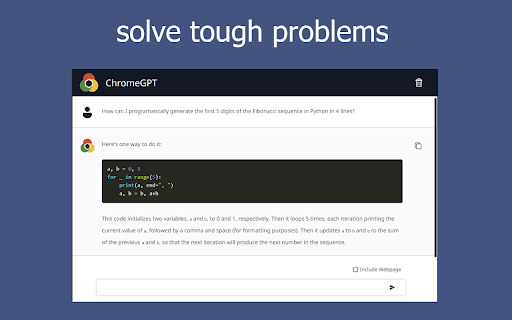
                        ChromeGPT is an intelligent chatbot powered by OpenAI that you can chat with from a popup panel.

With just one click from any tab, ChromeGPT can be easily accessed from any tab to assist you in every step of your web browsing. Our virtual assistant leverages cutting-edge technologies to understand your needs and personalize your experience. Whether you need help with research, writing, decision making, planning, or navigating the internet, our virtual assistant is here to help.

Looking for a quick summary of a long article? Want to augment the essay you are writing? We can process your requests in real-time and provide instant, accurate responses. Whether you are a student, a researcher, a professional, or just a casual internet browser, this extension can help you save time, boost productivity or have a nice conversation. With its intuitive interface and straightforward approach, anyone can use it, no matter their tech savviness or internet browsing experience.

No integration with an existing OpenAI account is required. With a quick installation and sign up, try ChromeGPT today and start browsing smarter!

🚀 How to Get Started:
1. Install and pin the extension.
2. Click the icon in the top right of your tab to open the popup panel.
3. Sign up with your email.
4. Chat away.
5. (Optional) Check the "Include Webpage" checkbox to show the chatbot your current webpage with your next message.

Features:
😋 Sign up to use it for free.
💬 Chat with a virtual assistant that is one click away from any tab.
☁️ Log in to Chrome and the extension to access your chat across multiple devices.
☑️ Include your current webpage content in a request for help with whatever you are looking at.


*ChromeGPT is an independent Chrome extension that is not legally affiliated with Google or OpenAI but uses ChatGPT directly.
Información Básica de la Extensión
| Nombre |  ChromeGPT for ChatGPT ChromeGPT for ChatGPT |
| ID | nncbfmnhlnpmncahkpgmobdcjgdbgjme |
| URL Oficial | https://chromewebstore.google.com/detail/chromegpt-for-chatgpt/nncbfmnhlnpmncahkpgmobdcjgdbgjme |
| Descripción | The easiest way to use ChatGPT. |
| Tamaño del Archivo | 3.05 MB |
| Cantidad de Instalaciones | 567 |
| Versión Actual | 0.0.0.7 |
| Última Actualización | 2024-01-19 |
| Fecha de Publicación | 2023-05-10 |
| Calificación | 5.00/5 Total de 3 Calificaciones |
| Desarrollador | chromegpt |
| Correo electrónico | [email protected] |
| Tipo de Pago | in_app |
| Sitio Web de la Extensión | https://www.linkedin.com/company/91351732 |
| URL de la Página de Política de Privacidad | https://docs.google.com/document/d/1xyw0E6zYFWFlacU8iJWYIC08oqvciALb5rGRQAq6SZc/edit?usp=sharing |
| Idiomas Soportados | en |
| manifest.json | |
{
    "update_url": "https:\/\/clients2.google.com\/service\/update2\/crx",
    "name": "ChromeGPT for ChatGPT",
    "description": "The easiest way to use ChatGPT.",
    "version": "0.0.0.7",
    "icons": {
        "16": ".\/logo\/logo16.png",
        "32": ".\/logo\/logo32.png",
        "64": ".\/logo\/logo64.png",
        "128": ".\/logo\/logo128.png",
        "256": ".\/logo\/logo256.png",
        "512": ".\/logo\/logo512.png",
        "1024": ".\/logo\/logo1024.png"
    },
    "manifest_version": 3,
    "action": {
        "default_popup": ".\/popup\/index.html"
    },
    "permissions": [
        "activeTab",
        "storage",
        "scripting"
    ]
} | |