Stipop for Chrome
Stickers for better design and online communication.
What is Stipop for Chrome?
Stipop for Chrome is a Chrome extension developed by https://stipop.com, and its main feature is "Stickers for better design and online communication.".
Extension Screenshots

Download Stipop for Chrome Extension CRX File
Download Stipop for Chrome extension files in crx format, manually install Chrome extensions in the browser, or share the crx files with friends to easily install Chrome extensions.
Extension Usage Instructions
                        Express yourself better online and add a unique design to your projects with the Stipop sticker extension for Chrome and Gmail.

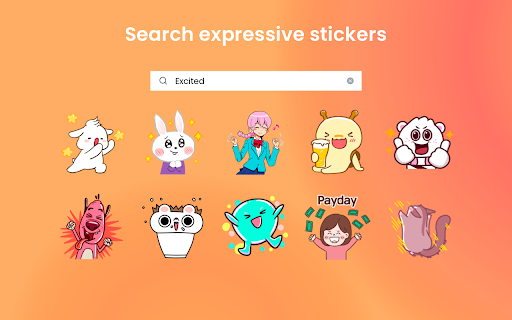
Stipop for Chrome offers instant sticker search from over 150,000 stickers designed by the best artists and a sticker store where you can download new packs.

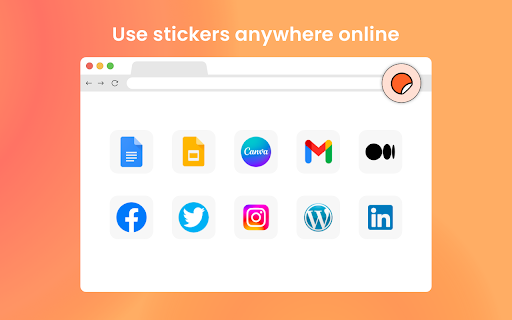
With Stipop, you can use stickers anywhere on the web:
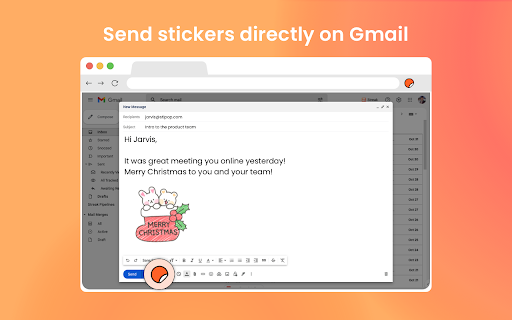
• Insert stickers directly into Gmail
• Click and drag to add on docs or slides
• Copy and paste them almost anywhere

➡ How it works
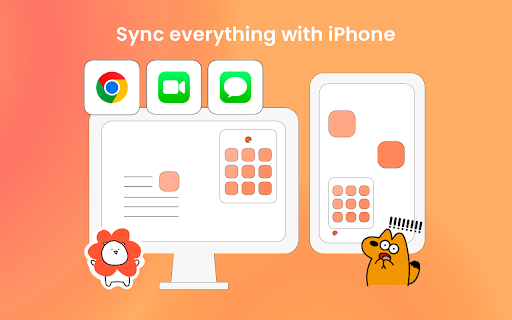
Stipop is a platform of 5,000 sticker artists around the world. We help them provide their stickers to users like you by offering various products that can be connected by a single account, letting users use their favorite stickers wherever Stipop is available. At the moment, Stipop is available on Chrome and iPhone (iMessage and FaceTime), and we are constantly expanding the app channel.

➡ What’s included?

~ Free
The free version of Stipop includes some free sticker packs, limited search, and a synced account with the recently sent stickers feature included.

~ Membership Subscription
Stipop Membership includes unlimited sticker usage, search, and download to help you express yourself better online and have fun anywhere on the web.
• 150,000+ stickers
• Animated, seasonal stickers
• Instant sticker search
• Unlimited sticker pack download
• Access to Stipop Membership on all apps available, currently Chrome and iMessage

➡ Works anywhere on the web
Once you install Stipop, try pinning the app on Chrome so you can have it ready wherever you are. Here are some example websites which you can try using stickers on:
• Gmail
• Google Docs
• Google Slides
• And more

➡ Get Stipop on your iPhone
You can also use Stipop on iMessage and FaceTime. Try downloading Stipop and use your favorite stickers on the browser and your phone: https://apps.apple.com/us/app/stipop-stickers-unlimited/id1288492157.

➡ Try uploading your stickers
You can visit www.studio.stipop.io to sign up as an artist and upload your sticker design to use it on Stipop and generate revenue. The process can take just minutes, and no additional verification is required, so you should also have a go!

➡ Terms and Conditions
By installing the Stipop extension, you agree to and acknowledge:
https://stipop.com/en/terms
https://stipop.com/en/privacy-policy

----

If you need any help, please get in touch with us at [email protected].
Extension Basic Information
| Name |  Stipop for Chrome Stipop for Chrome |
| ID | anlmpcmkfagglpopbdmanimlfnpfenji |
| Official URL | https://chromewebstore.google.com/detail/stipop-for-chrome/anlmpcmkfagglpopbdmanimlfnpfenji |
| Description | Stickers for better design and online communication. |
| File Size | 3.03 MB |
| Installation Count | 295 |
| Current Version | 0.3.1 |
| Last Updated | 2023-03-10 |
| Publish Date | 2022-11-23 |
| Rating | 4.25/5 Total 4 Ratings |
| Developer | https://stipop.com |
| [email protected] | |
| Payment Type | in_app |
| Extension Website | https://stipop.com |
| Help Page URL | https://stipop.com/en/contact-us |
| Privacy Policy Page URL | https://stipop.io/en/policies/privacy |
| Supported Languages | en-US |
| manifest.json | |
{
    "update_url": "https:\/\/clients2.google.com\/service\/update2\/crx",
    "name": "Stipop for Chrome",
    "description": "Stickers for better design and online communication.",
    "version": "0.3.1",
    "manifest_version": 3,
    "icons": {
        "16": ".\/16.png",
        "32": ".\/48.png",
        "48": ".\/48.png",
        "128": ".\/128.png"
    },
    "background": {
        "service_worker": "background.js"
    },
    "action": {
        "default_popup": "popup.html",
        "default_icon": {
            "16": ".\/16.png",
            "32": ".\/48.png",
            "48": ".\/48.png",
            "128": ".\/128.png"
        }
    },
    "options_page": "option.html",
    "content_scripts": [
        {
            "matches": [
                "https:\/\/stipop.com\/en\/signin",
                "https:\/\/stipop.com\/ko\/signin",
                "https:\/\/stipop.com\/en\/signup",
                "https:\/\/stipop.com\/ko\/signup",
                "https:\/\/stipop.com\/en\/plan",
                "https:\/\/stipop.com\/ko\/plan",
                "https:\/\/account.stipop.com\/",
                "https:\/\/account.stipop.com\/*",
                "https:\/\/mail.google.com\/*"
            ],
            "js": [
                ".\/content.js",
                ".\/jquery-3.6.1.min.js"
            ]
        }
    ],
    "content_security_policy": {
        "extension_pages": "script-src 'self'; object-src 'self'"
    },
    "permissions": [
        "tabs",
        "activeTab",
        "scripting",
        "storage",
        "notifications"
    ],
    "host_permissions": [
        "https:\/\/mail.google.com\/*",
        "https:\/\/chat.google.com\/*",
        "https:\/\/stipop.com\/*",
        "https:\/\/account.stipop.com\/*",
        "https:\/\/people-pa.clients6.google.com\/*"
    ]
} | |