monote
monote lets you bookmark products to find them again later.
What is monote?
monote is a Chrome extension developed by http://www.monote.io, and its main feature is "monote lets you bookmark products to find them again later.".
Extension Screenshots


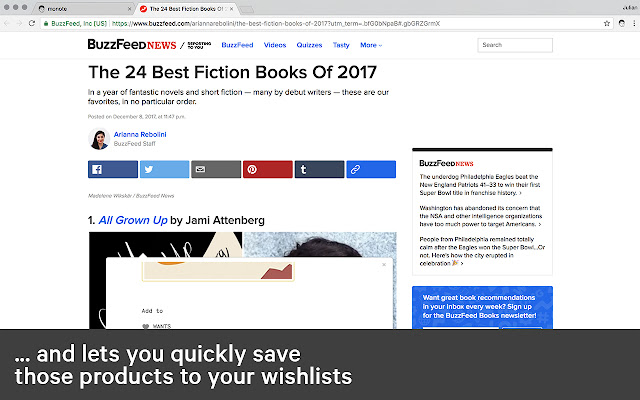
Download monote Extension CRX File
Download monote extension files in crx format, manually install Chrome extensions in the browser, or share the crx files with friends to easily install Chrome extensions.
Extension Usage Instructions
                        ↳ BOOKMARK
Save products you found online to your wishlist to find and buy them later.

↳ ORGANIZE
Sort your products into different lists and collections
(e.g. "Book Reading List" or "Things I Need to Pack for my next Holiday")

↳ DECLUTTER
Avoid impulse purchases and make informed product decisions instead.

↳ DISCOVER
Find new products and collections based on the things you like.

More info:
www.monote.io
Extension Basic Information
| Name |  monote monote |
| ID | anmibimddpcalenjmamohmfegpigbplg |
| Official URL | https://chrome.google.com/webstore/detail/monote/anmibimddpcalenjmamohmfegpigbplg |
| Description | monote lets you bookmark products to find them again later. |
| File Size | 399 KB |
| Installation Count | 118 |
| Current Version | 1.5 |
| Last Updated | 2018-04-08 |
| Publish Date | 2018-04-08 |
| Rating | 4.75/5 Total 4 Ratings |
| Developer | http://www.monote.io |
| [email protected] | |
| Payment Type | free |
| Supported Languages | en |
| manifest.json | |
{
"update_url": "https:\/\/clients2.google.com\/service\/update2\/crx",
"manifest_version": 2,
"name": "monote",
"description": "monote lets you bookmark products to find them again later.",
"version": "1.5",
"browser_action": {
"default_icon": "icon.png",
"default_popup": "popup.html"
},
"icons": {
"128": "icon.png"
},
"permissions": [
"activeTab",
"storage",
"cookies"
],
"background": {
"scripts": [
"background.js"
]
},
"content_scripts": [
{
"matches": [
" | |