Print This Frame!
Right-click -> Print this frame... -> :-)
What is Print This Frame!?
Print This Frame! is a Chrome extension developed by http://danfischbach.com, and its main feature is "Right-click -> Print this frame... -> :-)".
Download Print This Frame! Extension CRX File
Download Print This Frame! extension files in crx format, manually install Chrome extensions in the browser, or share the crx files with friends to easily install Chrome extensions.
Extension Usage Instructions
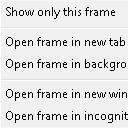
                        Need to print the contents of a frame? No problem! This handy extension will get the job done. Just right-click on any frame, click "Print this frame...", click Print and BAM! Done. When you close the new tab with the frame you wanted to print, it'll even pop you right back on the tab you were just on (if it still exists) so you don't lose your place in the tab jungle.

Changelog:
1.2 - July 29th, 2014
* Reinstated auto-close functionality as it should now work with all versions of Chrome
* Cleaned up event listeners
1.1.1 – July 29th, 2014
* Removed the auto-close functionality since this conflicts with the Stable version of Chrome
1.1 – July 24th, 2014
* Restructured code to avoid “callback hell“
* Automatically closed the opened tab upon Print or Cancel
1.0 – July 24th, 2014
* Initial public release
Extension Basic Information
| Name |  Print This Frame! Print This Frame! |
| ID | bamldpmhndfcingobhmkholjnkioglob |
| Official URL | https://chrome.google.com/webstore/detail/print-this-frame/bamldpmhndfcingobhmkholjnkioglob |
| Description | Right-click -> Print this frame... -> :-) |
| File Size | 4.13 KB |
| Installation Count | 30,000 |
| Current Version | 1.2 |
| Last Updated | 2014-07-29 |
| Publish Date | 2014-07-29 |
| Rating | 3.20/5 Total 44 Ratings |
| Developer | http://danfischbach.com |
| [email protected] | |
| Payment Type | free |
| Extension Website | http://danfischbach.com/chrome-extension-print-this-frame/ |
| Help Page URL | http://danfischbach.com/chrome-extension-print-this-frame/ |
| Supported Languages | en |
| manifest.json | |
{
"update_url": "https:\/\/clients2.google.com\/service\/update2\/crx",
"manifest_version": 2,
"name": "Print This Frame!",
"short_name": "PrintTFrame!",
"author": "Dan \"BlindWolf8\" Fischbach",
"description": "Right-click -> Print this frame... -> :-)",
"version": "1.2",
"background": {
"scripts": [
"js\/printStuff.js"
],
"persistent": false
},
"permissions": [
"contextMenus",
"tabs",
" | |