Beacon
Generate a report from Beacon (digitalbeacon.co) with a single click
What is Beacon?
Beacon is a Chrome extension developed by https://aline.to, and its main feature is "Generate a report from Beacon (digitalbeacon.co) with a single click".
Extension Screenshots



Download Beacon Extension CRX File
Download Beacon extension files in crx format, manually install Chrome extensions in the browser, or share the crx files with friends to easily install Chrome extensions.
Extension Usage Instructions
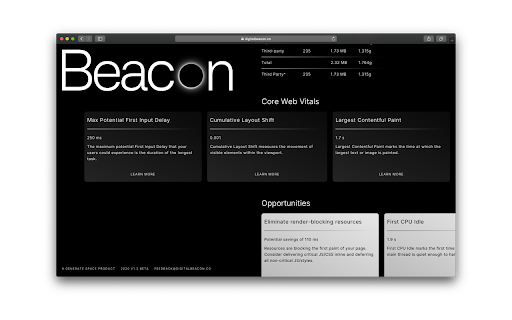
                        Digital Beacon is an online tool that calculates a website’s environmental impact. See the breakdown of its impact and learn what measures can be taken to improve it.

This extension automatically runs the site you’re browsing through [digitalbeacon.co](http://digitalbeacon.co/) and takes you to the results page. Great for on-the-fly testing.
Extension Basic Information
| Name |  Beacon Beacon |
| ID | bflpbnopaodpkggmcehmpdneahmnckek |
| Official URL | https://chromewebstore.google.com/detail/beacon/bflpbnopaodpkggmcehmpdneahmnckek |
| Description | Generate a report from Beacon (digitalbeacon.co) with a single click |
| File Size | 13.39 KB |
| Installation Count | 934 |
| Current Version | 1 |
| Last Updated | 2021-04-01 |
| Publish Date | 2021-04-01 |
| Rating | 5.00/5 Total 2 Ratings |
| Developer | https://aline.to |
| [email protected] | |
| Payment Type | free |
| Extension Website | https://digitalbeacon.co/ |
| Help Page URL | https://digitalbeacon.co/ |
| Supported Languages | en-GB |
| manifest.json | |
{
    "background": {
        "persistent": false,
        "scripts": [
            "background.js"
        ]
    },
    "browser_action": {
        "default_icon": {
            "32": "icon-32.png"
        }
    },
    "description": "Generate a report from Beacon (digitalbeacon.co) with a single click",
    "icons": {
        "128": "icon-128.png"
    },
    "manifest_version": 2,
    "minimum_chrome_version": "66",
    "name": "Beacon",
    "options_page": "",
    "permissions": [
        "activeTab"
    ],
    "update_url": "https:\/\/clients2.google.com\/service\/update2\/crx",
    "version": "1",
    "web_accessible_resources": []
} | |