Token signing
Use your eID smart card on the web
What is Token signing?
Token signing is a Chrome extension developed by riaee, and its main feature is "Use your eID smart card on the web".
Extension Screenshots
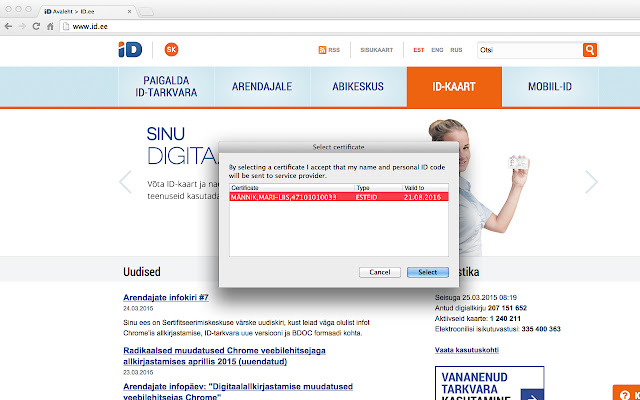
Download Token signing Extension CRX File
Download Token signing extension files in crx format, manually install Chrome extensions in the browser, or share the crx files with friends to easily install Chrome extensions.
Extension Usage Instructions
                        Active development and management of the Token Signing component have ended due to the transition to the new web authentication and signing solution (Web eID): https://www.id.ee/en/article/the-latest-version-of-the-id-software-includes-an-innovative-web-eid-interface/
Token Signing extension will be removed from the extensions stores on 1st September 2023.
Web eID components are included in the ID-software installation package which can be downloaded from the website www.id.ee.
NB! Please remove Token Signing extension in order for Web eID to work.

For Uninstallation, please follow these instructions https://github.com/open-eid/chrome-token-signing/wiki/Extension-removal.
Extension Basic Information
| Name |  Token signing Token signing |
| ID | ckjefchnfjhjfedoccjbhjpbncimppeg |
| Official URL | https://chrome.google.com/webstore/detail/ckjefchnfjhjfedoccjbhjpbncimppeg |
| Description | Use your eID smart card on the web |
| File Size | 60.28 KB |
| Installation Count | 515,219 |
| Current Version | 0.0.33 |
| Last Updated | 2023-08-15 |
| Publish Date | 2019-07-22 |
| Rating | 1.83/5 Total 824 Ratings |
| Developer | riaee |
| [email protected] | |
| Payment Type | free |
| Extension Website | https://www.id.ee/en/ |
| Supported Languages | en,et,ru |
| manifest.json | |
{
    "update_url": "https:\/\/clients2.google.com\/service\/update2\/crx",
    "name": "Token signing",
    "version": "0.0.33",
    "minimum_chrome_version": "40.0",
    "manifest_version": 2,
    "description": "Use your eID smart card on the web",
    "icons": {
        "48": "icon48.png",
        "128": "icon128.png"
    },
    "default_locale": "en",
    "content_scripts": [
        {
            "matches": [
                "*:\/\/*\/*",
                "file:\/\/\/*"
            ],
            "exclude_matches": [
                "*:\/\/*.overdrive.com\/*",
                "*:\/\/*\/*.svg",
                "https:\/\/ebs.instructure.com\/*"
            ],
            "js": [
                "content.js"
            ],
            "run_at": "document_end",
            "all_frames": true
        }
    ],
    "background": {
        "scripts": [
            "background.js"
        ]
    },
    "permissions": [
        "nativeMessaging"
    ],
    "applications": {
        "gecko": {
            "id": "{443830f0-1fff-4f9a-aa1e-444bafbc7319}"
        }
    }
} | |