LinkedIn downloader
Download video and image from LinkedIn.com
What is LinkedIn downloader?
LinkedIn downloader is a Chrome extension developed by AppforYou, and its main feature is "Download video and image from LinkedIn.com".
Extension Screenshots

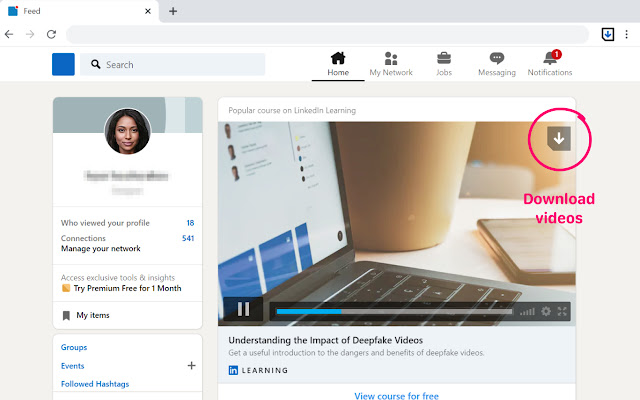
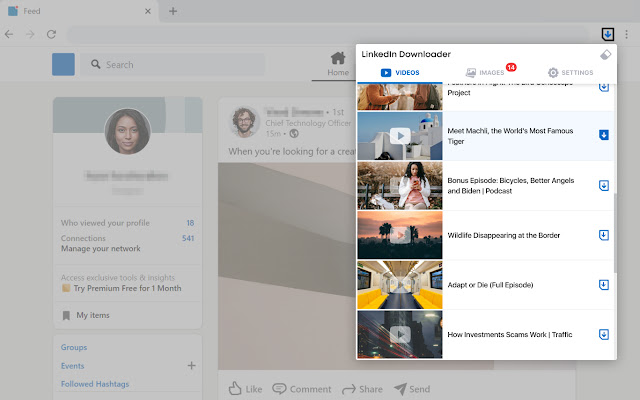

Download LinkedIn downloader Extension CRX File
Download LinkedIn downloader extension files in crx format, manually install Chrome extensions in the browser, or share the crx files with friends to easily install Chrome extensions.
Extension Usage Instructions
                        Download photo or video from LinkedIn easily
Using our extension you can download LinkedIn photo or video not only from LinkedIn.com but from other websites too.

In upper right corner of any photo or video you will see "Download" button (please see the Screenshots).
Click this button and save the photo or video to your computer.
If you cannot see "Download" button, try to start playing video and the button will appear.

LinkedIn Downloader doesn't support private and password-protected videos, as well as any video on YouTube.

With some other "Downloader", you have to copy the video link from LinkedIn and paste it to the downloader. It is very complicated and not user friendly. With LinkedIn Downloader you can download all videos directly from LinkedIn web page with one single click without leaving the website.
Extension Basic Information
| Name |  LinkedIn downloader LinkedIn downloader |
| ID | cmljhcfcdhjnajbebkhegddcgamnnkdm |
| Official URL | https://chrome.google.com/webstore/detail/linkedin-downloader/cmljhcfcdhjnajbebkhegddcgamnnkdm |
| Description | Download video and image from LinkedIn.com |
| File Size | 153 KB |
| Installation Count | 31 |
| Current Version | 1.0 |
| Last Updated | 2021-04-14 |
| Publish Date | 2021-04-14 |
| Rating | 5.00/5 Total 1 Ratings |
| Developer | AppforYou |
| [email protected] | |
| Payment Type | free |
| Privacy Policy Page URL | https://sites.google.com/view/linkedindownloader |
| Supported Languages | en |
| manifest.json | |
{
    "update_url": "https:\/\/clients2.google.com\/service\/update2\/crx",
    "manifest_version": 3,
    "name": "__MSG_name__",
    "description": "__MSG_description__",
    "version": "1.0",
    "default_locale": "en",
    "background": {
        "service_worker": "background.js"
    },
    "permissions": [
        "storage",
        "tabs",
        "downloads"
    ],
    "action": {
        "default_popup": "popup.html",
        "default_icon": {
            "16": "\/assets\/images\/logo16.png"
        }
    },
    "icons": {
        "16": "\/assets\/images\/logo16.png",
        "32": "\/assets\/images\/logo32.png",
        "48": "\/assets\/images\/logo48.png",
        "128": "\/assets\/images\/logo128.png"
    },
    "content_scripts": [
        {
            "matches": [
                "*:\/\/*.linkedin.com\/*"
            ],
            "js": [
                "\/js\/jquery.js",
                "\/js\/video.js",
                "\/js\/fileSaver.js"
            ],
            "css": [
                "\/assets\/css\/video.css"
            ],
            "all_frames": true,
            "run_at": "document_start"
        }
    ]
} | |