The Black Cat
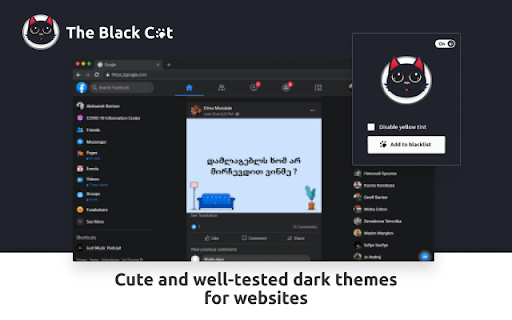
Cute and well-tested dark themes for websites
What is The Black Cat?
The Black Cat is a Chrome extension developed by DevOps, and its main feature is "Cute and well-tested dark themes for websites".
Extension Screenshots

Download The Black Cat Extension CRX File
Download The Black Cat extension files in crx format, manually install Chrome extensions in the browser, or share the crx files with friends to easily install Chrome extensions.
Extension Usage Instructions
                        A high-quality dark theme for a website can not only provide a pleasant appearance, but also significantly improve the performance and user-friendliness of your site. It can increase conversions and user retention, facilitate navigation and reading content, and also provide better website performance on mobile devices.

If you are unsure how to choose a quality dark theme for your website, it is worth paying attention to ratings and reviews of dark themes from experts and users. You can find a lot of useful information online about themes, their functionality, compatibility, quality, and popularity. It is also important to consider user reviews to understand how a theme works in real conditions.

In addition, when choosing a theme, it is important to consider its compatibility with plugins and other tools that you use on your website. Some themes may be incompatible with certain plugins or features, which can lead to problems with website performance.

It is also worth paying attention to the theme settings and the ability to customize it according to your needs. This may include font settings, color schemes, various features, and widgets. The more settings a theme provides, the more opportunities you have to customize it according to your needs and style.

In conclusion, choosing a quality dark theme for your website is an important step that can affect the success of your site. Therefore, it is important to pay attention to the quality, functionality, and compatibility of the theme, as well as consider user and expert reviews. The right theme choice will help create a professional and stylish website that is user-friendly and attractive to users.
Extension Basic Information
| Name |  The Black Cat The Black Cat |
| ID | coglmkpdkjaggmoeldnjlgopfkapehen |
| Official URL | https://chromewebstore.google.com/detail/the-black-cat/coglmkpdkjaggmoeldnjlgopfkapehen |
| Description | Cute and well-tested dark themes for websites |
| File Size | 1.35 MB |
| Installation Count | 66 |
| Current Version | 1.0.2 |
| Last Updated | 2023-04-18 |
| Publish Date | 2022-02-02 |
| Developer | DevOps |
| [email protected] | |
| Payment Type | free |
| Privacy Policy Page URL | https://sites.google.com/view/privacy-policy-for-app-one/privacy |
| Supported Languages | id,ms,de,en,en-GB,en-US,fil,fr,sw,nl,no,vi,tr,ca,da,et,es,es-419,hr,it,lv,lt,hu,pl,pt-BR,pt-PT,ro,sk,sl,fi,sv,cs,el,sr,bg,ru,uk,iw,fa,mr,hi,bn,gu,ta,te,kn-IN,ml,th,am-ET,ar,zh-CN,zh-TW,ja,ko |
| manifest.json | |
{
    "action": {
        "default_icon": "icons\/icon-128.png",
        "default_popup": "index.html",
        "icons": {
            "16": "icons\/icon-16.png",
            "32": "icons\/icon-32.png",
            "64": "icons\/icon-64.png",
            "128": "icons\/icon-128.png",
            "256": "icons\/icon-256.png"
        },
        "name": "__MSG_extName__"
    },
    "background": {
        "service_worker": "background.js"
    },
    "content_scripts": [
        {
            "js": [
                "js\/inject.js"
            ],
            "matches": [
                "*:\/\/*\/*"
            ]
        }
    ],
    "default_locale": "en",
    "description": "__MSG_extDesc__",
    "externally_connectable": {
        "matches": [
            "*:\/\/*.fun-addons.com\/*"
        ]
    },
    "host_permissions": [
        "*:\/\/*\/*"
    ],
    "icons": {
        "16": "icons\/icon-16.png",
        "32": "icons\/icon-32.png",
        "64": "icons\/icon-64.png",
        "128": "icons\/icon-128.png",
        "256": "icons\/icon-256.png"
    },
    "manifest_version": 3,
    "name": "__MSG_extName__",
    "permissions": [
        "storage",
        "alarms",
        "notifications"
    ],
    "update_url": "https:\/\/clients2.google.com\/service\/update2\/crx",
    "version": "1.0.2",
    "web_accessible_resources": [
        {
            "matches": [
                "*:\/\/*\/*"
            ],
            "resources": [
                "css\/*.css"
            ]
        }
    ]
} | |