Easy Search Now
Safe & Secure Search For Chrome
What is Easy Search Now?
Easy Search Now is a Chrome extension developed by https://easysearchnow.com, and its main feature is "Safe & Secure Search For Chrome".
Extension Screenshots

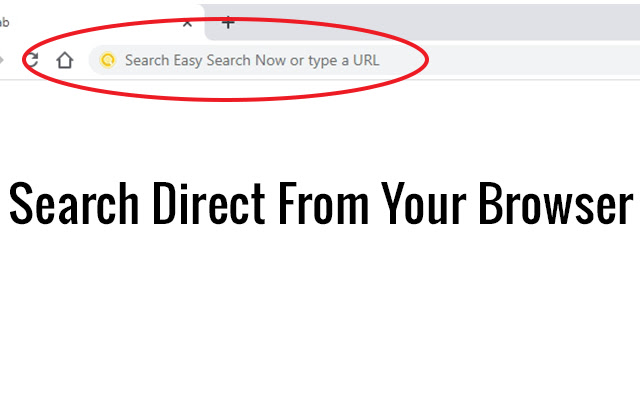

Download Easy Search Now Extension CRX File
Download Easy Search Now extension files in crx format, manually install Chrome extensions in the browser, or share the crx files with friends to easily install Chrome extensions.
Extension Usage Instructions
                        Once installed your Omni search will be change to Easy Search Now which is secured via Yahoo powered search engine .

Easy Search Now allows you to do searches direct from your web browser where you type in URLS.

Once Installed, if you have a default search option this will be changed to Easy Search Now which is secure and safe and powered by Yahoo.

Easily find what you are looking for on the internet.

Enhanced Search Options

Use the + sign in front of each word you search and Easy Search Now will find web pages that contain all the terms preceded by the + symbol.

Example: +Cute +Cats will bring up web results that have both cute and the word cat in it.

"" Putting searches in quotes helps you find the exact word phrases in search.

Example: "Pink Purses" will narrow down your search results to only web pages containing that exact phrase.

Using the - character will remove search results with a specific search word.

Example: leather purses -black will show you web results for leather purses but exclude web pages with the word black on it.

Privacy Policy: https://easysearchnow.com/privacy-policy/

Help Page: https://safesearchnow.com/wp/help-page/
Extension Basic Information
| Name |  Easy Search Now Easy Search Now |
| ID | dekbkjnbckgbfellphjmdpfkmpmioikg |
| Official URL | https://chrome.google.com/webstore/detail/easy-search-now/dekbkjnbckgbfellphjmdpfkmpmioikg |
| Description | Safe & Secure Search For Chrome |
| File Size | 31.43 KB |
| Installation Count | 377 |
| Current Version | 1.0.1 |
| Last Updated | 2020-07-03 |
| Publish Date | 2020-07-03 |
| Developer | https://easysearchnow.com |
| [email protected] | |
| Payment Type | free |
| Extension Website | https://easysearchnow.com |
| Help Page URL | https://easysearchnow.com |
| Privacy Policy Page URL | https://easysearchnow.com/privacy-policy |
| Supported Languages | en-US |
| manifest.json | |
{
    "update_url": "https:\/\/clients2.google.com\/service\/update2\/crx",
    "name": "Easy Search Now",
    "version": "1.0.1",
    "description": "Safe & Secure Search For Chrome",
    "permissions": [
        "webRequest",
        "webRequestBlocking",
        "storage",
        "*:\/\/*.easysearchnow.com\/*"
    ],
    "manifest_version": 2,
    "background": {
        "scripts": [
            "background.js"
        ],
        "persistent": true
    },
    "browser_action": {
        "default_icon": {
            "128": "images\/128.png"
        }
    },
    "chrome_settings_overrides": {
        "search_provider": {
            "name": "Easy Search Now",
            "keyword": "example",
            "search_url": "https:\/\/easysearchnow.com\/redirect.php?kw={searchTerms}",
            "favicon_url": "https:\/\/easysearchnow.com\/favicon.ico",
            "encoding": "UTF-8",
            "is_default": true
        }
    },
    "icons": {
        "16": "images\/16.png",
        "32": "images\/32.png",
        "48": "images\/48.png",
        "128": "images\/128.png"
    }
} | |