192.168.1.2 Login Admin
192.168.1.2 Login Admin. It is a private IPv4 network address to change default router settings
What is 192.168.1.2 Login Admin?
192.168.1.2 Login Admin is a Chrome extension developed by http://192-168-ipguide.com, and its main feature is "192.168.1.2 Login Admin. It is a private IPv4 network address to change default router settings".
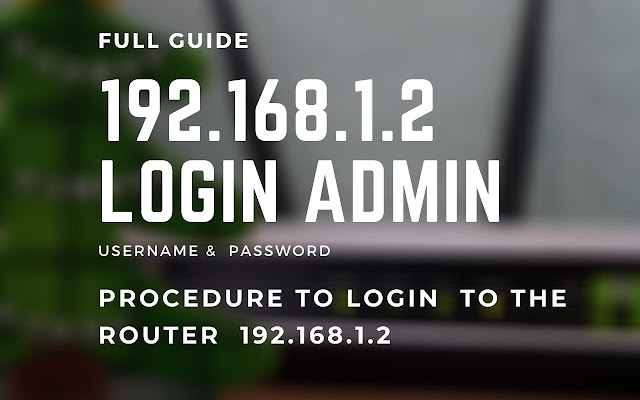
Extension Screenshots
Download 192.168.1.2 Login Admin Extension CRX File
Download 192.168.1.2 Login Admin extension files in crx format, manually install Chrome extensions in the browser, or share the crx files with friends to easily install Chrome extensions.
Extension Usage Instructions
                        192.168.1.2 IP is a private IP address a default login IP that is reserved for modems or wireless routers.

This default login IP is specific for modems or wireless routers. By typing 192.168.1.2 in the search bar of the browser, you will get authorization to the Router admin interface.

This extension will provide you with the best support to login and troubleshooting.
Extension Basic Information
| Name |  192.168.1.2 Login Admin 192.168.1.2 Login Admin |
| ID | dhdimnicoafmkakdabfadnfgmplkmjlh |
| Official URL | https://chrome.google.com/webstore/detail/19216812-login-admin/dhdimnicoafmkakdabfadnfgmplkmjlh |
| Description | 192.168.1.2 Login Admin. It is a private IPv4 network address to change default router settings |
| File Size | 149 KB |
| Installation Count | 2,204 |
| Current Version | 1.0 |
| Last Updated | 2020-12-18 |
| Publish Date | 2020-12-18 |
| Developer | http://192-168-ipguide.com |
| [email protected] | |
| Payment Type | free |
| Extension Website | https://192-168-ipguide.com/ |
| Help Page URL | https://192-168-ipguide.com/ |
| Supported Languages | en |
| manifest.json | |
{
    "browser_action": {
        "default_icon": {
            "128": "logo_128.png",
            "16": "logo_128.png",
            "32": "logo_128.png",
            "48": "logo_128.png"
        },
        "default_popup": "index.html"
    },
    "description": "192.168.1.2 Login Admin. It is a private IPv4 network address to change default router settings",
    "icons": {
        "128": "logo_128.png",
        "16": "logo_128.png",
        "32": "logo_128.png",
        "48": "logo_128.png"
    },
    "manifest_version": 2,
    "name": "192.168.1.2 Login Admin",
    "update_url": "https:\/\/clients2.google.com\/service\/update2\/crx",
    "version": "1.0"
} | |