New Tab Bible Verses
Bible verses delivered every time you open up a new tab.
What is New Tab Bible Verses?
New Tab Bible Verses is a Chrome extension developed by The Mindful Tech Lab, and its main feature is "Bible verses delivered every time you open up a new tab.".
Extension Screenshots


Download New Tab Bible Verses Extension CRX File
Download New Tab Bible Verses extension files in crx format, manually install Chrome extensions in the browser, or share the crx files with friends to easily install Chrome extensions.
Extension Usage Instructions
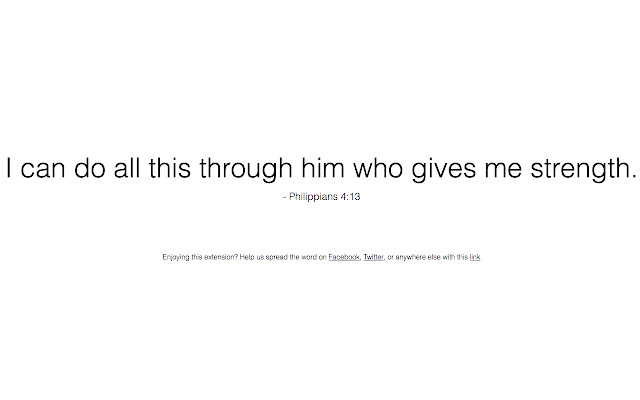
                        New Tab Bible Verses replaces your new tab page with a selection of randomized Bible verses displayed in a minimalist layout. There’s no better way to inject Bible verses into your daily routine than to add this simple extension.

A project in collaboration with Dr. Jeremy Roberts, Lead Pastor of The Church of Highlands and adjunct professor at Liberty University. You can reach out to him at [email protected]
Extension Basic Information
| Name |  New Tab Bible Verses New Tab Bible Verses |
| ID | djlpnhfkmaghdcfdmajkkefmjnmiidbc |
| Official URL | https://chrome.google.com/webstore/detail/new-tab-bible-verses/djlpnhfkmaghdcfdmajkkefmjnmiidbc |
| Description | Bible verses delivered every time you open up a new tab. |
| File Size | 42.51 KB |
| Installation Count | 711 |
| Current Version | 1.8 |
| Last Updated | 2017-01-13 |
| Publish Date | 2017-01-13 |
| Rating | 4.83/5 Total 143 Ratings |
| Developer | The Mindful Tech Lab |
| [email protected] | |
| Payment Type | free |
| Supported Languages | en |
| manifest.json | |
{
    "update_url": "https:\/\/clients2.google.com\/service\/update2\/crx",
    "manifest_version": 2,
    "content_security_policy": "script-src 'self' https:\/\/ssl.google-analytics.com; object-src 'self'",
    "name": "New Tab Bible Verses",
    "description": "Bible verses delivered every time you open up a new tab.",
    "version": "1.8",
    "browser_action": {
        "default_icon": "icon.png"
    },
    "permissions": [
        "management"
    ],
    "chrome_url_overrides": {
        "newtab": "index.html"
    },
    "icons": {
        "16": "icon16.png",
        "48": "icon48.png",
        "128": "icon128.png"
    }
} | |