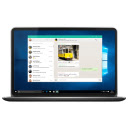
WhatsApp™ Web
Send and receive WhatsApp messages on your computer.
What is WhatsApp™ Web?
WhatsApp™ Web is a Chrome extension developed by http://wapptab.com, and its main feature is "Send and receive WhatsApp messages on your computer.".
Extension Screenshots


Download WhatsApp™ Web Extension CRX File
Download WhatsApp™ Web extension files in crx format, manually install Chrome extensions in the browser, or share the crx files with friends to easily install Chrome extensions.
Extension Usage Instructions
                        WhatsApp™ Web

Shortcut to WhatsApp Web.

Simply click the icon and start chatting with WhatsApp Web on your Desktop, PC or Laptop!
Or right-mouse-click to open WhatsApp Web in the options menu.


This web extension is not related in any way to WhatsApp Web LLC.
Extension Basic Information
| Name |  WhatsApp™ Web WhatsApp™ Web |
| ID | dklfljljlclneheddjgogchhcpibpekf |
| Official URL | https://chrome.google.com/webstore/detail/whatsapp-web/dklfljljlclneheddjgogchhcpibpekf |
| Description | Send and receive WhatsApp messages on your computer. |
| File Size | 25.96 KB |
| Installation Count | 5,000 |
| Current Version | 1.2 |
| Last Updated | 2021-10-22 |
| Publish Date | 2021-02-25 |
| Rating | 5.00/5 Total 1 Ratings |
| Developer | http://wapptab.com |
| [email protected] | |
| Payment Type | free |
| Extension Website | https://wapptab.com |
| Supported Languages | en |
| manifest.json | |
{
    "background": {
        "persistent": false,
        "scripts": [
            "bgr-page.js"
        ]
    },
    "browser_action": {
        "default_icon": "i24px.png",
        "default_title": "WhatsApp\u2122 Web"
    },
    "description": "Send and receive WhatsApp messages on your computer.",
    "icons": {
        "128": "i128px.png",
        "16": "i24px.png",
        "48": "i48px.png"
    },
    "incognito": "spanning",
    "manifest_version": 2,
    "name": "WhatsApp\u2122 Web",
    "offline_enabled": true,
    "options_page": "options-page.html",
    "permissions": [
        "contextMenus"
    ],
    "update_url": "https:\/\/clients2.google.com\/service\/update2\/crx",
    "version": "1.2"
} | |