Rdirect Plugin
Redirect to any page with a double-click of the mouse
What is Rdirect Plugin?
Rdirect Plugin is a Chrome extension developed by royleekiat, and its main feature is "Redirect to any page with a double-click of the mouse".
Extension Screenshots
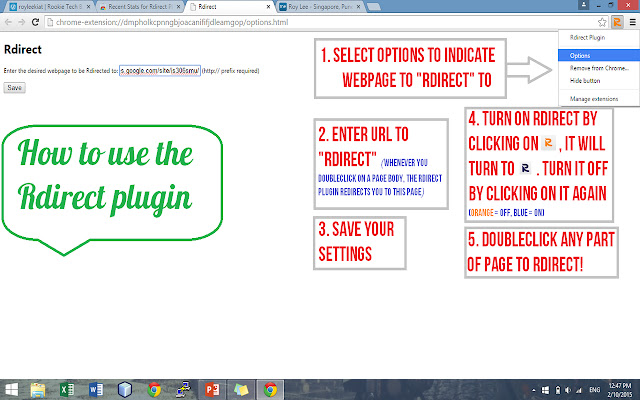
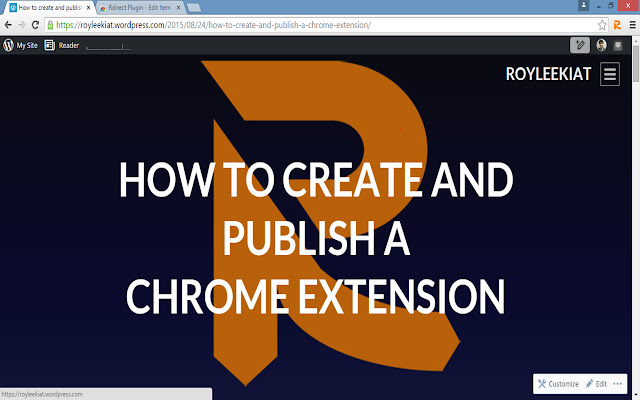
Download Rdirect Plugin Extension CRX File
Download Rdirect Plugin extension files in crx format, manually install Chrome extensions in the browser, or share the crx files with friends to easily install Chrome extensions.
Extension Usage Instructions
                        Parental supervision? Boss checking up on you? Fear not! With Rdirect, you may now browse any page, watch any video, and simply double click on any part of the pagebody to redirect to a desired page, which you can set in the options of the Rdirect extension. What are you waiting for?

*Best used with vpn and incognito mode :)*
Extension Basic Information
| Name |  Rdirect Plugin Rdirect Plugin |
| ID | dmpholkcpnngbjoacanififjdleamgop |
| Official URL | https://chrome.google.com/webstore/detail/rdirect-plugin/dmpholkcpnngbjoacanififjdleamgop |
| Description | Redirect to any page with a double-click of the mouse |
| File Size | 6.81 KB |
| Installation Count | 36 |
| Current Version | 1.0 |
| Last Updated | 2015-11-20 |
| Publish Date | 2015-11-20 |
| Rating | 5.00/5 Total 4 Ratings |
| Developer | royleekiat |
| Payment Type | free |
| Extension Website | http://royleekiat.wordpress.com/ |
| Help Page URL | https://github.com/royleekiat |
| Supported Languages | en |
| manifest.json | |
{
    "update_url": "https:\/\/clients2.google.com\/service\/update2\/crx",
    "manifest_version": 2,
    "name": "Rdirect Plugin",
    "description": "Redirect to any page with a double-click of the mouse",
    "version": "1.0",
    "options_page": "options.html",
    "short_name": "Rdirect",
    "homepage_url": "http:\/\/royleekiat.wordpress.com",
    "background": {
        "scripts": [
            "background.js"
        ]
    },
    "browser_action": {
        "default_icon": "Rdirect.png"
    },
    "permissions": [
        "tabs",
        "http:\/\/*\/*",
        "https:\/\/*\/*",
        "storage"
    ]
} | |