Task Timeline
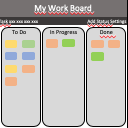
Organizing the day to day task activity and Manage your time.
What is Task Timeline?
Task Timeline is a Chrome extension developed by Sridhar, and its main feature is "Organizing the day to day task activity and Manage your time.".
Extension Screenshots


Download Task Timeline Extension CRX File
Download Task Timeline extension files in crx format, manually install Chrome extensions in the browser, or share the crx files with friends to easily install Chrome extensions.
Extension Usage Instructions
                        Organizing your task day to day task. Overview your tasks in a calendar.  Your data is stored in chrome browser. This extension helps to manage your workflow.
Simple UI make to use efficient and user-friendly.

Feature:
User-friendly.
No need to create an account.
Your data is secure, Its stored in your chrome browser itself.

Version:
1.0.0 - Task list.
1.1.0 - Task update for list.
1.2.0 - Month issue solved and duplicate skip.
1.3.0 - Chrome mapping issue solved.
1.4.0 - Theme Updated.
2.0.0 - Timer and Task Overview added.
2.1.0 - Chrome Storage issue solved and Timer removed.
2.2.0 - Overview chart changes update added.
2.3.0 - Overview issue fixed and css updated.
2.4.0 - List ordered in Ascending.
2.5.0 - Overview graph issue fixed.
2.6.0 - Graph order issue fixed.
Extension Basic Information
| Name |  Task Timeline Task Timeline |
| ID | dokmpfkihfmpflmfmincimolaonbmkeo |
| Official URL | https://chrome.google.com/webstore/detail/task-timeline/dokmpfkihfmpflmfmincimolaonbmkeo |
| Description | Organizing the day to day task activity and Manage your time. |
| File Size | 637 KB |
| Installation Count | 263 |
| Current Version | 2.6.0 |
| Last Updated | 2018-11-27 |
| Publish Date | 2018-11-27 |
| Rating | 4.00/5 Total 4 Ratings |
| Developer | Sridhar |
| Payment Type | free |
| Supported Languages | en |
| manifest.json | |
{
    "update_url": "https:\/\/clients2.google.com\/service\/update2\/crx",
    "name": "Task Timeline",
    "version": "2.6.0",
    "short_name": "Task Timeline",
    "description": "Organizing the day to day task activity and Manage your time.",
    "permissions": [
        "storage",
        "tabs",
        "notifications"
    ],
    "chrome_url_overrides": {
        "newtab": "index.html"
    },
    "background": {
        "scripts": [
            "background.js"
        ],
        "persistent": false
    },
    "page_action": {
        "default_icon": {
            "16": "images\/task_16.png",
            "32": "images\/task_32.png",
            "48": "images\/task_48.png",
            "128": "images\/task_128.png"
        }
    },
    "icons": {
        "16": "images\/task_16.png",
        "32": "images\/task_32.png",
        "48": "images\/task_48.png",
        "128": "images\/task_128.png"
    },
    "manifest_version": 2
} | |