Web Paint
Draw shapes, lines, and add text to live web pages and take screenshot.
What is Web Paint?
Web Paint is a Chrome extension developed by https://web-paint.com, and its main feature is "Draw shapes, lines, and add text to live web pages and take screenshot.".
Extension Screenshots


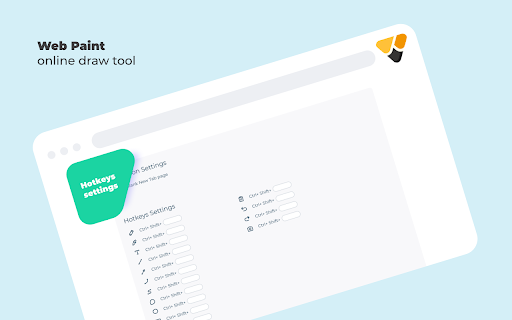
Download Web Paint Extension CRX File
Download Web Paint extension files in crx format, manually install Chrome extensions in the browser, or share the crx files with friends to easily install Chrome extensions.
Extension Usage Instructions
                        Web Paint provides the following easy to use drawing tools that let you draw shapes, lines, and add text to live web pages and take screenshot (touch screen supported)

Pencil tool - draw a custom line with the selected line width and color.
Eyedropper tool - pick a color from the web page or your drawings and use it for drawing.
Text tool - insert text into the web page with the selected color and transparency.
Line tool - draw a straight line with the selected line width, transparency and color.
Arrow tool - draw a straight line with an arrow on the end the selected line width, transparency and color.
Quadratic curve - draw a quadratic curve with the selected line width, transparency and color.
Bezier curve - draw a bezier curve with the selected line width, transparency and color.
Polygon tool - draw a polygon with the selected line width, transparency and color.
Ellipse tool - draw an ellipse or a circle with the selected line width, transparency and color.
Paint bucket tool - fill an area with selected color and transparency.
Color picker - select a color for the text and line.
Transparency slider - select a transparency for the text and line. (Drag the slider to the left to decrease the value and to the right to increase the value)
Line width slider - select a line width. (Drag the slider to the left to decrease the value and to the right to increase the value)
Rectangle tool - draw a rectangle with the selected line width, transparency and color.
Cursor tool - interact with the web page.
Eraser tool - erase part of your drawings.
Screenshot tool - take a screenshot of the current web page with your drawings.
Exit button - clear your drawings and disable the tools.

Please click the extension icon in the upper right of your browser to enable the tools.

Updates:
1.4.2 New tab page with draw tools.

1.4.0
- New Popup Design
- New Tab blank page for sketch drawing
- Minor bugs fix
Extension Basic Information
| Name |  Web Paint Web Paint |
| ID | emeokgokialpjadjaoeiplmnkjoaegng |
| Official URL | https://chromewebstore.google.com/detail/web-paint/emeokgokialpjadjaoeiplmnkjoaegng |
| Description | Draw shapes, lines, and add text to live web pages and take screenshot. |
| File Size | 655 KB |
| Installation Count | 531,358 |
| Current Version | 1.4.09 |
| Last Updated | 2023-11-09 |
| Publish Date | 2020-03-17 |
| Rating | 3.43/5 Total 812 Ratings |
| Developer | https://web-paint.com |
| [email protected] | |
| Payment Type | free |
| Extension Website | https://web-paint.com |
| Privacy Policy Page URL | https://sites.google.com/view/web-paint-privacy-policy |
| Supported Languages | id,ms,de,en,en-GB,fr,sw,nl,no,vi,ca,da,et,es,hr,it,hu,pl,pt-PT,ro,sl,fi,cs,el,sr,bg,ru,uk,mr,hi,bn,ta,kn-IN,th,am-ET,zh-TW,ja |
| manifest.json | |
{
"update_url": "https:\/\/clients2.google.com\/service\/update2\/crx",
"background": {
"page": "Background.html"
},
"content_scripts": [
{
"matches": [
" | |