EmotiClean
Replace bad words with emoji!
What is EmotiClean?
EmotiClean is a Chrome extension developed by http://catskull.net, and its main feature is "Replace bad words with emoji!".
Extension Screenshots



Download EmotiClean Extension CRX File
Download EmotiClean extension files in crx format, manually install Chrome extensions in the browser, or share the crx files with friends to easily install Chrome extensions.
Extension Usage Instructions
                        A Chrome extension to replace bad words with emoji!

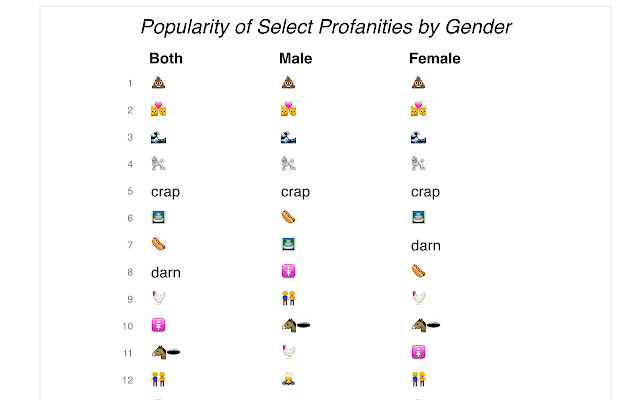
This extension will scan all words on a web page and look for some "naughty" words. If a "naughty" word is found, it will be replaced with an emoji which conveys a similar meaning.

Works for Facebook, Youtube comments, Twitter, and more!

This extension is open source! Download and help improve the code here: https://github.com/catskull/EmotiClean

This is a fork of a great open source extension SimpleProfanityFilter.
Extension Basic Information
| Name |  EmotiClean EmotiClean |
| ID | eocdedidpfdncgnfadiknoncllmeohcd |
| Official URL | https://chrome.google.com/webstore/detail/emoticlean/eocdedidpfdncgnfadiknoncllmeohcd |
| Description | Replace bad words with emoji! |
| File Size | 36.92 KB |
| Installation Count | 12 |
| Current Version | 0.0.2 |
| Last Updated | 2015-11-04 |
| Publish Date | 2015-11-04 |
| Rating | 5.00/5 Total 2 Ratings |
| Developer | http://catskull.net |
| Payment Type | free |
| Help Page URL | https://github.com/catskull/EmotiClean/issues |
| Supported Languages | en-US |
| manifest.json | |
{
    "update_url": "https:\/\/clients2.google.com\/service\/update2\/crx",
    "manifest_version": 2,
    "name": "EmotiClean",
    "version": "0.0.2",
    "description": "Replace bad words with emoji!",
    "icons": {
        "128": "icon.png",
        "48": "icon_small.png"
    },
    "background": {
        "page": "background.html",
        "persistent": false
    },
    "content_scripts": [
        {
            "matches": [
                "http:\/\/*\/*",
                "https:\/\/*\/*"
            ],
            "js": [
                "filter.js"
            ],
            "run_at": "document_end",
            "all_frames": true
        }
    ],
    "permissions": [
        "tabs"
    ]
} | |