SaveLinks.in
Save Website Links, bookmark videos for free
What is SaveLinks.in?
SaveLinks.in is a Chrome extension developed by https://savelinks.in, and its main feature is "Save Website Links, bookmark videos for free".
Extension Screenshots
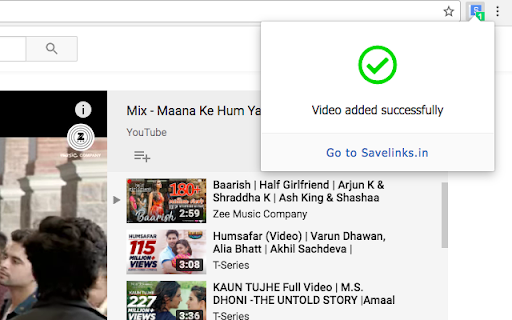
Download SaveLinks.in Extension CRX File
Download SaveLinks.in extension files in crx format, manually install Chrome extensions in the browser, or share the crx files with friends to easily install Chrome extensions.
Extension Usage Instructions
Save and organise important website links, videos and access them anywhere you want on any device. If you want to bookmark your web links and videos on the cloud then savelinks.in is the perfect tool for you. Extension Basic Information
| Name |  SaveLinks.in SaveLinks.in |
| ID | eogfnfjchpapjbhfanconfbcghjenjni |
| Official URL | https://chromewebstore.google.com/detail/savelinksin/eogfnfjchpapjbhfanconfbcghjenjni |
| Description | Save Website Links, bookmark videos for free |
| File Size | 9.95 KB |
| Installation Count | 16 |
| Current Version | 1.1 |
| Last Updated | 2018-01-14 |
| Publish Date | 2018-01-14 |
| Rating | 5.00/5 Total 1 Ratings |
| Developer | https://savelinks.in |
| [email protected] | |
| Payment Type | free |
| Extension Website | http://savelinks.in |
| Supported Languages | en |
| manifest.json | |
{
    "update_url": "https:\/\/clients2.google.com\/service\/update2\/crx",
    "name": "SaveLinks.in",
    "manifest_version": 2,
    "description": "Save Website Links, bookmark videos for free",
    "version": "1.1",
    "browser_action": {
        "default_icon": "icon.png",
        "default_title": "Save to SaveLinks.in",
        "default_popup": "popup.html"
    },
    "permissions": [
        "activeTab",
        "tabs",
        "storage",
        "cookies",
        "http:\/\/savelinks.in\/"
    ],
    "content_scripts": [
        {
            "matches": [
                "http:\/\/*\/*",
                "https:\/\/*\/*"
            ],
            "js": [
                "script.js"
            ]
        }
    ],
    "background": {
        "scripts": [
            "background.js"
        ]
    }
} | |