Grade Calculator for Blackboard Learn
Find out what your grade would be with certain assignments added.
What is Grade Calculator for Blackboard Learn?
Grade Calculator for Blackboard Learn is a Chrome extension developed by Rohan Mathur, and its main feature is "Find out what your grade would be with certain assignments added.".
Extension Screenshots

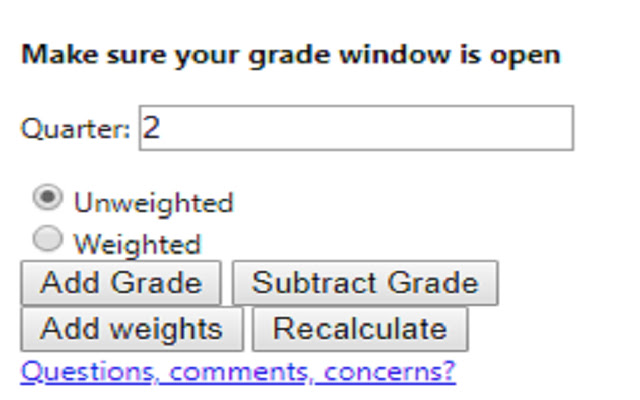
Download Grade Calculator for Blackboard Learn Extension CRX File
Download Grade Calculator for Blackboard Learn extension files in crx format, manually install Chrome extensions in the browser, or share the crx files with friends to easily install Chrome extensions.
Extension Usage Instructions
                        **MAJOR UPDATE**
I MADE AN ACTUAL GUI!! This is now an actually usable chrome extension and something I'm actually kind of proud of. I hope everyone finds it useful!

Thanks,
Rohan

This extension is meant to help you figure out what your total grade would be after an assignment is entered into the grade book.

Feedback Form:
https://goo.gl/forms/1fpCghIIhv49VfTr1
Extension Basic Information
| Name |  Grade Calculator for Blackboard Learn Grade Calculator for Blackboard Learn |
| ID | eohcolhmjdncdmicjibnnjfocokolonj |
| Official URL | https://chrome.google.com/webstore/detail/grade-calculator-for-blac/eohcolhmjdncdmicjibnnjfocokolonj |
| Description | Find out what your grade would be with certain assignments added. |
| File Size | 71.73 KB |
| Installation Count | 435 |
| Current Version | 4.0.0 |
| Last Updated | 2019-11-25 |
| Publish Date | 2019-11-21 |
| Rating | 5.00/5 Total 3 Ratings |
| Developer | Rohan Mathur |
| Payment Type | free |
| Help Page URL | https://goo.gl/forms/1fpCghIIhv49VfTr1 |
| Supported Languages | en |
| manifest.json | |
{
    "update_url": "https:\/\/clients2.google.com\/service\/update2\/crx",
    "name": "Grade Calculator for Blackboard Learn",
    "version": "4.0.0",
    "manifest_version": 2,
    "description": "Find out what your grade would be with certain assignments added.",
    "browser_action": {
        "default_icon": "icon.png",
        "default_popup": "index.html"
    },
    "icons": {
        "16": "icon.png",
        "48": "icon.png",
        "128": "icon.png"
    },
    "permissions": [
        "tabs",
        "activeTab"
    ]
} | |