BlaCKout
Enable deep dark mode for web pages and dev tools. Saves energy with OLED screens like on Mac M1 Pro.
What is BlaCKout?
BlaCKout is a Chrome extension developed by https://activebridge.org, and its main feature is "Enable deep dark mode for web pages and dev tools. Saves energy with OLED screens like on Mac M1 Pro.".
Extension Screenshots
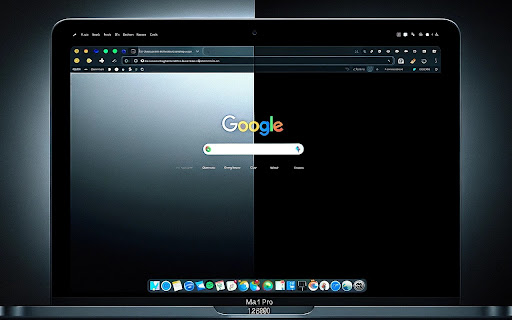


Download BlaCKout Extension CRX File
Download BlaCKout extension files in crx format, manually install Chrome extensions in the browser, or share the crx files with friends to easily install Chrome extensions.
Extension Usage Instructions
                        Extension does not invent a wheel
It just utilize chrome force dark mode flag and
adds ability to whitelist websites by just clicking on extension or using keyboard shortcut.

Advantages:

- Open Source
- Lightweight (5Kb)
- Utilizes browser builtin dark mode

Additional feature is tabless mode. It forces new tabs to be opened in new window

https://github.com/galulex/deepdark
Extension Basic Information
| Name |  BlaCKout BlaCKout |
| ID | epmieacohbnladjdcjinfajhepbfaakl |
| Official URL | https://chromewebstore.google.com/detail/blackout/epmieacohbnladjdcjinfajhepbfaakl |
| Description | Enable deep dark mode for web pages and dev tools. Saves energy with OLED screens like on Mac M1 Pro. |
| File Size | 17.33 KB |
| Installation Count | 664 |
| Current Version | 1.8 |
| Last Updated | 2024-02-19 |
| Publish Date | 2022-12-23 |
| Rating | 5.00/5 Total 4 Ratings |
| Developer | https://activebridge.org |
| [email protected] | |
| Payment Type | free |
| Extension Website | https://github.com/galulex/deepdark |
| Help Page URL | https://github.com/galulex/deepdark/issues |
| Supported Languages | en-US |
| manifest.json | |
{
"update_url": "https:\/\/clients2.google.com\/service\/update2\/crx",
"manifest_version": 3,
"name": "BlaCKout",
"description": "Enable deep dark mode for web pages and dev tools. Saves energy with OLED screens like on Mac M1 Pro.",
"version": "1.8",
"icons": {
"128": "128.png"
},
"action": {
"default_title": "Toggle Dark Mode"
},
"devtools_page": "devtools.html",
"permissions": [
"storage"
],
"host_permissions": [
" | |