One Click Login
Store your login details at one place. So, you can easily login via single click
What is One Click Login?
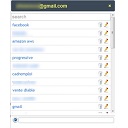
One Click Login is a Chrome extension developed by Ankit Gupta, and its main feature is "Store your login details at one place. So, you can easily login via single click".
Extension Screenshots

Download One Click Login Extension CRX File
Download One Click Login extension files in crx format, manually install Chrome extensions in the browser, or share the crx files with friends to easily install Chrome extensions.
Extension Usage Instructions
Extension Basic Information
| Name |  One Click Login One Click Login |
| ID | fipkglofjnffkchclmadbfponjbnjheg |
| Official URL | https://chrome.google.com/webstore/detail/one-click-login/fipkglofjnffkchclmadbfponjbnjheg |
| Description | Store your login details at one place. So, you can easily login via single click |
| File Size | 8.71 KB |
| Installation Count | 37 |
| Current Version | 0.2 |
| Last Updated | 2014-03-18 |
| Publish Date | 2014-03-18 |
| Rating | 1.00/5 Total 1 Ratings |
| Developer | Ankit Gupta |
| Payment Type | free |
| Supported Languages | en-US |
| manifest.json | |
{
    "update_url": "https:\/\/clients2.google.com\/service\/update2\/crx",
    "name": "One Click Login",
    "manifest_version": 2,
    "version": "0.2",
    "description": "Store your login details at one place. So, you can easily login via single click",
    "icons": {
        "16": "P16.png",
        "48": "P48.png",
        "128": "P48.png"
    },
    "browser_action": {
        "default_popup": "popup.html",
        "default_icon": "P.png"
    },
    "short_name": "OCL",
    "author": "Ankit Kumar Gupta",
    "background": {
        "scripts": [
            "background.js"
        ],
        "persistent": false
    },
    "permissions": [
        "tabs",
        "http:\/\/*\/*",
        "https:\/\/*\/*"
    ]
} | |
![[J2TeaM] HQ Mp3 Downloader](https://lh3.googleusercontent.com/b1jGZsMIhqfqS3qEXA6khJy9YeBxFq0mYX8foRPMEfYGP9uV6HgOAsrbCRXTD6BANA85raE6pkS0_SWg1p6wUCaa=w128-h128-e365-rj-sc0x00ffffff)











![[J2TeaM] URL Tools](https://lh3.googleusercontent.com/znrl3HoIDSgoN6Pz14wlxWcBmlNh1iA1v-MHffCF-Xj8aiKVTNx-owiegM9_PRzFF46j1-izOUOJV4wnG7TldKRPoIM)