QA Recorder Beta
Allows you to record any site's QA session
What is QA Recorder Beta?
QA Recorder Beta is a Chrome extension developed by https://www.qa-recorder.com, and its main feature is "Allows you to record any site's QA session".
Extension Screenshots


Download QA Recorder Beta Extension CRX File
Download QA Recorder Beta extension files in crx format, manually install Chrome extensions in the browser, or share the crx files with friends to easily install Chrome extensions.
Extension Usage Instructions
                        QA RECORDER
★★★★★

QA Recorder is a smart tool for super-fast Quality Assurance testing and recording.
With QA Recorder you can simply recording your browser sessions, marking bugs, and sharing your recordings as a step-to-reproduce:

✅ Record browser sessions and pinpoint bugs.
✅ Share findings with just one click.
✅ Recreate bugs in seconds.

With QA Recorder you could:
🎥 Record browser sessions and identify bugs without breaking a sweat
🐞 Click to mark bugs and problem areas.
📌 Complete tasks without leaving your browser tab.
📢 Share insights and reduce the workload for your entire team Export a detailed report of your interactions alongside the video.
🚀 Publish your findings to Slack, Jira or any other platform with just one click (coming soon).
🔄 Recreate bugs with 100% accuracy every single time.
🕒 Never waste your time searching for bugs again.
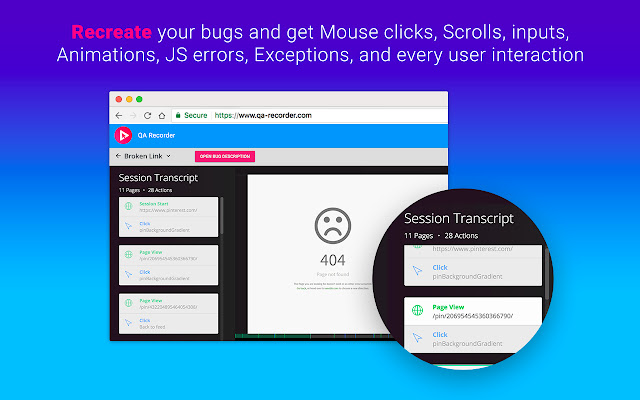
🕵 Track mouse clicks, scrolls, inputs, animations, JS errors, exceptions and any other interaction.

☆ YES, YOU GET A RECORDING OF ALL PAGE EVENTS.
☆ NO NEW TABS.
☆ ONE CLICK TO SEND.
☆ ONE STEP TO REPRODUCE.

==========================
About QA Recorder Project:
==========================

We wanted to work faster without working harder!
- QA testers often find themselves struggling against the clock, juggling multiple open windows and tabs.
- Web developers then spend HOURS trying to recreate a tiny bug, sometimes without success.
- The QA Recorder development team knows how it feels. We were determined to cut the hours spent finding and recreating bugs.

QA recorder is an simple tool that can make a dramatic impact on the lives of QA testers and web developers.
Extension Basic Information
| Name |  QA Recorder Beta QA Recorder Beta |
| ID | gggolepmnplalkgjhcbogagfoedkhagl |
| Official URL | https://chrome.google.com/webstore/detail/qa-recorder-beta/gggolepmnplalkgjhcbogagfoedkhagl |
| Description | Allows you to record any site's QA session |
| File Size | 163 KB |
| Installation Count | 254 |
| Current Version | 0.5.1 |
| Last Updated | 2020-05-13 |
| Publish Date | 2020-05-13 |
| Rating | 4.00/5 Total 10 Ratings |
| Developer | https://www.qa-recorder.com |
| [email protected] | |
| Payment Type | free |
| Extension Website | https://www.qa-recorder.com |
| Help Page URL | https://www.qa-recorder.com/contact/ |
| Privacy Policy Page URL | https://www.qa-recorder.com/privacy-policy |
| Supported Languages | en |
| manifest.json | |
{
    "update_url": "https:\/\/clients2.google.com\/service\/update2\/crx",
    "name": "__MSG_projectName__",
    "short_name": "__MSG_shortProjectName__",
    "version": "0.5.1",
    "manifest_version": 2,
    "description": "__MSG_projectDescription__",
    "icons": {
        "128": "images\/qa-recorder-logo-128.png"
    },
    "permissions": [
        "tabs",
        "storage",
        "activeTab",
        "webRequest",
        "webRequestBlocking",
        "*:\/\/*.qa-recorder.com\/*"
    ],
    "content_security_policy": "script-src 'self' https:\/\/cdn.walkme.com; object-src 'self'",
    "content_scripts": [
        {
            "matches": [
                "http:\/\/*\/*",
                "https:\/\/*\/*"
            ],
            "js": [
                "js\/pages.js"
            ]
        },
        {
            "matches": [
                "https:\/\/*.qa-recorder.com\/*",
                "http:\/\/localhost.qa-recorder.com\/*"
            ],
            "js": [
                "js\/pages\/admin.js"
            ]
        }
    ],
    "browser_action": {
        "default_icon": "images\/qa-recorder-logo-128.png",
        "default_popup": "html\/recorder.html"
    },
    "web_accessible_resources": [
        "css\/pages-init.css",
        "html\/pages-init.html",
        "js\/actions\/*.js"
    ],
    "background": {
        "scripts": [
            "js\/config.js",
            "js\/bg\/tabs.js",
            "js\/bg\/auth.js",
            "js\/bg\/api.js",
            "js\/bg\/popup.js",
            "js\/bg\/actions.js",
            "js\/bg\/csp.js",
            "js\/background.js"
        ],
        "persistent": true
    },
    "default_locale": "en",
    "commands": {
        "qa-recorder--recording-toggle": {
            "description": "Start\/Stop recording the current page",
            "suggested_key": {
                "default": "Ctrl+Shift+R",
                "mac": "MacCtrl+Shift+R"
            }
        },
        "qa-recorder--recording-note": {
            "description": "Create a new Note while recording",
            "suggested_key": {
                "default": "Alt+Shift+N",
                "mac": "MacCtrl+Shift+N"
            }
        }
    },
    "homepage_url": "https:\/\/www.qa-recorder.com\/",
    "offline_enabled": false
} | |