RndPhrase
Auto-generated secure passwords.
What is RndPhrase?
RndPhrase is a Chrome extension developed by brinchj, and its main feature is "Auto-generated secure passwords.".
Extension Screenshots

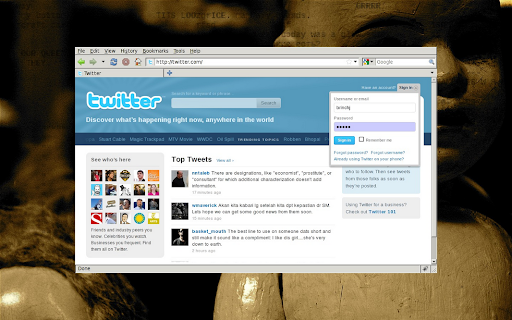

Download RndPhrase Extension CRX File
Download RndPhrase extension files in crx format, manually install Chrome extensions in the browser, or share the crx files with friends to easily install Chrome extensions.
Extension Usage Instructions
                        About
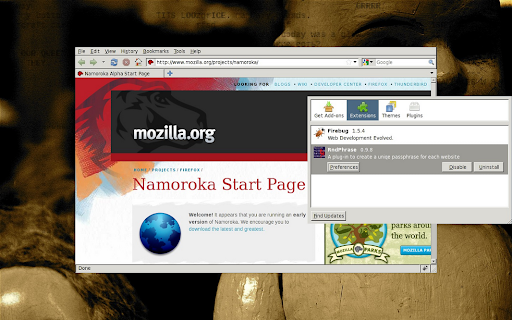
RndPhrase is a small add-on that will transform your regular passwords into secure per-domain passwords.
It does so on-the-fly without storing the passwords, or interrupt your browsing experience.

Why?
The main advantages of this approach is:
1) The password is randomized and thereby very hard to guess.
2) Two sites do not share passwords. If one site is hacked and its passwords leaked, it has no effect on your accounts on other sites.

Usage
First, configure a seed for RndPhrase through the add-on settings.
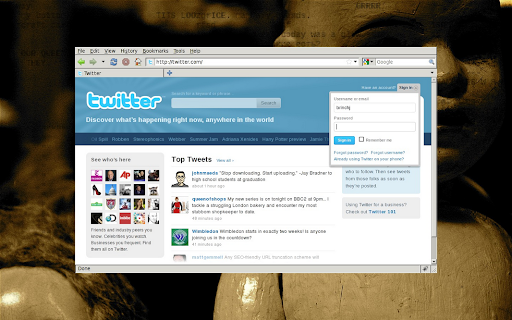
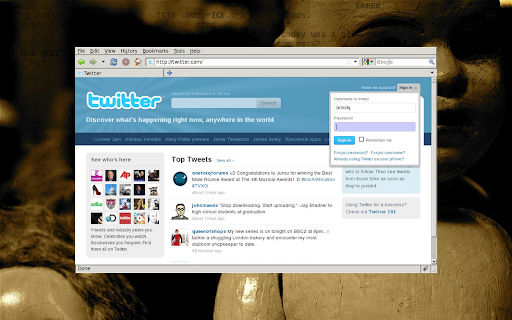
Second, press '@' in a password box before entering the password to activate RndPhrase.

Examples
You can try the system using the web-based version at:
http://rndphrase.appspot.com/

Some test passwords generated for:
facebook.com: sp2ueg3z9gp1mnd4
google.com: pdtstnvtrzzc4zxj
twitter.com: wtt1q7ssal3mcjqt
(generated using empty seed and password)

Wiki
Read more at our wiki at:
http://wiki.github.com/brinchj/RndPhrase/

Join our discussion group at:
https://groups.google.com/d/forum/rndphrase
Extension Basic Information
| Name |  RndPhrase RndPhrase |
| ID | ggnlobmiclcdfgbkpmbhjijfobbaehkc |
| Official URL | https://chromewebstore.google.com/detail/rndphrase/ggnlobmiclcdfgbkpmbhjijfobbaehkc |
| Description | Auto-generated secure passwords. |
| File Size | 39.16 KB |
| Installation Count | 18 |
| Current Version | 0.9.18 |
| Last Updated | 2012-10-19 |
| Publish Date | 2012-10-19 |
| Rating | 4.55/5 Total 11 Ratings |
| Developer | brinchj |
| Payment Type | free |
| Extension Website | http://wiki.github.com/brinchj/RndPhrase/ |
| Help Page URL | http://github.com/brinchj/RndPhrase/issues |
| Supported Languages | en |
| manifest.json | |
{
    "update_url": "http:\/\/clients2.google.com\/service\/update2\/crx",
    "manifest_version": 2,
    "content_scripts": [
        {
            "js": [
                "overlay.js"
            ],
            "matches": [
                "http:\/\/*\/*",
                "https:\/\/*\/*"
            ],
            "permissions": [],
            "all_frames": true
        }
    ],
    "background": {
        "scripts": [
            "background.js"
        ]
    },
    "name": "RndPhrase",
    "description": "Auto-generated secure passwords.",
    "version": "0.9.18",
    "options_page": "options.html",
    "icons": {
        "64": "icon.png",
        "128": "icon.png"
    }
} | |