Kindle Smart Reader
Kindle Smart Reader.
What is Kindle Smart Reader?
Kindle Smart Reader is a Chrome extension developed by Mystic Voltage, and its main feature is "Kindle Smart Reader.".
Extension Screenshots
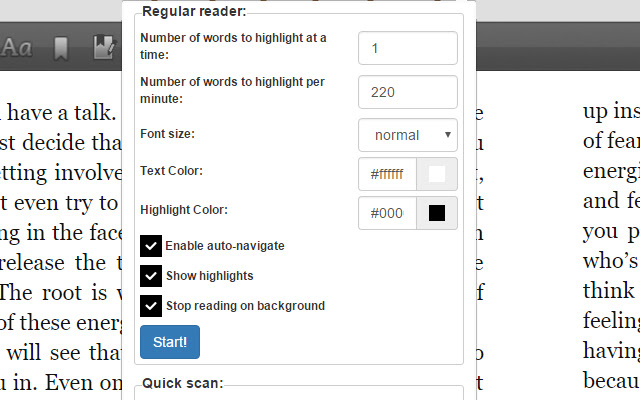


Download Kindle Smart Reader Extension CRX File
Download Kindle Smart Reader extension files in crx format, manually install Chrome extensions in the browser, or share the crx files with friends to easily install Chrome extensions.
Extension Usage Instructions
                        The Kindle Smart Reader allows you to read Amazon Kindle books and ebooks much easier by guiding your eye at the desired speed you want while turning the pages for you. It's a much faster way to read Kindle ebooks and helps keep your mind concentrated and focused.

It's also great for speed readers as you can set your reading speed to any desired reading speed. It is customizable in that you can change the text color, text size, and highlighting color. You can also select how many keywords to highlight at a time.

Another feature is the ability to scan through the entire book at your desired speed. This will help you get an overall idea of the book within minutes. It's called our Quick Scan feature and allows you to page through your books like you would a physical book.
Extension Basic Information
| Name |  Kindle Smart Reader Kindle Smart Reader |
| ID | glocjilifmhjgdlligfiomacjikhhehj |
| Official URL | https://chrome.google.com/webstore/detail/kindle-smart-reader/glocjilifmhjgdlligfiomacjikhhehj |
| Description | Kindle Smart Reader. |
| File Size | 585 KB |
| Installation Count | 1,000 |
| Current Version | 0.0.2 |
| Last Updated | 2017-02-07 |
| Publish Date | 2017-02-07 |
| Rating | 3.00/5 Total 6 Ratings |
| Developer | Mystic Voltage |
| Payment Type | free |
| Supported Languages | en-US |
| manifest.json | |
{
"update_url": "https:\/\/clients2.google.com\/service\/update2\/crx",
"background": {
"scripts": [
"jquery.min.js",
"background.js"
]
},
"browser_action": {
"default_popup": "popup.html",
"default_title": "Kindle Smart Reader Settings"
},
"content_scripts": [
{
"all_frames": true,
"css": [
"style.css"
],
"js": [
"jquery.min.js",
"contentscript.js"
],
"matches": [
"https:\/\/read.amazon.com\/*",
"https:\/\/ws-na.amazon-adsystem.com\/*"
],
"run_at": "document_end"
}
],
"description": "Kindle Smart Reader.",
"manifest_version": 2,
"name": "Kindle Smart Reader",
"permissions": [
"tabs",
" | |