Spotify Chrome extension
Quickly add Spotify track to playlist.
What is Spotify Chrome extension?
Spotify Chrome extension is a Chrome extension developed by Angélique Estrade, and its main feature is "Quickly add Spotify track to playlist.".
Extension Screenshots
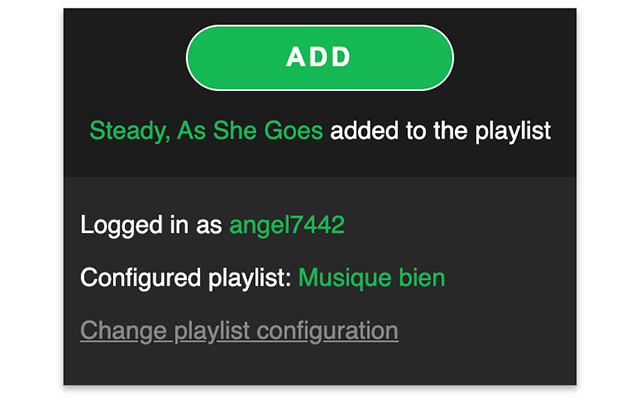
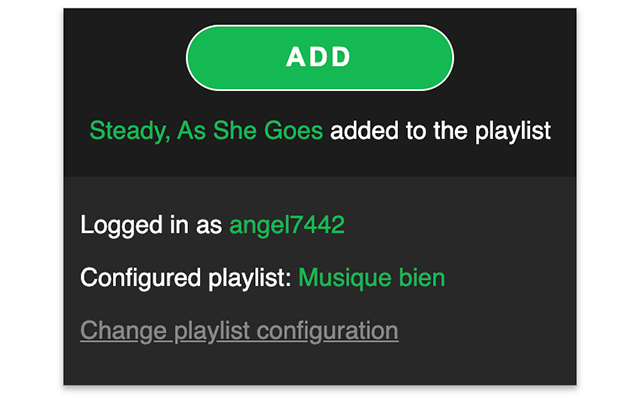
Download Spotify Chrome extension Extension CRX File
Download Spotify Chrome extension extension files in crx format, manually install Chrome extensions in the browser, or share the crx files with friends to easily install Chrome extensions.
Extension Usage Instructions
If you are obsessed with little things that can save your time, even a few seconds, this extension is for you. Imagine you are doing stuffs on your computer, Chrome opened and listening random music on Spotify. Then you hear a music that makes you happy. You'd like to save it anywhere, to hear it again later. But you don't want to lose focus on what you are doing. So you can click on this extension's icon on your browser to add the track to the configured playlist. Extension Basic Information
| Name |  Spotify Chrome extension Spotify Chrome extension |
| ID | hdnmejfdnmjkoljahfbbonogeflghela |
| Official URL | https://chrome.google.com/webstore/detail/spotify-chrome-extension/hdnmejfdnmjkoljahfbbonogeflghela |
| Description | Quickly add Spotify track to playlist. |
| File Size | 144 KB |
| Installation Count | 10,000 |
| Current Version | 1.0.1 |
| Last Updated | 2021-04-11 |
| Publish Date | 2020-08-20 |
| Rating | 5.00/5 Total 2 Ratings |
| Developer | Angélique Estrade |
| [email protected] | |
| Payment Type | free |
| Supported Languages | en,fr |
| manifest.json | |
{
    "update_url": "https:\/\/clients2.google.com\/service\/update2\/crx",
    "version": "1.0.1",
    "name": "__MSG_appName__",
    "description": "__MSG_appDescription__",
    "default_locale": "en",
    "author": "aestrade",
    "options_page": "options.html",
    "background": {
        "page": "background.html"
    },
    "browser_action": {
        "default_popup": "popup.html"
    },
    "icons": {
        "16": "icon-16.png",
        "48": "icon-48.png",
        "128": "icon-128.png"
    },
    "permissions": [
        "storage",
        "identity"
    ],
    "manifest_version": 2,
    "content_security_policy": "script-src 'self' 'unsafe-eval'; object-src 'self'"
} | |