Salesforce Lightning Print Preview
Salesforce Lightning Print Preview
What is Salesforce Lightning Print Preview?
Salesforce Lightning Print Preview is a Chrome extension developed by Ghanshyam Choudhari, and its main feature is "Salesforce Lightning Print Preview".
Extension Screenshots
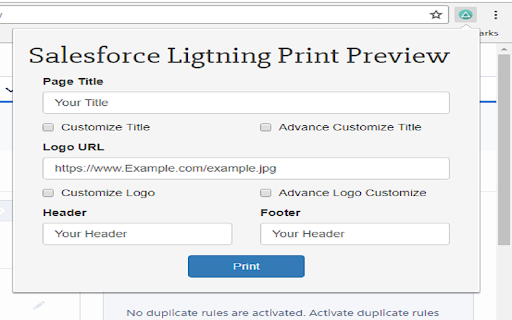
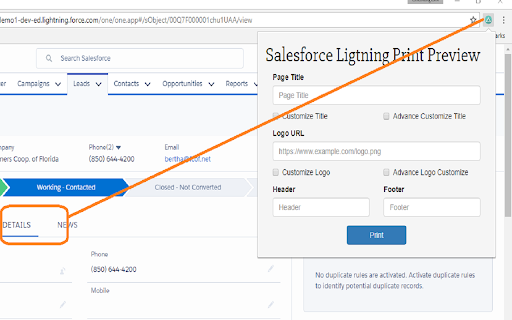
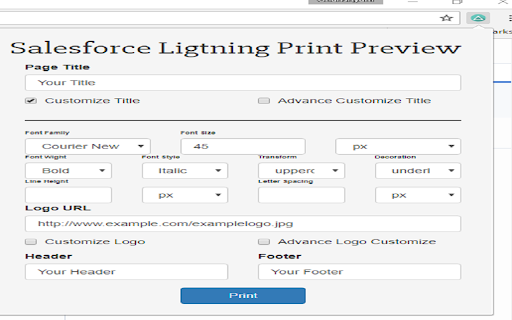
Download Salesforce Lightning Print Preview Extension CRX File
Download Salesforce Lightning Print Preview extension files in crx format, manually install Chrome extensions in the browser, or share the crx files with friends to easily install Chrome extensions.
Extension Usage Instructions
                        Its good to have printable view on each detail page in Lightning Experience same as Classic or more than that?

Features:
* Add custom Page Title.
* Add custom Logo
* Add header and footer
* Options and Advanced options available for page title and logo.

*You should be on Lightning Detail Page to print details*
Extension Basic Information
| Name |  Salesforce Lightning Print Preview Salesforce Lightning Print Preview |
| ID | iagepalkmlmodicbcchgjggahpeacafn |
| Official URL | https://chromewebstore.google.com/detail/salesforce-lightning-prin/iagepalkmlmodicbcchgjggahpeacafn |
| Description | Salesforce Lightning Print Preview |
| File Size | 188 KB |
| Installation Count | 204 |
| Current Version | Triangle |
| Last Updated | 2017-07-25 |
| Publish Date | 2017-07-25 |
| Rating | 5.00/5 Total 2 Ratings |
| Developer | Ghanshyam Choudhari |
| Payment Type | free |
| Supported Languages | en-US |
| manifest.json | |
{
    "update_url": "https:\/\/clients2.google.com\/service\/update2\/crx",
    "name": "Salesforce Lightning Print Preview",
    "description": "Salesforce Lightning Print Preview",
    "version": "0.0.3",
    "author": "Ghanshyam Choudhari",
    "version_name": "Triangle",
    "icons": {
        "128": "icon128.png",
        "48": "icon48.png",
        "16": "icon16.png"
    },
    "content_scripts": [
        {
            "matches": [
                "https:\/\/*.force.com\/*"
            ],
            "js": [
                "content.js",
                "jquery-3.2.1.min.js",
                "printThis.js"
            ],
            "run_at": "document_end"
        }
    ],
    "browser_action": {
        "default_title": "Salesforce Lightning Print Preview",
        "default_icon": "icon16.png",
        "default_popup": "popup.html"
    },
    "manifest_version": 2
} | |