Miro for Google Calendar
Attach and share Miro boards ahead of meetings and workshops
What is Miro for Google Calendar?
Miro for Google Calendar is a Chrome extension developed by http://miro.com, and its main feature is "Attach and share Miro boards ahead of meetings and workshops".
Extension Screenshots
Download Miro for Google Calendar Extension CRX File
Download Miro for Google Calendar extension files in crx format, manually install Chrome extensions in the browser, or share the crx files with friends to easily install Chrome extensions.
Extension Usage Instructions
                        Attach and share Miro boards ahead of meetings and workshops

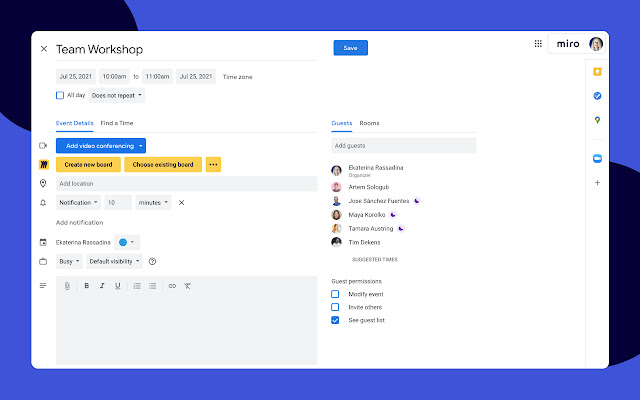
The Miro Google Calendar extension takes the headache out of meeting setup for organizers and gives participants the access they need to make meetings more productive. Easily add Miro boards directly to Google Calendar events and make sure meeting participants have the appropriate access to the right boards so meetings go off without a hitch.

Key features:
 – Simple meeting setup with a one-click option to create a new board
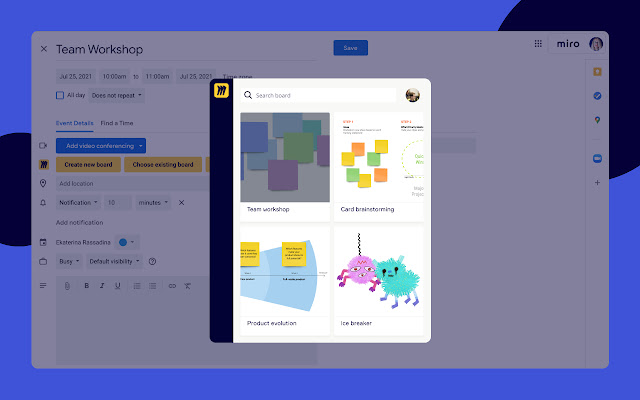
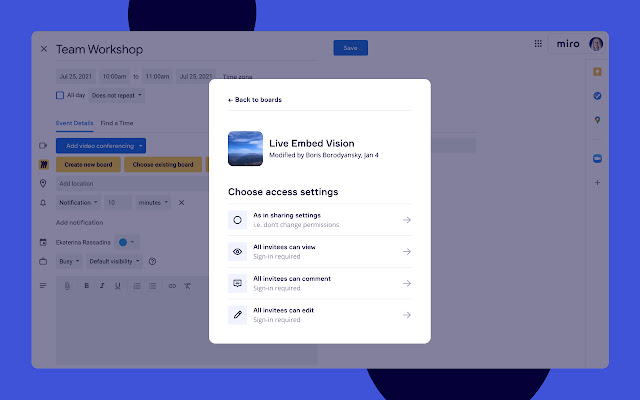
 – Quick access to existing boards through the board-picker interface with options to add or change access settings
 – Automatic board access for guests added to the calendar event, including those added after the initial invitation

Miro is an online collaborative whiteboard platform that enables distributed teams to work effectively together, from running brainstorming sessions and planning projects to designing new products and facilitating Agile ceremonies.
Extension Basic Information
| Name |  Miro for Google Calendar Miro for Google Calendar |
| ID | ihojbjcmeipmljclncfnfibdbkbmepck |
| Official URL | https://chrome.google.com/webstore/detail/ihojbjcmeipmljclncfnfibdbkbmepck |
| Description | Attach and share Miro boards ahead of meetings and workshops |
| File Size | 4.33 MB |
| Installation Count | 15,520 |
| Current Version | 1.447 |
| Last Updated | 2023-08-29 |
| Publish Date | 2020-11-12 |
| Rating | 5.00/5 Total 3 Ratings |
| Developer | http://miro.com |
| [email protected] | |
| Payment Type | free |
| Extension Website | https://miro.com |
| Help Page URL | https://help.miro.com/hc/en-us/requests/new |
| Privacy Policy Page URL | https://miro.com/legal/privacy-policy |
| Supported Languages | en |
| manifest.json | |
{
    "update_url": "https:\/\/clients2.google.com\/service\/update2\/crx",
    "name": "Miro for Google Calendar",
    "version": "1.447",
    "description": "Attach and share Miro boards ahead of meetings and workshops",
    "icons": {
        "128": "images\/miro-logo-main.png"
    },
    "permissions": [
        "cookies",
        "*:\/\/googlecalendar.miro-apps.com\/"
    ],
    "background": {
        "scripts": [
            "js\/jquery-1.12.4.js",
            "js\/background.js"
        ],
        "persistent": false
    },
    "content_scripts": [
        {
            "css": [
                "css\/miro.css"
            ],
            "js": [
                "js\/jquery-1.12.4.js",
                "js\/content.js"
            ],
            "run_at": "document_start",
            "all_frames": true,
            "matches": [
                "https:\/\/www.google.com\/calendar\/*",
                "https:\/\/calendar.google.com\/calendar\/*"
            ]
        }
    ],
    "web_accessible_resources": [
        "images\/*",
        "fonts\/*"
    ],
    "page_action": {
        "default_icon": "images\/miro-logo-action.png"
    },
    "incognito": "not_allowed",
    "manifest_version": 2
} | |