Ultimate Org Capture
Taking notes in org-mode while searching the web has never been easier.
What is Ultimate Org Capture?
Ultimate Org Capture is a Chrome extension developed by Diego Berrocal, and its main feature is "Taking notes in org-mode while searching the web has never been easier.".
Extension Screenshots
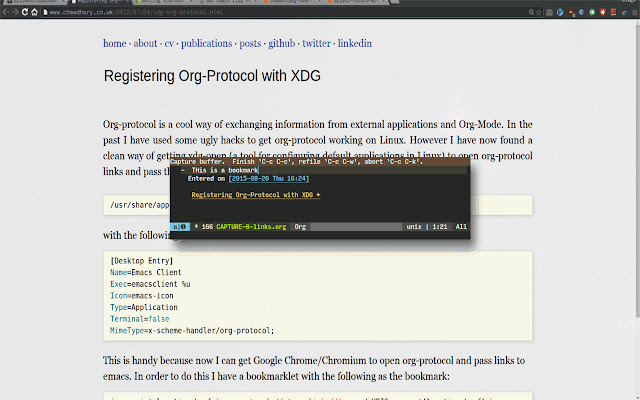
Download Ultimate Org Capture Extension CRX File
Download Ultimate Org Capture extension files in crx format, manually install Chrome extensions in the browser, or share the crx files with friends to easily install Chrome extensions.
Extension Usage Instructions
You'll need aditional modification of you emacs/OS setup. Read more here: http://cestdiego.github.io/blog/2015/08/19/org-protocol/ Extension Basic Information
| Name |  Ultimate Org Capture Ultimate Org Capture |
| ID | ijcpiacdhbjjpfookgaodhblgainmcbf |
| Official URL | https://chrome.google.com/webstore/detail/ultimate-org-capture/ijcpiacdhbjjpfookgaodhblgainmcbf |
| Description | Taking notes in org-mode while searching the web has never been easier. |
| File Size | 49.32 KB |
| Installation Count | 97 |
| Current Version | 1.1 |
| Last Updated | 2015-11-29 |
| Publish Date | 2015-11-29 |
| Rating | 5.00/5 Total 1 Ratings |
| Developer | Diego Berrocal |
| Payment Type | free |
| Supported Languages | en |
| manifest.json | |
{
    "update_url": "https:\/\/clients2.google.com\/service\/update2\/crx",
    "manifest_version": 2,
    "name": "Ultimate Org Capture",
    "description": "Taking notes in org-mode while searching the web has never been easier.",
    "version": "1.1",
    "homepage_url": "https:\/\/github.com\/cestdiego\/org-capture-chrome",
    "permissions": [
        "activeTab"
    ],
    "background": {
        "persistent": true,
        "scripts": [
            "main.js"
        ]
    },
    "commands": {
        "link": {
            "suggested_key": {
                "default": "Ctrl+Shift+L"
            },
            "description": "Capture the link, if there was a selection, send that too"
        },
        "capture": {
            "suggested_key": {
                "default": "Ctrl+Shift+C"
            },
            "description": "Capture the selected text"
        }
    },
    "icons": {
        "128": "org-mode-unicorn-logo-large.png"
    },
    "browser_action": {
        "default_icon": "org-mode-unicorn-logo-large.png",
        "default_popup": "popup.html"
    }
} | |