Focus Search Bar Shortcut
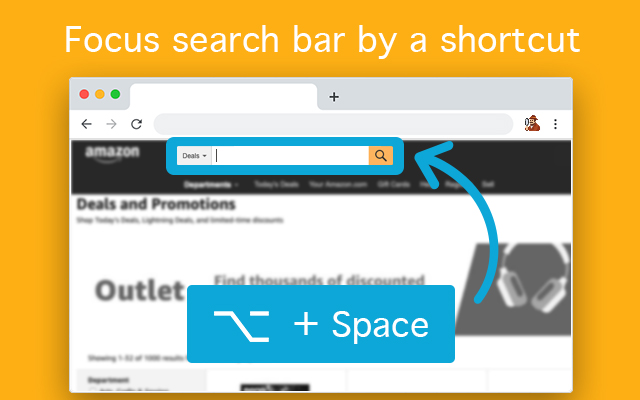
Focus search bar using a shortcut, it works on any page. It's that simple.
What is Focus Search Bar Shortcut?
Focus Search Bar Shortcut is a Chrome extension developed by Alaa Awartani, and its main feature is "Focus search bar using a shortcut, it works on any page. It's that simple.".
Extension Screenshots

Download Focus Search Bar Shortcut Extension CRX File
Download Focus Search Bar Shortcut extension files in crx format, manually install Chrome extensions in the browser, or share the crx files with friends to easily install Chrome extensions.
Extension Usage Instructions
                        Who is this for?
If your hands are busy with the keyboard and you don't want to use the mouse to click the search bar, then you can use this extension to select the search bar for you.

How to use?
When on a page, press the shortcut (default is Alt + Space) to select the main search bar.

Options?
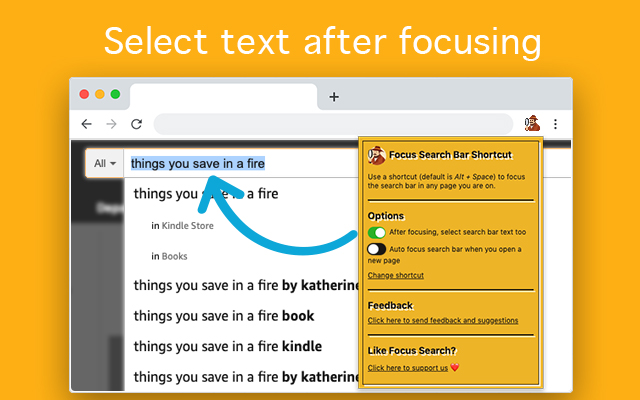
- Adjust shortcut binding.
- Turn on selecting search bar text after focusing it.
- Turn on the ability to always focus search bar when you open any new website homepage.

How does it work?
Focus Search Bar analyses page content and detects the main and visible search bar then focus it for you.
No user data tracking or sending, no ads as well.

Enjoy searching!
Extension Basic Information
| Name |  Focus Search Bar Shortcut Focus Search Bar Shortcut |
| ID | jdnofeiincnnglkkkdaicdplgjemihif |
| Official URL | https://chrome.google.com/webstore/detail/focus-search-bar-shortcut/jdnofeiincnnglkkkdaicdplgjemihif |
| Description | Focus search bar using a shortcut, it works on any page. It's that simple. |
| File Size | 43.46 KB |
| Installation Count | 85 |
| Current Version | 1.1 |
| Last Updated | 2019-09-10 |
| Publish Date | 2019-09-10 |
| Rating | 3.67/5 Total 3 Ratings |
| Developer | Alaa Awartani |
| [email protected] | |
| Payment Type | free |
| Supported Languages | en |
| manifest.json | |
{
"update_url": "https:\/\/clients2.google.com\/service\/update2\/crx",
"name": "Focus Search Bar Shortcut",
"short_name": "Focus Search",
"version": "1.1",
"description": "Focus search bar using a shortcut, it works on any page. It's that simple.",
"author": "Alaa Awartani",
"permissions": [
"activeTab",
"declarativeContent",
"storage",
" | |