TilePad
Browse Twitter in multi-column mode
What is TilePad?
TilePad is a Chrome extension developed by http://tilepad.co, and its main feature is "Browse Twitter in multi-column mode".
Extension Screenshots
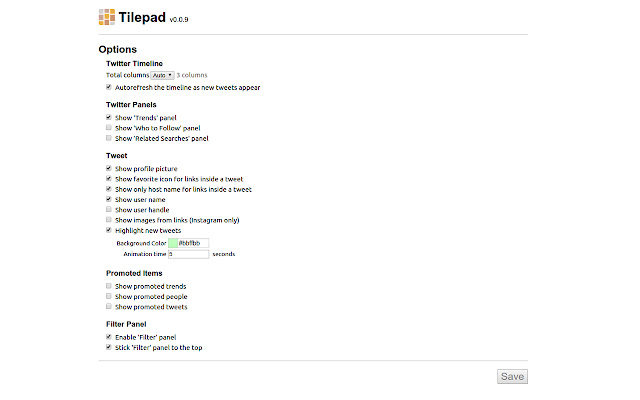
Download TilePad Extension CRX File
Download TilePad extension files in crx format, manually install Chrome extensions in the browser, or share the crx files with friends to easily install Chrome extensions.
Extension Usage Instructions
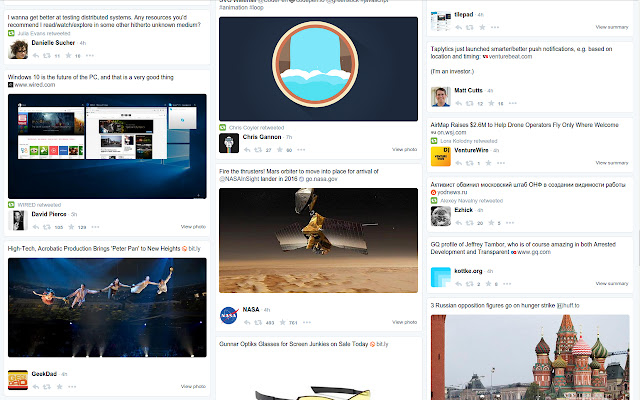
                        TilePad is allowing you to look through Twitter on the screen arranged in several columns. It is especially convenient for big screens. Also contains multiple customization options for viewing Twitter.

HIGHLIGHTS:
★ Multi-column layout
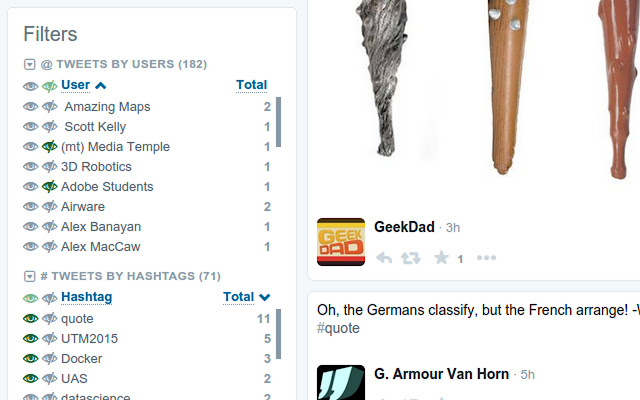
★ Filters and statistics
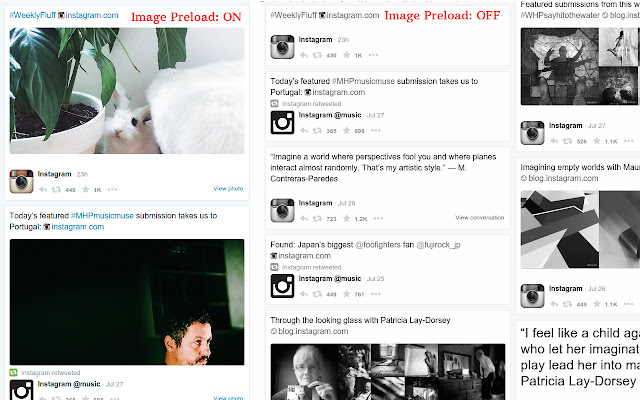
★ Instant Preload Images
★ Timeline Auto Refresh
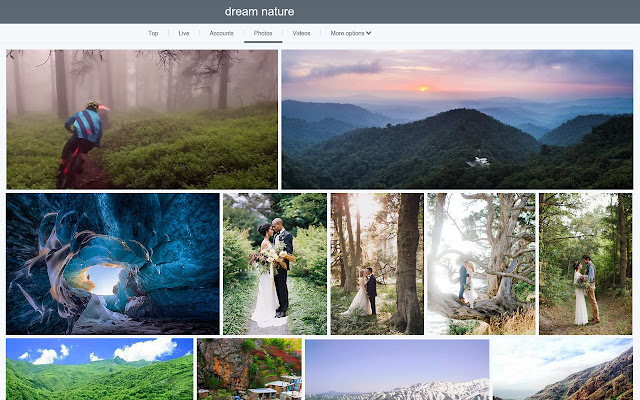
★ Photo Gallery
and more.

PS: Like it? Please follow @Tilepad on Twitter.

=========
CHANGELOG

* v0.0.18
- Remove Tilepad icon from the chrome toolbar

* v0.0.17
- Fixed Instagram CSS layout

* v0.0.16
- Fixed css layout for double/triple photos and embed videos

* v0.0.15
- Fixed css layout

* v0.0.14
- Added "Show New Tweet Mark" feature
- Added advanced filters: Text tweets, Tweets with pics/videos, Tweets with links

* v0.0.13
- Fixed css layout for tweet detail page

* v0.0.12
- Fixed user page layout

* v0.0.11
- Fixed new twitter layout for front page

* v0.0.10
- Fixed instagram images

* v0.0.9
- Improved extension load speed
- Fixed 'Unexpected method' exception

* v0.0.8
- Public release
Extension Basic Information
| Name |  TilePad TilePad |
| ID | jglhlhdkfaejllkkbcolnkcehcnpcjpf |
| Official URL | https://chrome.google.com/webstore/detail/tilepad/jglhlhdkfaejllkkbcolnkcehcnpcjpf |
| Description | Browse Twitter in multi-column mode |
| File Size | 824 KB |
| Installation Count | 15 |
| Current Version | 0.0.18 |
| Last Updated | 2016-04-13 |
| Publish Date | 2016-04-13 |
| Rating | 4.25/5 Total 4 Ratings |
| Developer | http://tilepad.co |
| Payment Type | in_store |
| Extension Website | http://tilepad.co |
| Supported Languages | en |
| manifest.json | |
{
    "manifest_version": 2,
    "name": "TilePad",
    "description": "Browse Twitter in multi-column mode",
    "version": "0.0.18",
    "icons": {
        "16": "img\/tilepad-logo-16.png",
        "48": "img\/tilepad-logo-48.png",
        "128": "img\/tilepad-logo-128.png"
    },
    "background": {
        "scripts": [
            "background.min.js"
        ]
    },
    "page_action": {
        "default_title": "Tilepad",
        "default_icon": {
            "19": "img\/tilepad-logo-19.png",
            "38": "img\/tilepad-logo-38.png"
        },
        "default_popup": "popup.html"
    },
    "content_scripts": [
        {
            "run_at": "document_start",
            "js": [
                "content_scripts.min.js"
            ],
            "matches": [
                "*:\/\/*.twitter.com\/*"
            ],
            "all_frames": false
        },
        {
            "run_at": "document_start",
            "js": [],
            "css": [
                "content_scripts.min.css"
            ],
            "matches": [
                "*:\/\/tilepad.css.templates.should.be.never.run.tilepad\/*"
            ],
            "all_frames": false
        }
    ],
    "options_page": "options.html",
    "permissions": [
        "unlimitedStorage",
        "storage",
        "identity",
        "identity.email",
        "webNavigation",
        "webRequest",
        "webRequestBlocking",
        "tabs",
        "http:\/\/*\/*",
        "https:\/\/*\/*",
        "https:\/\/www.googleapis.com\/"
    ],
    "oauth2": {
        "client_id": "815085386768-946pncbq8ulreavvsvidj9hrumbs82vi.apps.googleusercontent.com",
        "scopes": [
            "email",
            "https:\/\/www.googleapis.com\/auth\/chromewebstore.readonly"
        ]
    },
    "update_url": "http:\/\/clients2.google.com\/service\/update2\/crx",
    "web_accessible_resources": [
        "css\/*",
        "img\/*",
        "lib\/*",
        "app\/*",
        "options.html",
        "content_scripts.min.css"
    ],
    "minimum_chrome_version": "37",
    "content_security_policy": "script-src 'self' https:\/\/stats.g.doubleclick.net; object-src 'self'"
} | |