Spotify Ad Blocker
Block all Ads on Spotify, Enjoy Music with No Interruptions
What is Spotify Ad Blocker?
Spotify Ad Blocker is a Chrome extension developed by http://spotifyadblocker.com, and its main feature is "Block all Ads on Spotify, Enjoy Music with No Interruptions".
Extension Screenshots
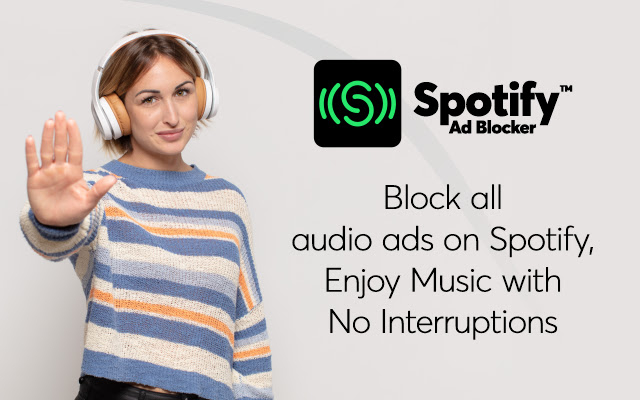
Download Spotify Ad Blocker Extension CRX File
Download Spotify Ad Blocker extension files in crx format, manually install Chrome extensions in the browser, or share the crx files with friends to easily install Chrome extensions.
Extension Usage Instructions
                        Spotify Ad Blocker is a Free tool that actively removes all audio ads on Spotify and enables you to listen to music ad-free.

Overview: -

The Spotify Ad Blocker is a necessary tool for all those who love listening to their favorite music or podcast on Spotify with zero interruptions. This is a free extension that automatically blocks all the audio ads on Spotify once installed on the device.

Features: -

- The Spotify Ad Blocker extension blocks all the ads on Spotify.
- This is a FREE extension that blocks all the audio ads automatically.
- Comes with an incredible user experience.
- Enables you to enjoy ad-free music

How to Use the Spotify Ad Blocker: -

Spotify Ad Blocker is a user-friendly tool that works automatically right after you install it on your device. Therefore, you don't have to do anything. Just install and enable the extension and listen to ad-free music on Spotify!

Disclaimer: -

Spotify is a trademark of Spotify Technology S.A., registered in the U.S. and other countries. This extension is an independent project. The extension and its developer are in no way affiliated.
Extension Basic Information
| Name |  Spotify Ad Blocker Spotify Ad Blocker |
| ID | jgofflaejgklikbnoefbfmhfohlnockd |
| Official URL | https://chrome.google.com/webstore/detail/spotify-ad-blocker/jgofflaejgklikbnoefbfmhfohlnockd |
| Description | Block all Ads on Spotify, Enjoy Music with No Interruptions |
| File Size | 58.7 KB |
| Installation Count | 10,000 |
| Current Version | 0.9 |
| Last Updated | 2022-02-09 |
| Publish Date | 2021-10-12 |
| Rating | 3.72/5 Total 72 Ratings |
| Developer | http://spotifyadblocker.com |
| [email protected] | |
| Payment Type | free |
| Extension Website | https://www.spotifyadblocker.com |
| Help Page URL | https://www.spotifyadblocker.com/support/ |
| Supported Languages | id,ms,de,en,en-GB,en-US,fil,fr,nl,no,vi,tr,ca,da,et,es,es-419,hr,it,lv,lt,hu,pl,pt-BR,pt-PT,ro,sk,sl,fi,sv,cs,el,sr,bg,ru,uk,mr,hi,bn,gu,ta,te,ml,th,ja,ko |
| manifest.json | |
{
    "update_url": "https:\/\/clients2.google.com\/service\/update2\/crx",
    "manifest_version": 2,
    "name": "__MSG_name__",
    "description": "__MSG_description__",
    "version": "0.9",
    "permissions": [
        "webRequest",
        "webRequestBlocking"
    ],
    "default_locale": "en",
    "icons": {
        "128": "img\/128.png",
        "32": "img\/32.png",
        "48": "img\/48.png",
        "16": "img\/16.png"
    },
    "browser_action": {
        "default_icon": "img\/128.png"
    },
    "background": {
        "scripts": [
            "scripts\/background.js",
            "scripts\/backgroundScript.js"
        ],
        "persistent": true
    },
    "content_scripts": [
        {
            "matches": [
                "https:\/\/*\/*",
                "http:\/\/*\/*"
            ],
            "js": [
                "scripts\/content.js",
                "scripts\/checkStoped.js"
            ],
            "run_at": "document_start"
        }
    ],
    "web_accessible_resources": [
        "scripts\/*"
    ]
} | |