Zombie Shooter
A cool zombie game in which you must kill all the zombies, direct hits and rebound trickshots!
What is Zombie Shooter?
Zombie Shooter is a Chrome extension developed by https://www.chromethemer.com, and its main feature is "A cool zombie game in which you must kill all the zombies, direct hits and rebound trickshots!".
Extension Screenshots
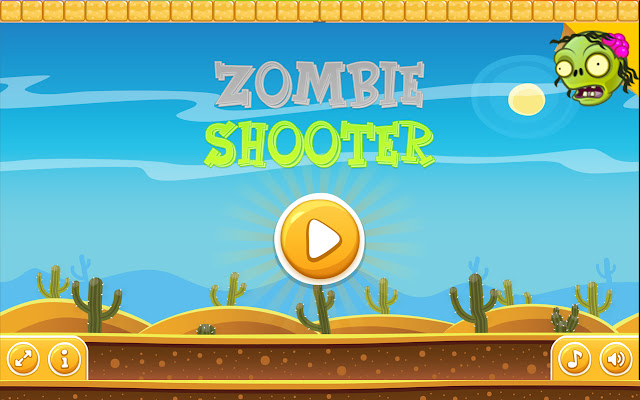


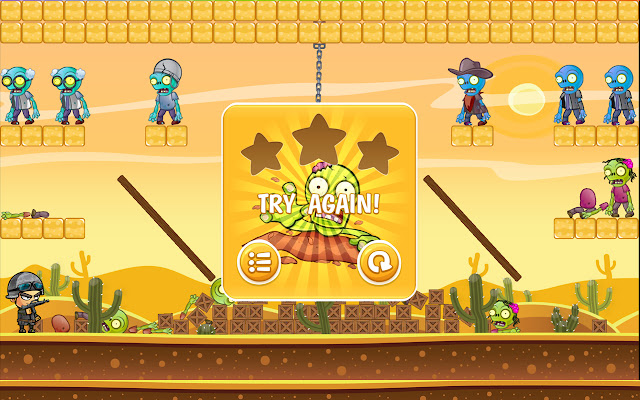
Download Zombie Shooter Extension CRX File
Download Zombie Shooter extension files in crx format, manually install Chrome extensions in the browser, or share the crx files with friends to easily install Chrome extensions.
Extension Usage Instructions
                        The Zombie Shooter extension; Creates a cool custom zombie icon in your web browser, that opens a pop-up link to play Zombie Shooter, right in your browser.

Zombie Shooter – a cool zombie game in which you must kill all the zombies, direct hits and rebound trick shots! Share what you’re capable of and destroy all the zombies as fast as possible! Enjoy 15 levels!
Extension Basic Information
| Name |  Zombie Shooter Zombie Shooter |
| ID | jjdandeiabhekholpjlmiaejlhoochoa |
| Official URL | https://chrome.google.com/webstore/detail/zombie-shooter/jjdandeiabhekholpjlmiaejlhoochoa |
| Description | A cool zombie game in which you must kill all the zombies, direct hits and rebound trickshots! |
| File Size | 80.7 KB |
| Installation Count | 375 |
| Current Version | 1.0 |
| Last Updated | 2020-06-25 |
| Publish Date | 2020-06-25 |
| Developer | https://www.chromethemer.com |
| [email protected] | |
| Payment Type | free |
| Extension Website | https://www.chromethemer.com/ |
| Help Page URL | https://www.chromethemer.com/ |
| Privacy Policy Page URL | https://www.chromethemer.com/privacy.html |
| Supported Languages | en-US |
| manifest.json | |
{
    "update_url": "https:\/\/clients2.google.com\/service\/update2\/crx",
    "name": "Zombie Shooter",
    "description": "A cool zombie game in which you must kill all the zombies, direct hits and rebound trickshots!",
    "version": "1.0",
    "icons": {
        "16": "icon16.png",
        "48": "icon48.png",
        "128": "icon128.png"
    },
    "browser_action": {
        "default_icon": "icon128.png",
        "icons": {
            "16": "icon16.png",
            "48": "icon48.png",
            "128": "icon128.png"
        },
        "default_popup": "hello.html"
    },
    "manifest_version": 2,
    "commands": {
        "_execute_browser_action": {
            "suggested_key": {
                "default": "Ctrl+Shift+F",
                "mac": "MacCtrl+Shift+F"
            },
            "description": "Opens hello.html"
        }
    }
} | |