Signup Block
Remove signup dialogs and view the content of some websites without signing up.
What is Signup Block?
Signup Block is a Chrome extension developed by Mohamed Moussa, and its main feature is "Remove signup dialogs and view the content of some websites without signing up.".
Extension Screenshots

Download Signup Block Extension CRX File
Download Signup Block extension files in crx format, manually install Chrome extensions in the browser, or share the crx files with friends to easily install Chrome extensions.
Extension Usage Instructions
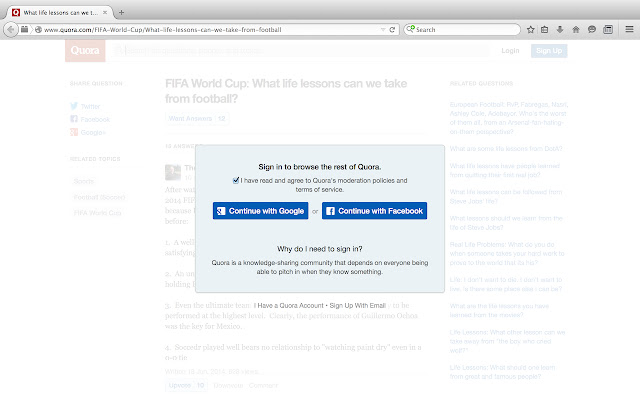
                        Signup Block removes signup pop-ups and allows you to view the content of some websites without signing up. It currently supports almost two dozen websites, including Quora, Pinterest, and the National Post. This extension has two modes: manual and automatic. It comes installed in manual mode, in which the user needs to click the Signup Block icon to remove the signup requirement on the page. To change the extension into automatic mode, go to the extensions section, under Signup Block click "Options", and then check the available checkbox. In automatic mode, the Signup Block extension will be automatically run when a page is loaded.

To run Signup Block, you can use the keyboard shortcut Alt + Shift + X.

To toggle Signup Block between automatic and manual mode, you can use the keyboard shortcut Alt + T.

Full list of supported sites: https://github.com/mmmoussa/Signup-Block/blob/master/Supported%20sites.md
Extension Basic Information
| Name |  Signup Block Signup Block |
| ID | joiaigcocfbhjbgeajdmmgchlbepelco |
| Official URL | https://chrome.google.com/webstore/detail/signup-block/joiaigcocfbhjbgeajdmmgchlbepelco |
| Description | Remove signup dialogs and view the content of some websites without signing up. |
| File Size | 48.53 KB |
| Installation Count | 2,000 |
| Current Version | 1.1 |
| Last Updated | 2015-06-08 |
| Publish Date | 2015-06-08 |
| Rating | 1.80/5 Total 25 Ratings |
| Developer | Mohamed Moussa |
| Payment Type | free |
| Supported Languages | en |
| manifest.json | |
{
    "update_url": "https:\/\/clients2.google.com\/service\/update2\/crx",
    "manifest_version": 2,
    "name": "Signup Block",
    "description": "Remove signup dialogs and view the content of some websites without signing up.",
    "version": "1.1",
    "icons": {
        "16": "icon-16.png",
        "48": "icon-48.png",
        "128": "icon-128.png"
    },
    "options_ui": {
        "page": "options.html",
        "chrome_style": true
    },
    "browser_action": {
        "default_icon": "icon-128.png",
        "default_title": "Signup Block"
    },
    "background": {
        "scripts": [
            "jquery-2.1.3.min.js",
            "background.js"
        ]
    },
    "commands": {
        "toggle-feature-foo": {
            "suggested_key": {
                "default": "Alt+T"
            },
            "description": "Toggle automatic signup removal feature"
        },
        "_execute_browser_action": {
            "suggested_key": {
                "windows": "Alt+Shift+X",
                "mac": "Alt+Shift+X",
                "chromeos": "Alt+Shift+X",
                "linux": "Alt+Shift+X"
            }
        }
    },
    "permissions": [
        "tabs",
        "activeTab",
        "http:\/\/*\/*",
        "storage"
    ]
} | |