Spotify Controller
Controll your Spotify player via shortcut commands
What is Spotify Controller?
Spotify Controller is a Chrome extension developed by Elias Wennerlund, and its main feature is "Controll your Spotify player via shortcut commands".
Extension Screenshots
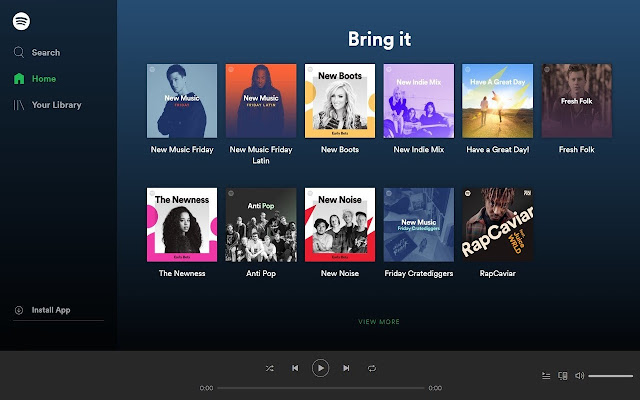
Download Spotify Controller Extension CRX File
Download Spotify Controller extension files in crx format, manually install Chrome extensions in the browser, or share the crx files with friends to easily install Chrome extensions.
Extension Usage Instructions
                        Are you tired of switching tabs just to change song? With Spotify Controller you can use shortcut commands instead!

Standard commands:
    Back button: Alt+Shift+D
    Pause/Play: Alt+Shift+F
    Next button: Alt+Shift+G

You can also add shortcuts to the Shuffle and Repeat buttons.

If you want to change the commands, go to chrome://extensions/shortcuts
Extension Basic Information
| Name |  Spotify Controller Spotify Controller |
| ID | jpjbjbgjbicfeifjclhojfelcifcndnh |
| Official URL | https://chrome.google.com/webstore/detail/spotify-controller/jpjbjbgjbicfeifjclhojfelcifcndnh |
| Description | Controll your Spotify player via shortcut commands |
| File Size | 15.11 KB |
| Installation Count | 3,000 |
| Current Version | 1.2.0 |
| Last Updated | 2021-06-04 |
| Publish Date | 2020-08-24 |
| Rating | 3.86/5 Total 7 Ratings |
| Developer | Elias Wennerlund |
| [email protected] | |
| Payment Type | free |
| Supported Languages | en-US |
| manifest.json | |
{
    "update_url": "https:\/\/clients2.google.com\/service\/update2\/crx",
    "name": "Spotify Controller",
    "description": "Controll your Spotify player via shortcut commands",
    "author": "Elias Wennerlund",
    "version": "1.2.0",
    "permissions": [
        "tabs",
        "commands"
    ],
    "icons": {
        "128": "128.png"
    },
    "content_scripts": [
        {
            "matches": [
                "https:\/\/open.spotify.com\/*"
            ],
            "run_at": "document_idle",
            "js": [
                "content.js"
            ]
        }
    ],
    "background": {
        "scripts": [
            "background.js"
        ],
        "persistent": true
    },
    "browser_action": {
        "default_icon": {
            "128": "128.png"
        }
    },
    "commands": {
        "prev": {
            "suggested_key": {
                "default": "Alt+Shift+D"
            },
            "description": "Back button",
            "global": false
        },
        "play-pause": {
            "suggested_key": {
                "default": "Alt+Shift+F"
            },
            "description": "Play\/Pause button",
            "global": false
        },
        "next": {
            "suggested_key": {
                "default": "Alt+Shift+G"
            },
            "description": "Next button",
            "global": false
        },
        "shuffle": {
            "description": "Shuffle button"
        },
        "repeat": {
            "description": "Repeat button"
        }
    },
    "manifest_version": 2
} | |